Final Deliverables
Final deliverables showcase.
Systemd
All custom software must be running on systemd.
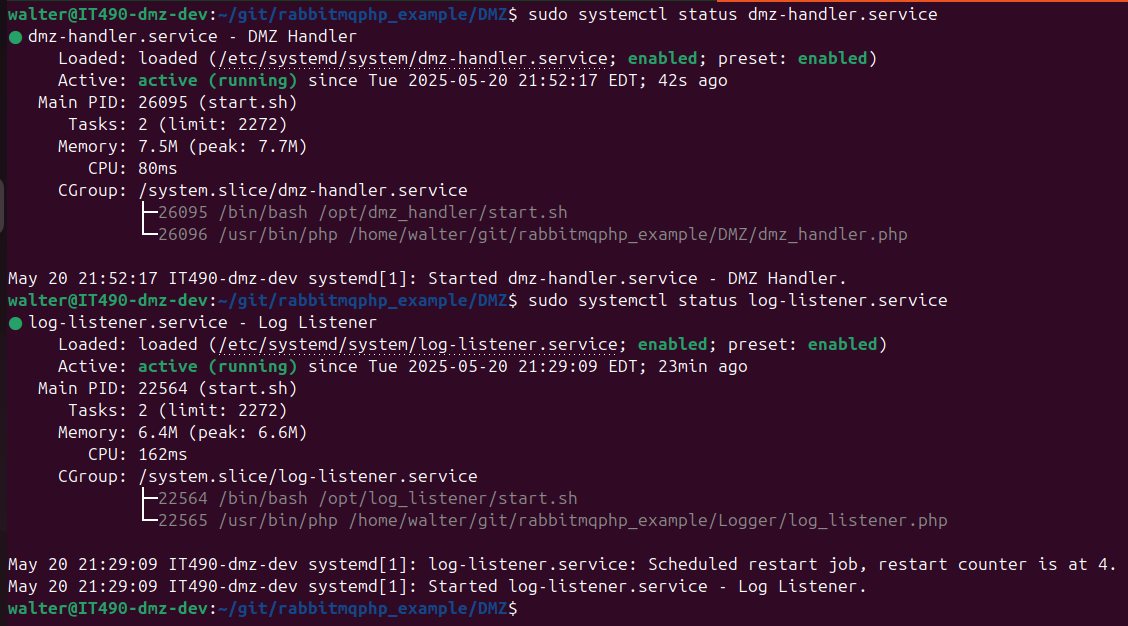
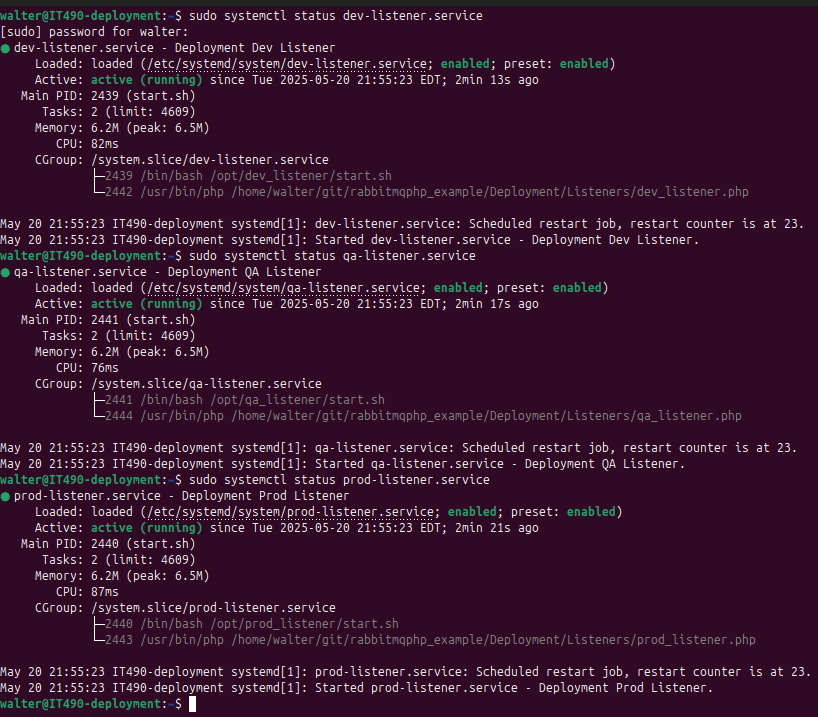
I was primarily responsible for maintaining the DMZ and deployment system VMs, so here are the systemd services for those.
DMZ: Only running the DMZ handler and log listener on systemd
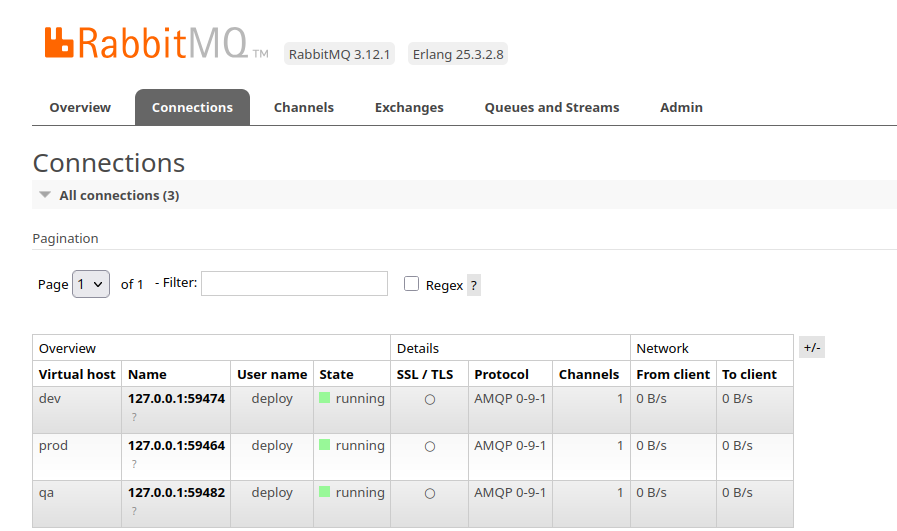
Deployment system: Listeners for each environment are automatically running, as shown on the RabbitMQ dashboard
Systemd services view
Deployment System
Must support version control, deployment, and rollback.
The Dev, QA, and Prod clusters must be set up in order for this deliverable to work. Additionally, some of the software must be running automatically on systemd.
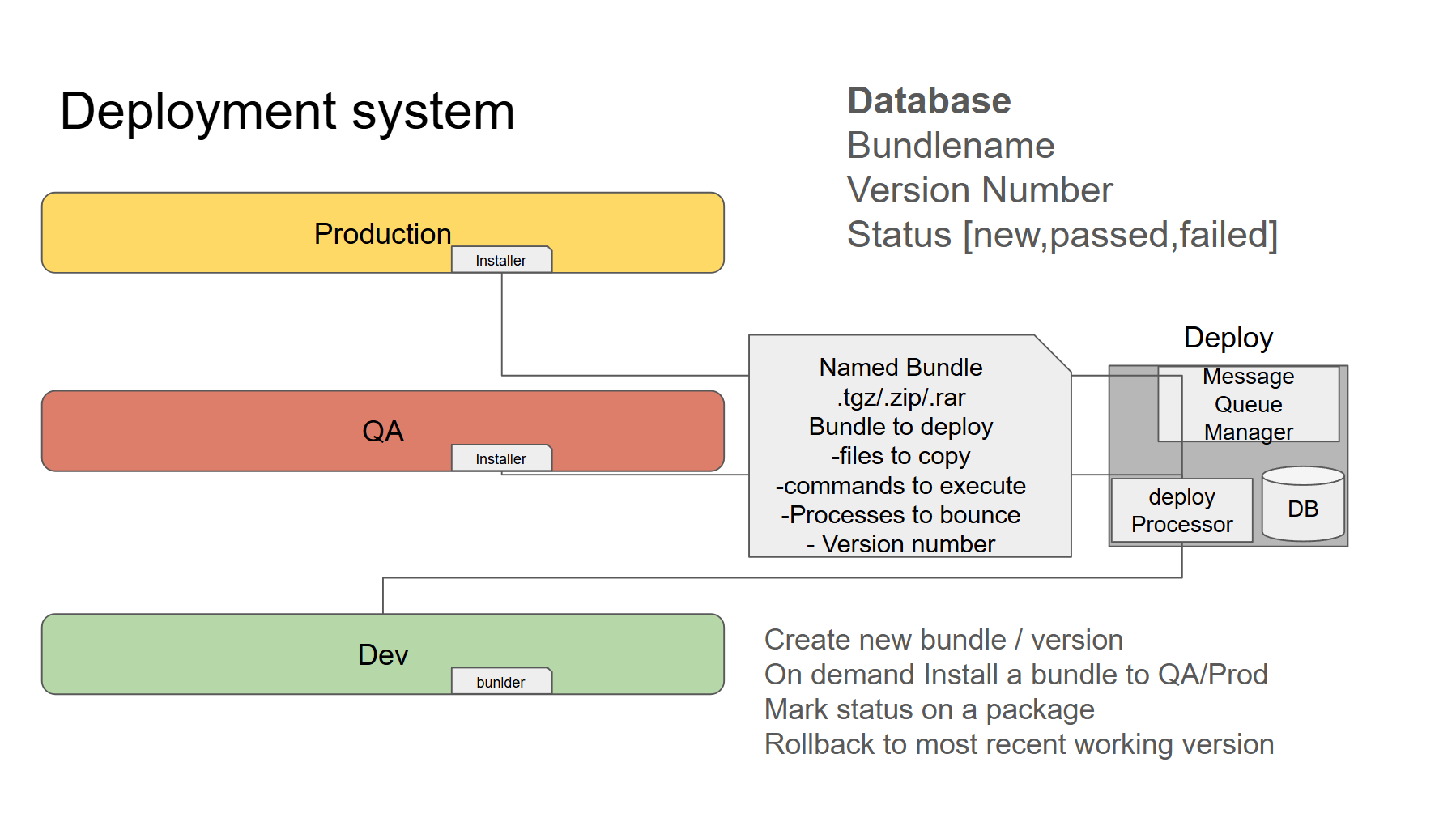 Slide credit: DJ Kehoe
Creating a Bundle
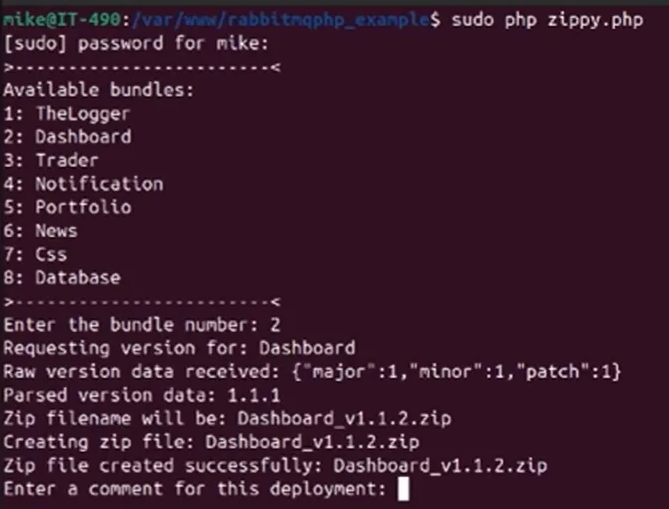
zippy.php is the script to create a bundle. The client selects a category from the list of bundles. These include predefined files to include in the bundle. For example, Trader would include trade.php, etc.
Dev Client: After entering the bundle category, the client sends a get_bundle_version request to the Deployment VM, which returns the latest bundle version to the client. This is so that the client knows which version numbers to use, as well as to prevent duplicate bundles from being stored on the Deployment VM, or old bundles from being overwritten (bad for rollback).
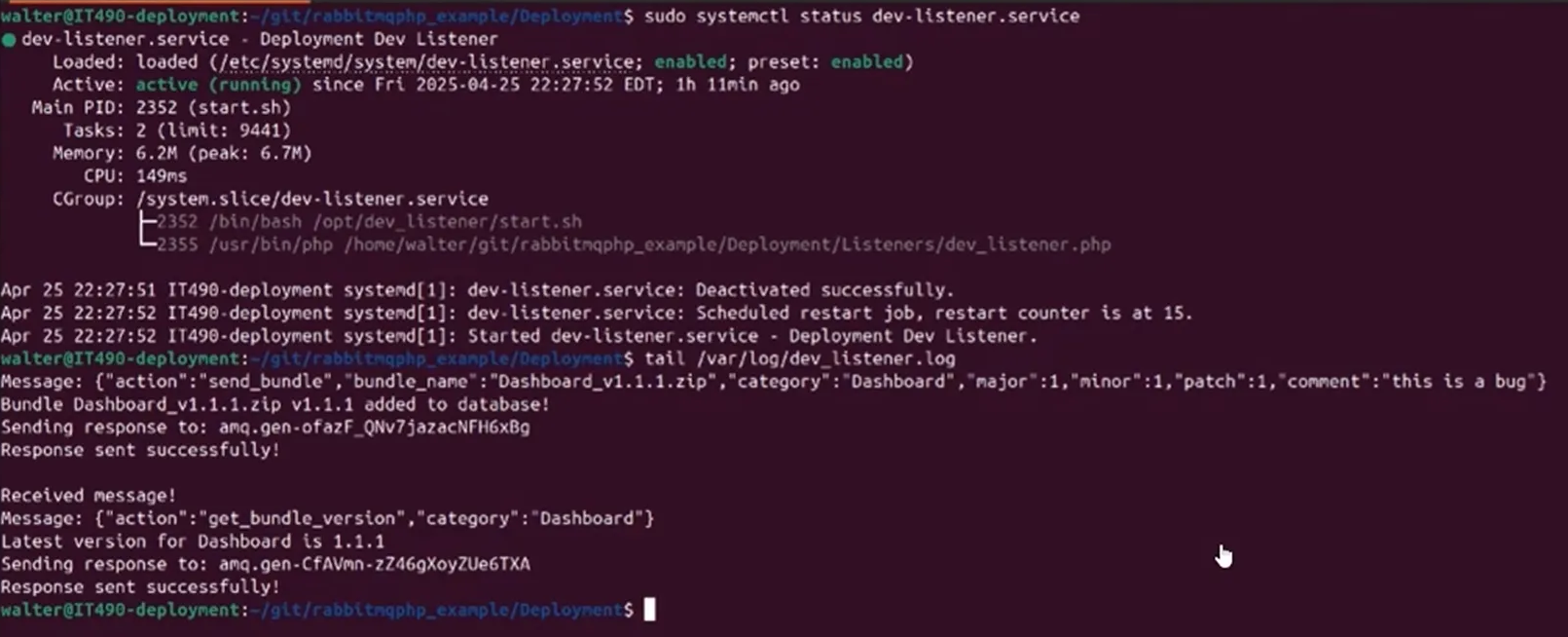
Deployment: Sends the latest version number to the client who requested it. The latest version number for Dashboard is 1.1.1 in this case (ignore the message regarding the new bundle being added to the DB, that was done beforehand). So, the Dev client should use the version number 1.1.2 for the new bundle.
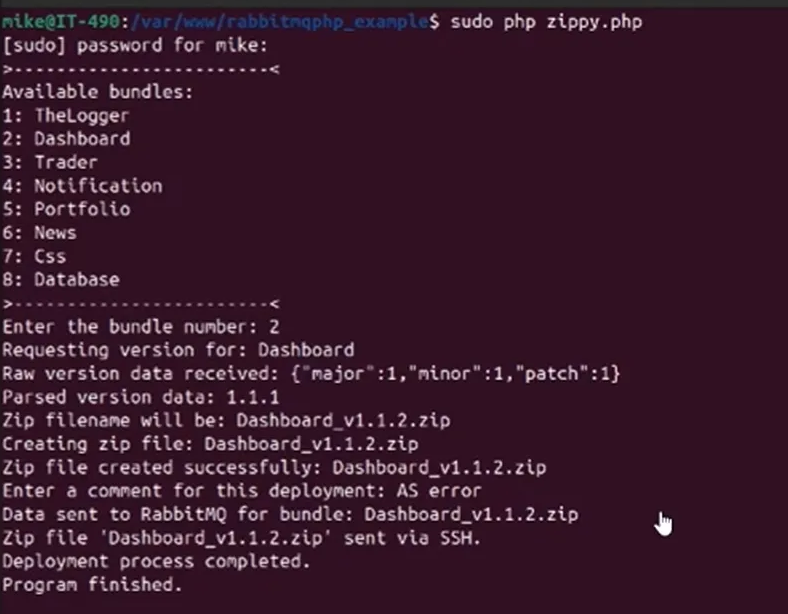
Sending a Bundle to Deployment
Dev Client: Creates bundle with the new version number (1.1.2) and sends it to the Deployment VM via SSH after adding a comment to the bundle.
Deployment: New bundle received from dev, data added to database. This is handled by dev_listener.php.

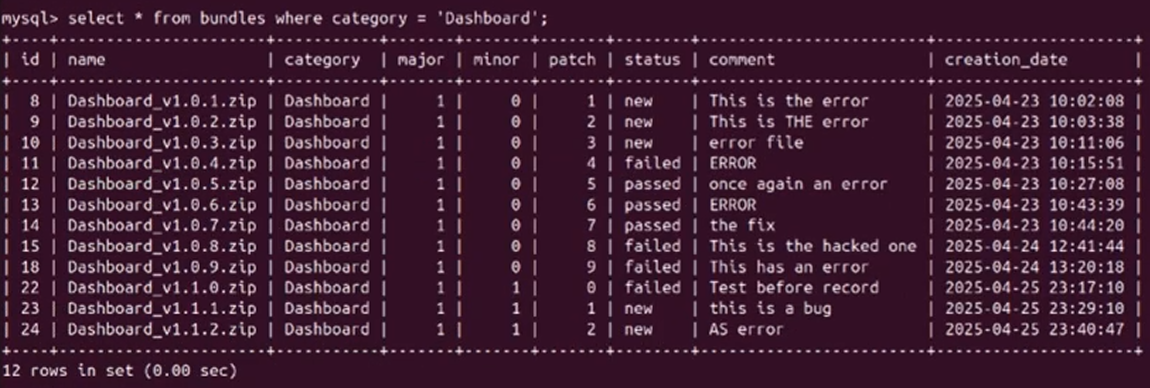
Deployment: DB with entries for bundles in the Dashboard category. v1.1.2 purposefully contains an error so that we can also demonstrate that rollback works, however it is automatically marked as new for now.
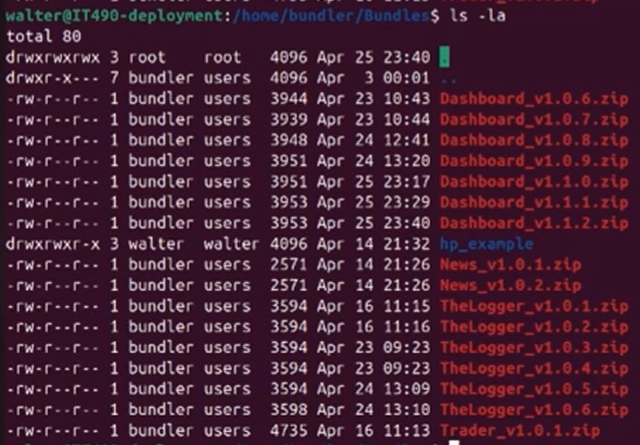
Deployment: Dedicated directory where bundles are stored. Notice the new Dashboard_v1.1.2.zip, as well as the older Dashboard bundles.
Automatic Installation
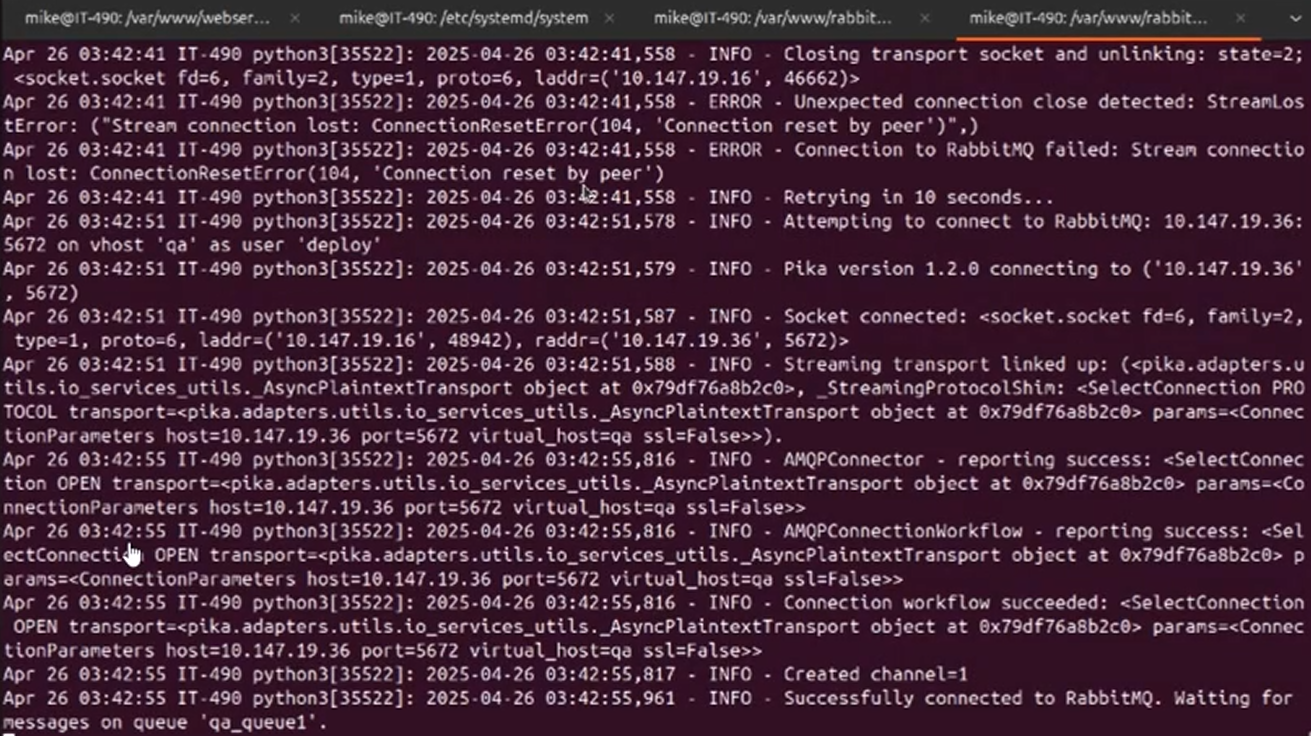
QA Client: The VM is freshly booted, so it takes a moment to connect to the RabbitMQ server hosted on the Deployment system. These are the logs from bundleInstaller.py, which runs on all VMs in the cluster.
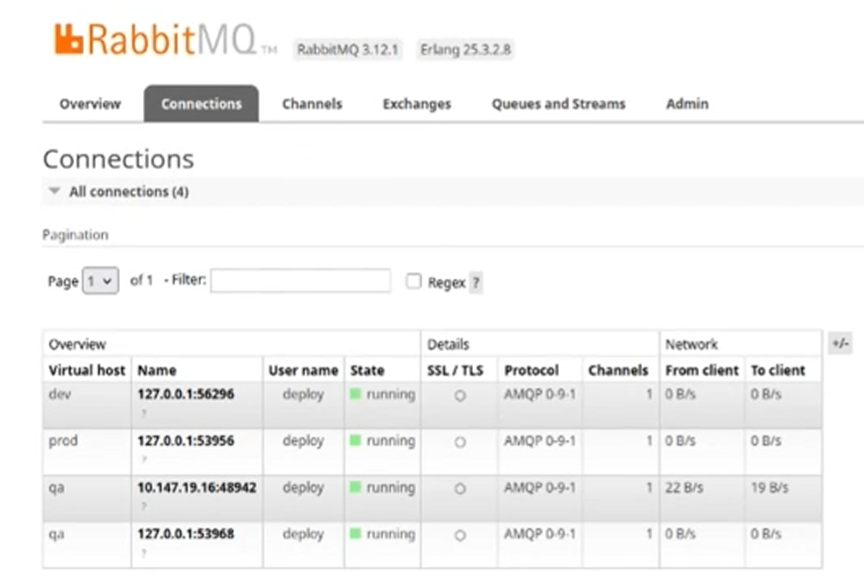
Deployment: We see the connections here: the 3 listeners for the Deployment system, as well as the installer for the Webserver QA VM (10.147.19.16).
No other machines were running during this demo.
Deployment: We were told to send bundles manually from the Deployment VM. Here, the script to send a bundle to a QA VM is being executed (send_bundle_to_qa.php). It takes 2 arguments: the bundle name and the routing key of the VM.
Each VM gets its own unique routing key so that only specific bundles are sent to specific machines. The exchange where bundles are sent and received is set to direct: the message goes to the queue whose binding key exactly matches the routing key of the message. (See: https://www.rabbitmq.com/tutorials/tutorial-four-python)
Initially, we used a fanout exchange so that all VMs would receive new bundles at the same time, but it wouldn’t make sense if we sent a CSS bundle to the database VM.
Here, we are sending the new Dashboard bundle to the webserver VM, which uses the routing key qa_vm1. The webserver QA VM is listening on qa_queue1, which is bound to qa_exchange with the routing key qa_vm1.

Deployment: Bundle sent to QA (ignore the rollback message)
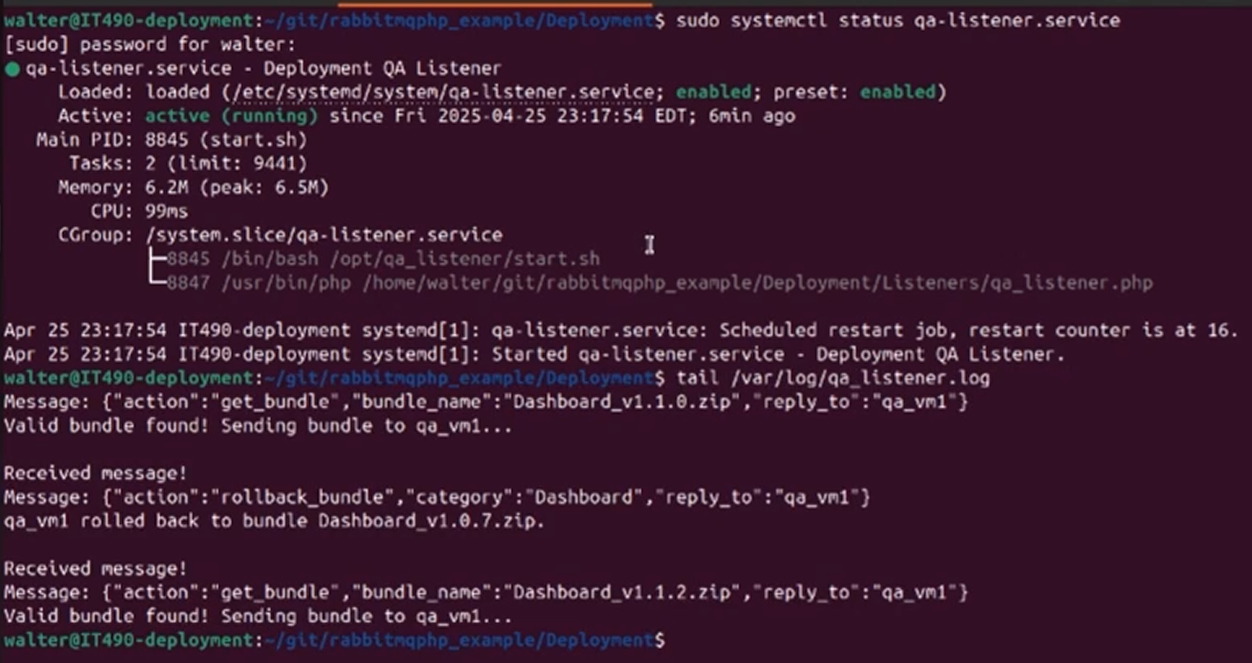
QA Client: The installer logs show that the new bundle was installed successfully
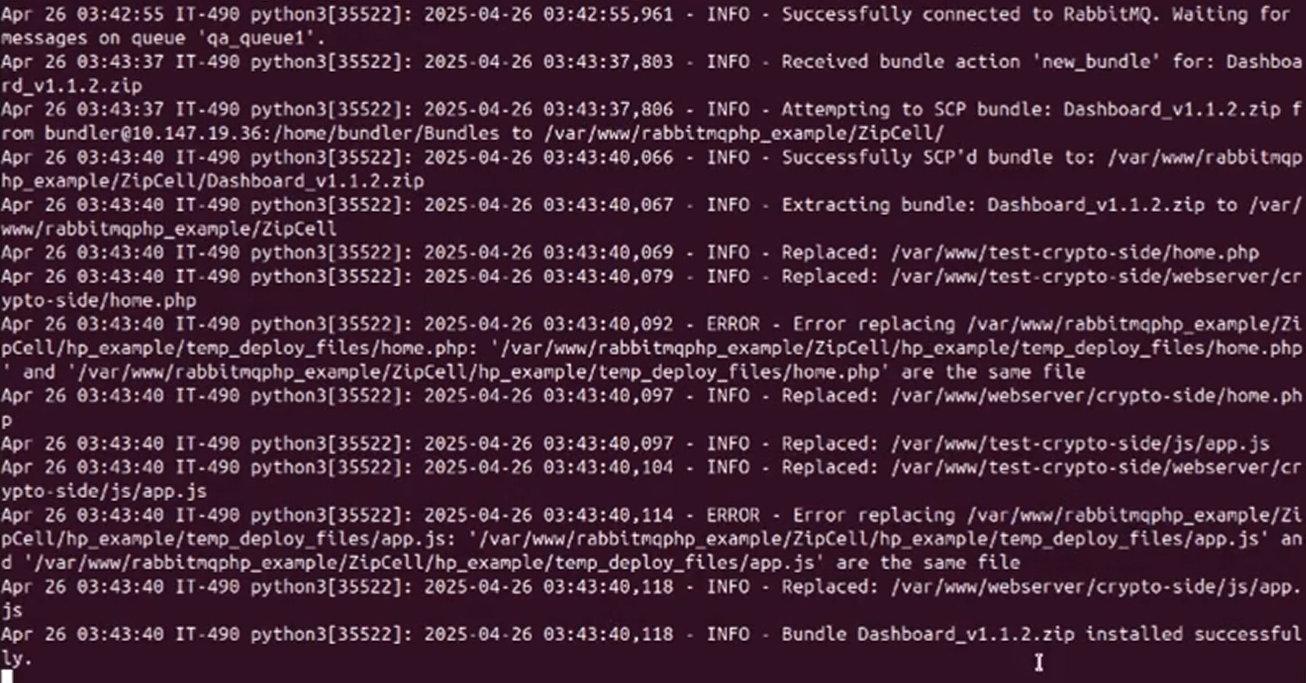
Webserver: For testing, the error is just the text on the dashboard of the website.
Rollback
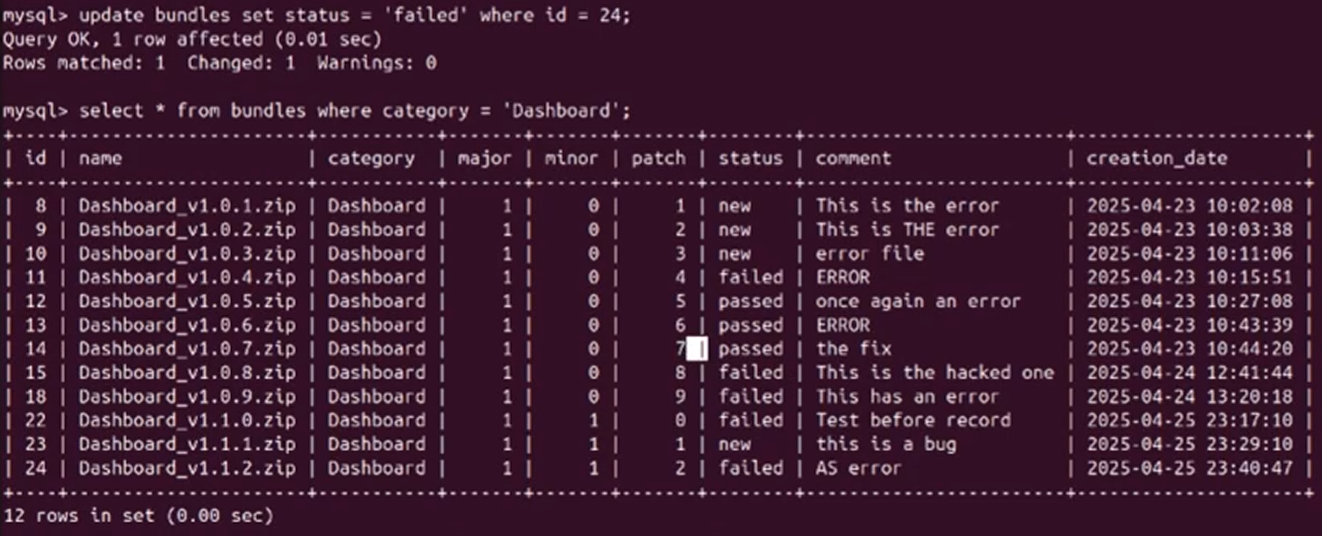
Deployment: We were told that we must update the status of bundles from the Deployment VM. I did not create a specific script to do this, I just ran an SQL command to update the status of Dashboard_v1.1.2.zip to failed.
Deployment: The rollback script is executed (rollback_bundle_to_qa.php). This script does not SSH into any of the client VMs, all it does is send a message to the listener that includes the latest working version of a bundle based on the category. The installers running on the QA or Prod VMs handle the installation process automatically (bundleInstaller.py), as shown in the previous demonstration.
The script takes the bundle category and the routing key used by the VM as arguments.
If you take a look at the DB entries from above, you will notice that Dashboard_v1.0.7.zip is the latest bundle version with the status set to “passed.”

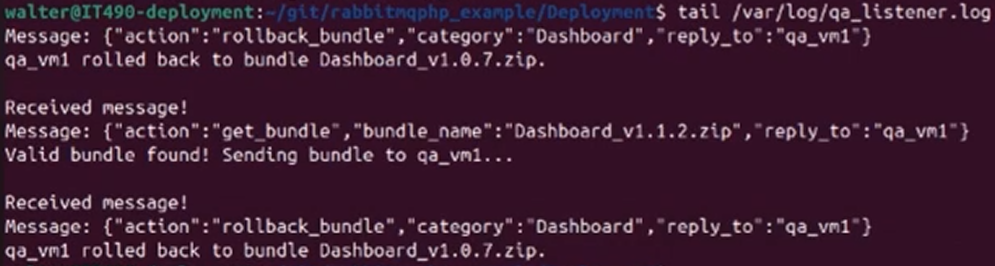
Deployment: When we take a look at the logs, notice that the last message is a rollback message, with the version 1.0.7 included.
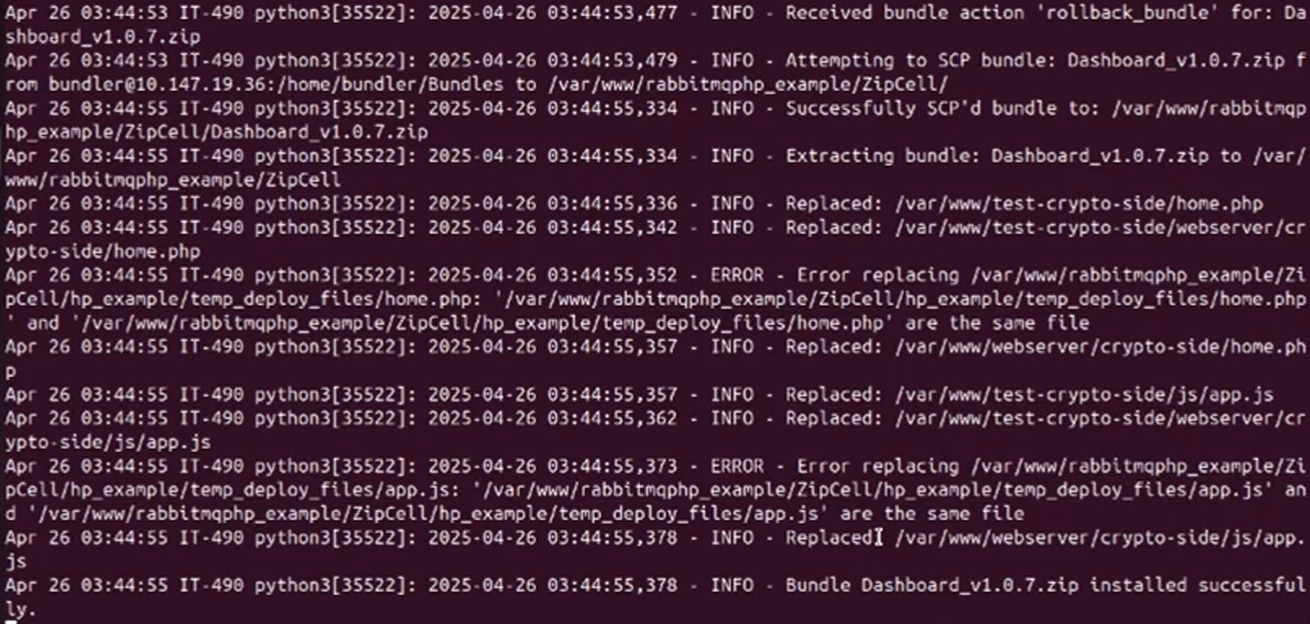
QA Client: When we take a look at the installer logs, notice that Dashboard_v1.0.7.zip was installed successfully.
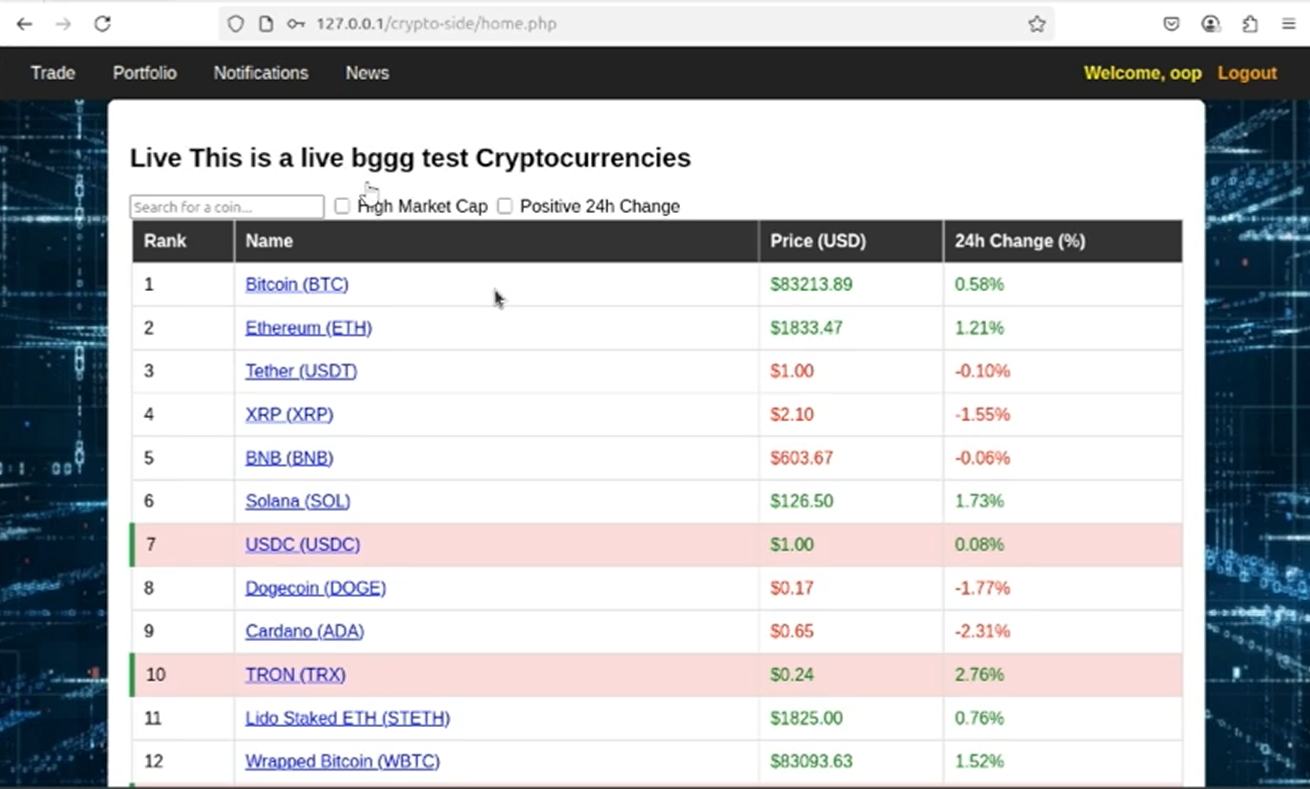
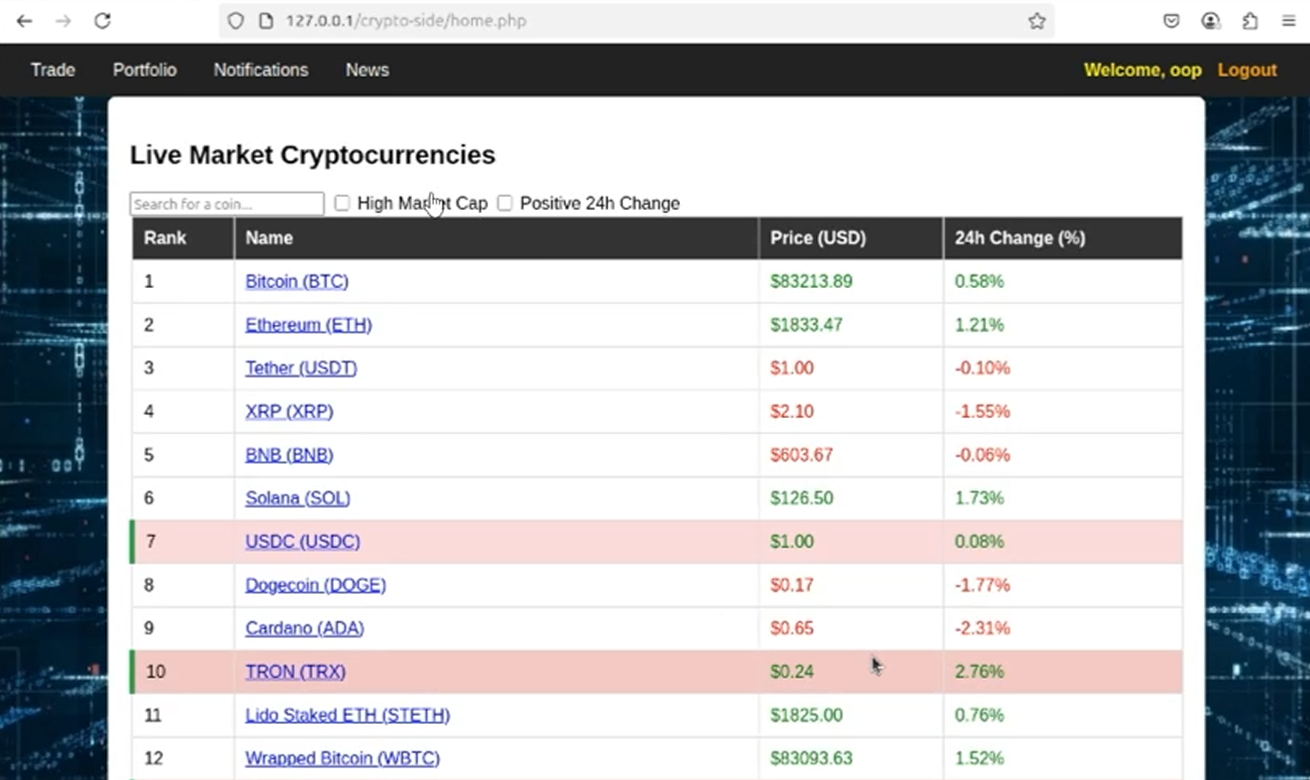
Webserver: And if we refresh the page, the text error is fixed. Everything is automatic asides from marking the bundle status and issuing a rollback.
The bundle installation and rollback process works the exact same for Prod, however messages would be sent to the prod exchange instead. See all deployment files at: https://github.com/Mike-ui-bot/rabbitmqphp_example/tree/final/Deployment.
Production, QA, and Development Clusters
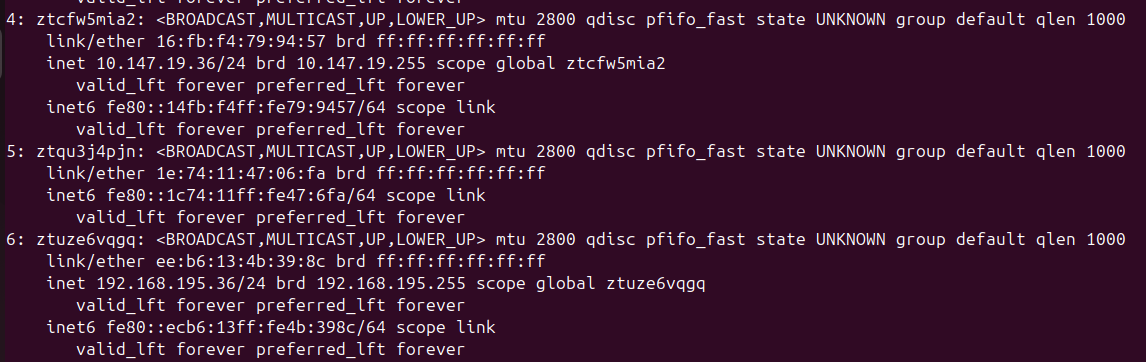
These clusters needed to be set up in order for the deployment system to work. It is hard to actually show the clusters, but these are the network adapters for the Deployment system.
10.147.19.36 is the IP address of the deployment VM for the QA network
192.168.195.36 is the IP address of the deployment VM for the Prod network
The deployment VM was disconnected from the Dev cluster during troubleshooting for the final presentation, however it should be connected to Dev.
Host Stand By (HSB) System for Production
This is the delivarable we did not complete. We were on a time crunch and this deliverable was giving us some trouble. DB Replication must work in order for this deliverable to work.
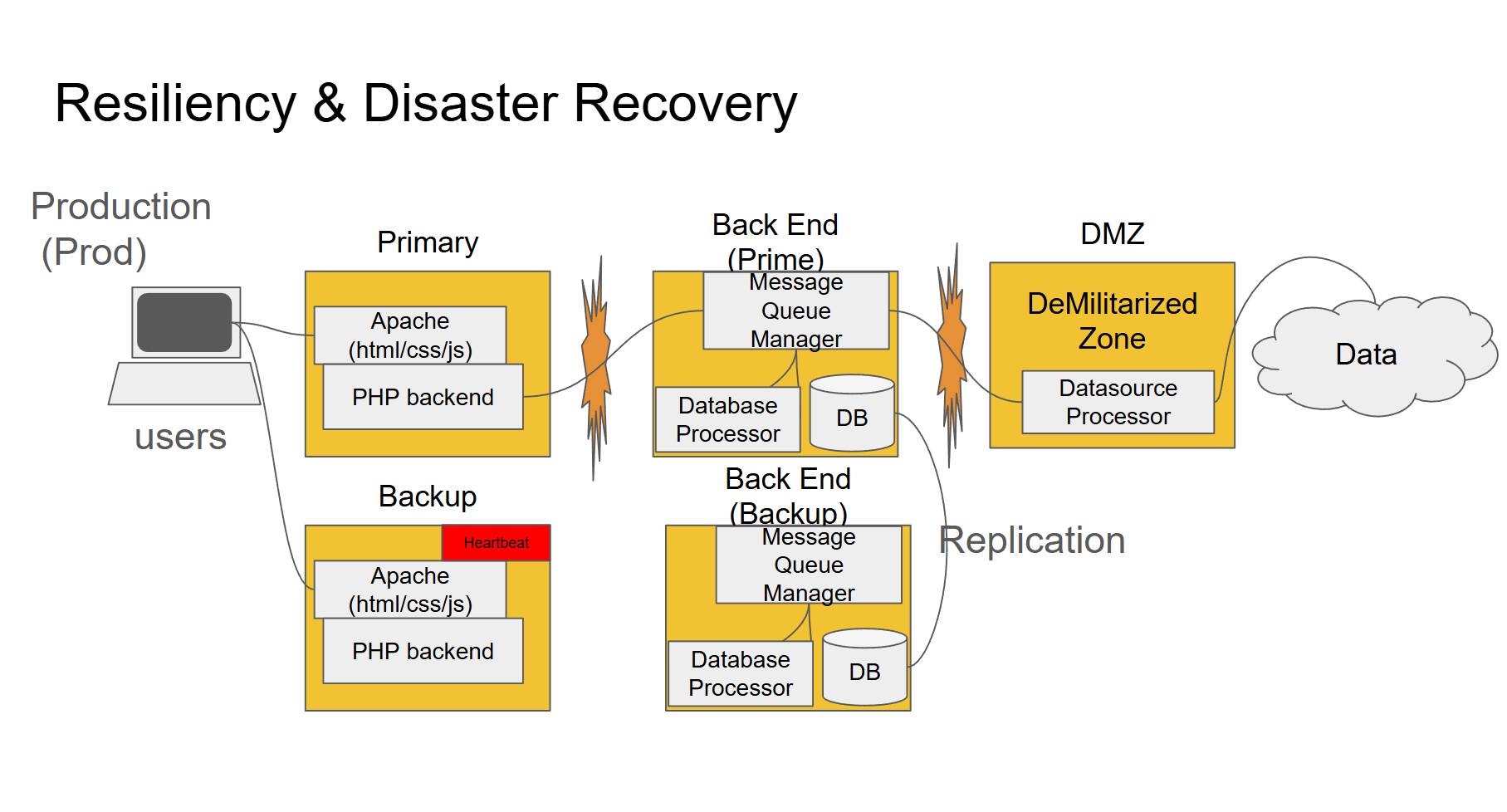 Slide credit: DJ Kehoe
Database Replication
We got half credit for this deliverable since we were supposed to do master-master replication, but we did master-slave. DB replication was to only be done between the primary and HSB systems on Prod.
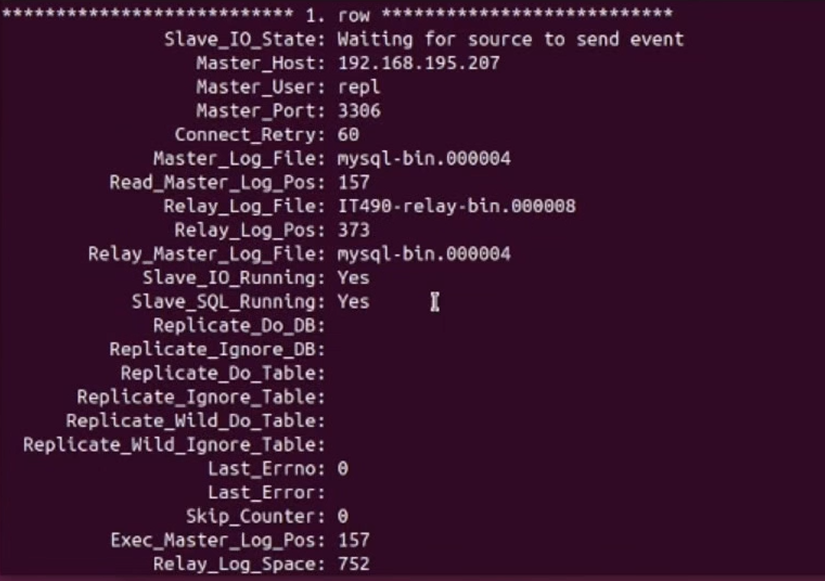
Slave: Output after running SHOW SLAVE STATUS\G
The slave VM is waiting for DB updates on the master VM.
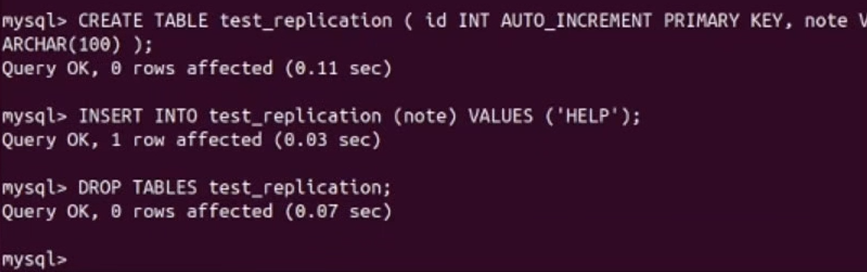
Master: Table inserted with sample data

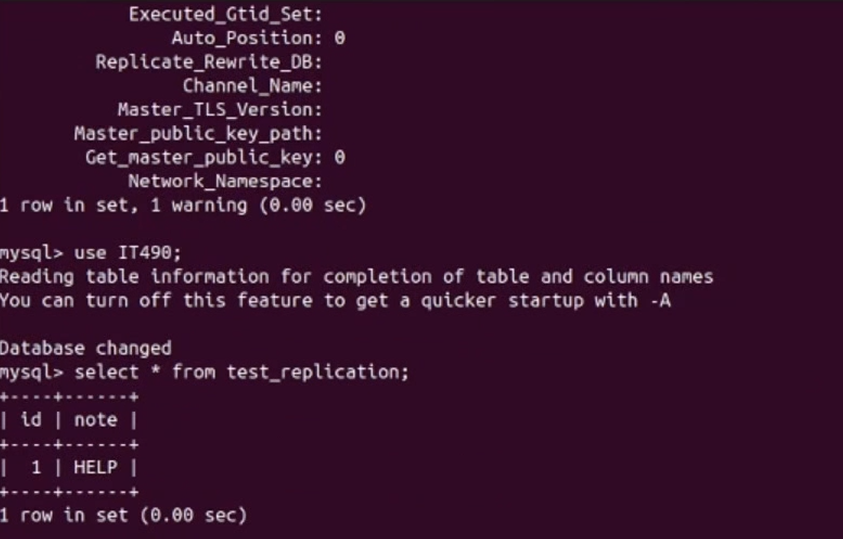
Slave: DB is updated with sample data from the master VM
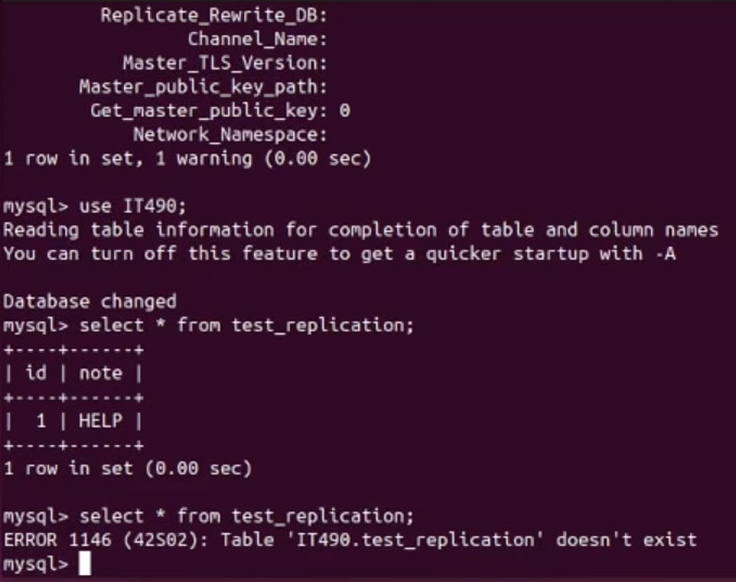
Master: Table is then dropped
Slave: Changes are synced. When trying to select entries from the table that was dropped, we see a message saying that the table does not exist.
Hashed Passwords
Passwords in the database are to be hashed. Salting was also implemented. Despite using the same password for both users (123), the hashes are different.

Decentralized Logging
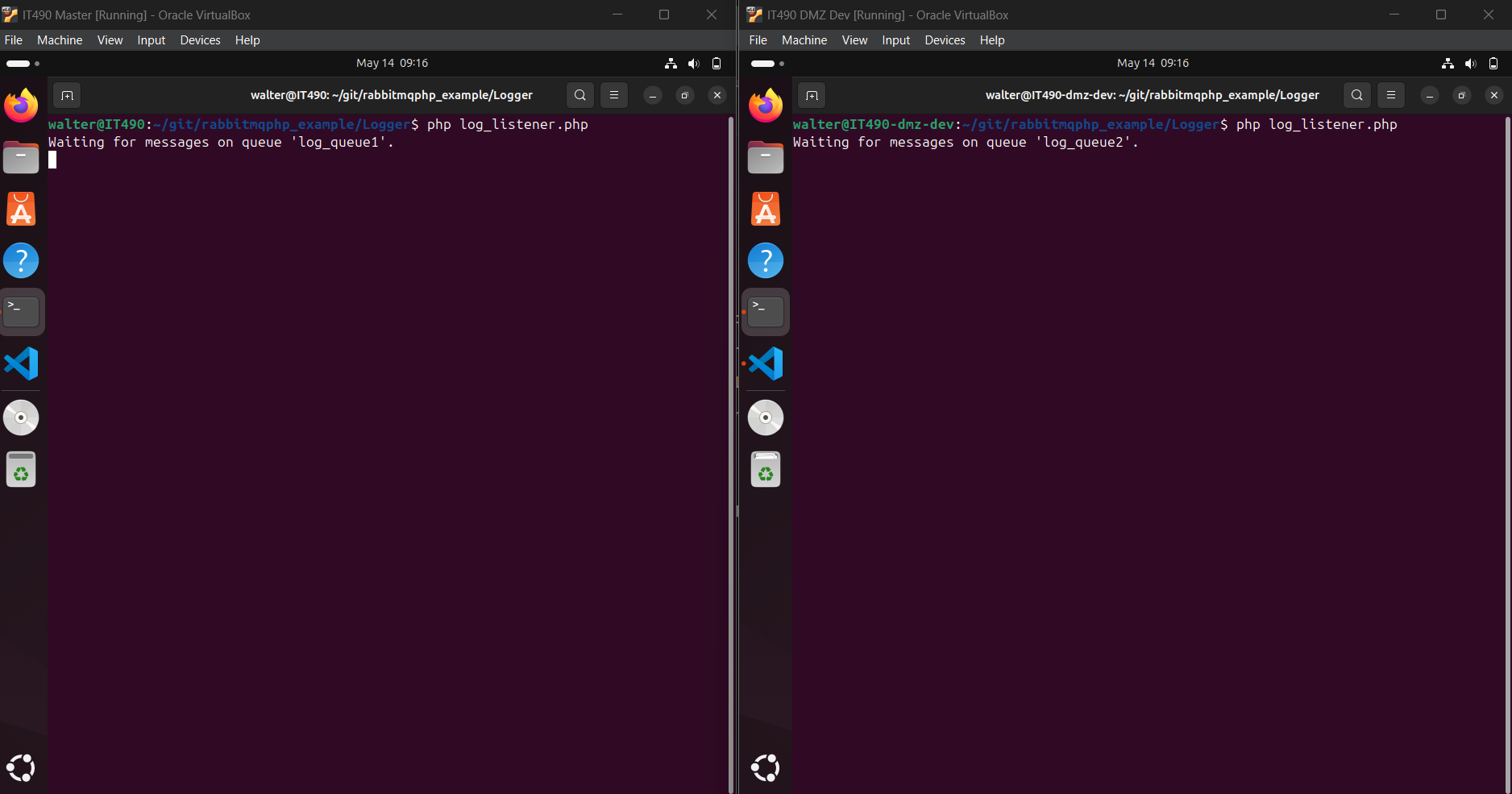
All VMs in a cluster must have a synchronous logging system. Each VM would receive the same exact log messages, written to the appropriate files. For example, logs generated by the Backend VM would be written to backend.log.
2 different VMs are running the log listeners, which are bound to log_exchange. One VM (Master) is listening on log_queue1, and the other VM (DMZ) is listening on log_queue2. log_exchange is set to fanout so that all queues receive the same message.
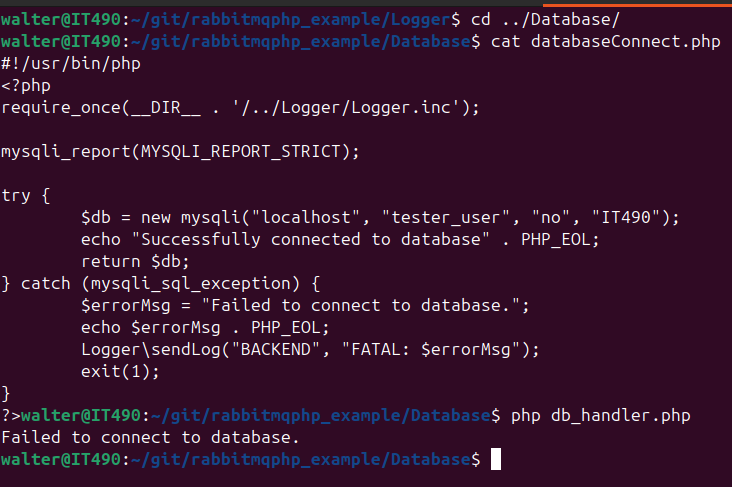
To generate an error, I changed the password in the databaseConnect.php script (line 8, 3rd argument). The password “no” is incorrect.
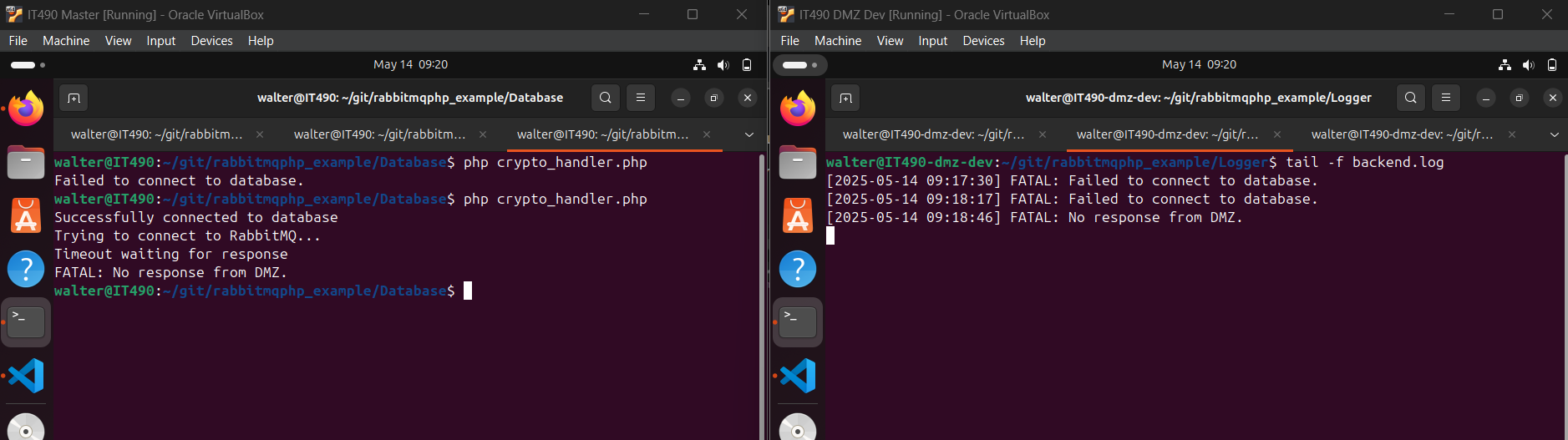
crypto_handler.php uses databaseConnect.php to connect to the DB. If the password is incorrect, the script will fail, and thus generate an error. I ran the script twice with the bad password, hence the 2 error messages. Then, I ran the script without the DMZ handler running, which would produce a different log message.
“No response from DMZ” means that dmz_handler.php was not running when crypto_handler.php was executed.
To generate another log, I successfully ran crypto_handler.php (with dmz_handler.php running in the background), which should generate a log with the INFO level.

Both VMs are getting the same exact log messages, nearly simultaneously. The timestamps are slightly off.

SSL
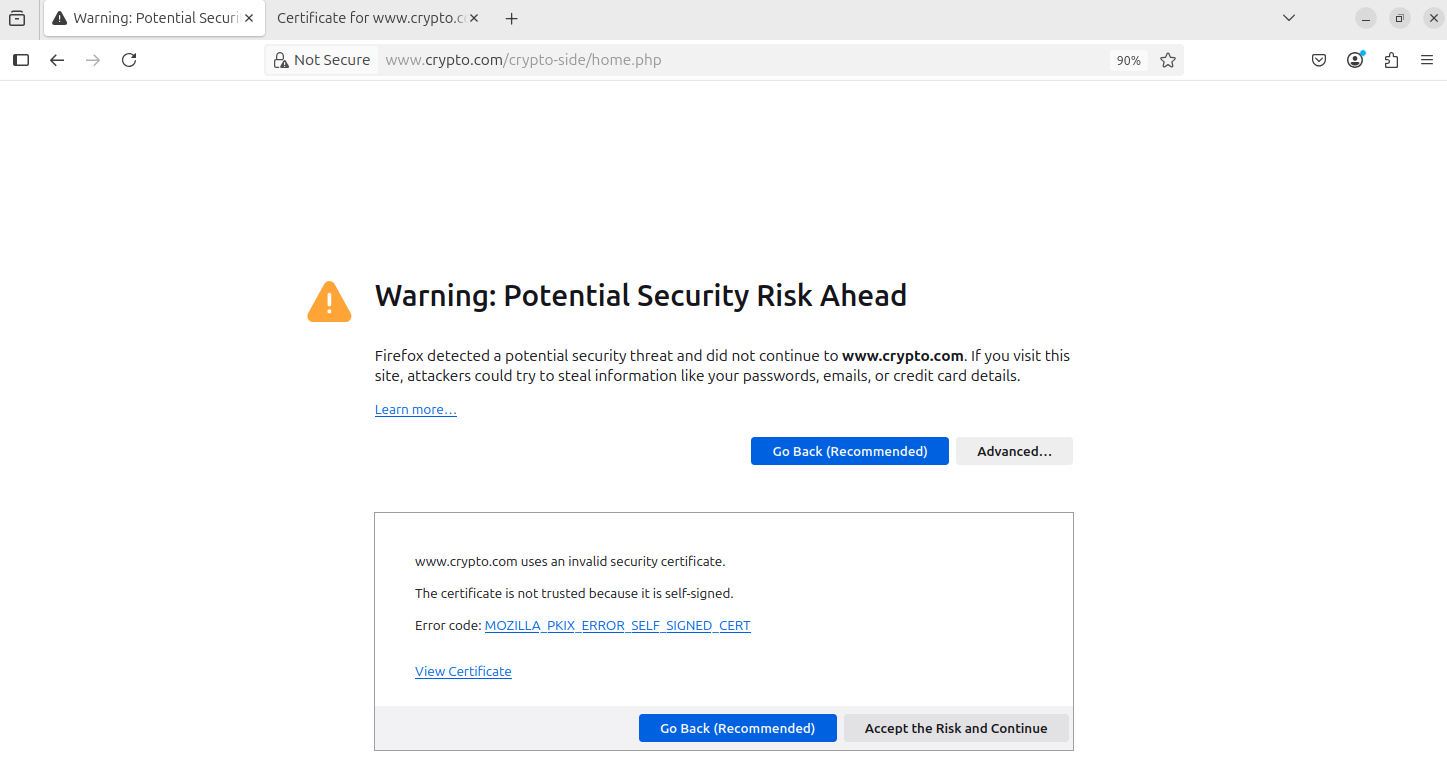
We must use secure socket layers (SSL) to encrypt our site traffic. Since this is a self signed certificate, we will see a warning message.
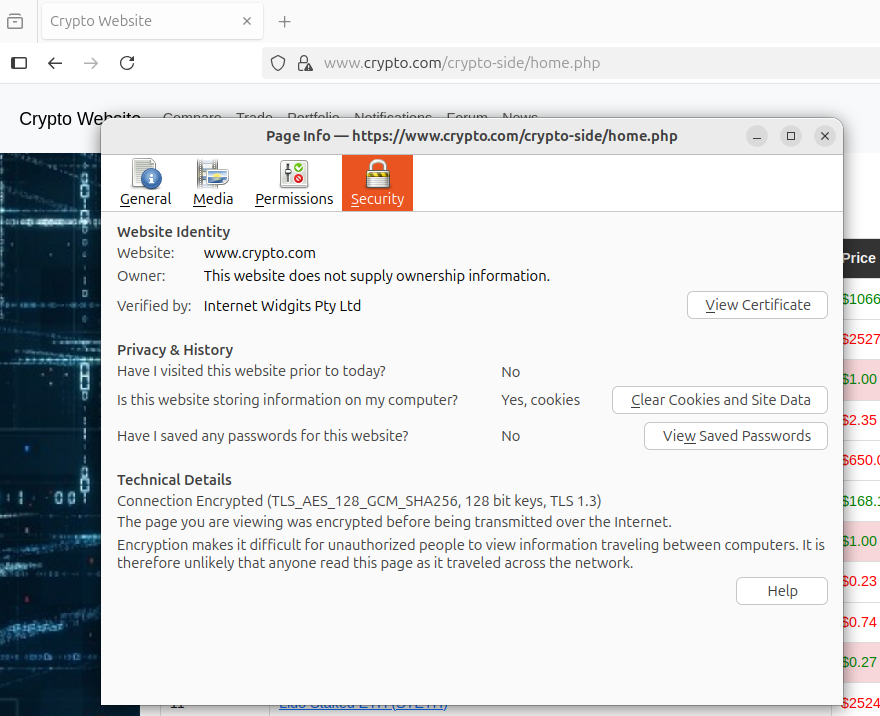
Security info: Internet Widgits Pty Ltd is a default name generated by OpenSSL.
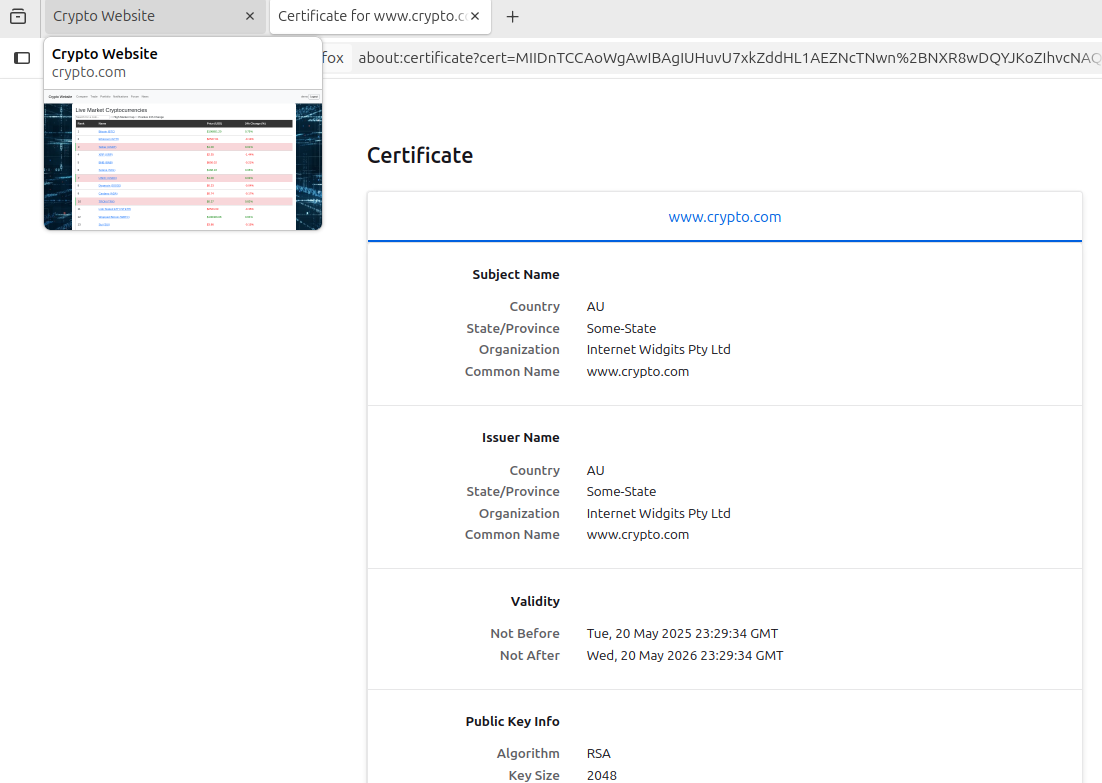
Certificate info: During the SSL certificate setup, I left everything to default/blank and only changed the common name to www.crypto.com.
Encryption Demo
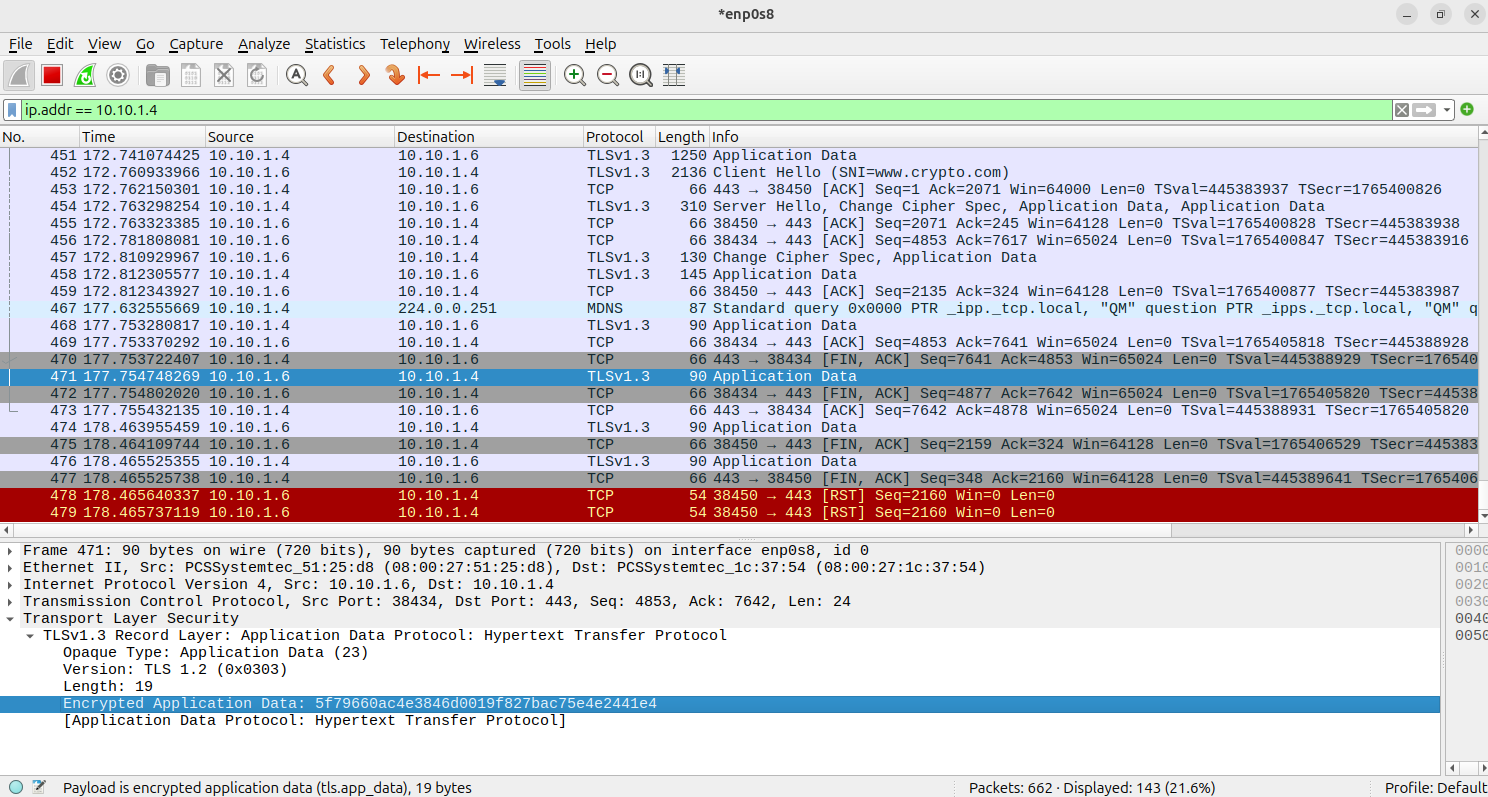
From the DMZ VM, i accessed the website and registered a new user with Wireshark running in the background.
When we take a look at Wireshark, notice that the protocol tab shows TLSv.1.3. Additionally, the application data is encrypted.
10.10.1.4 - Master VM (Running the Webserver, DB, and RabbitMQ)
10.10.1.6 - DMZ VM
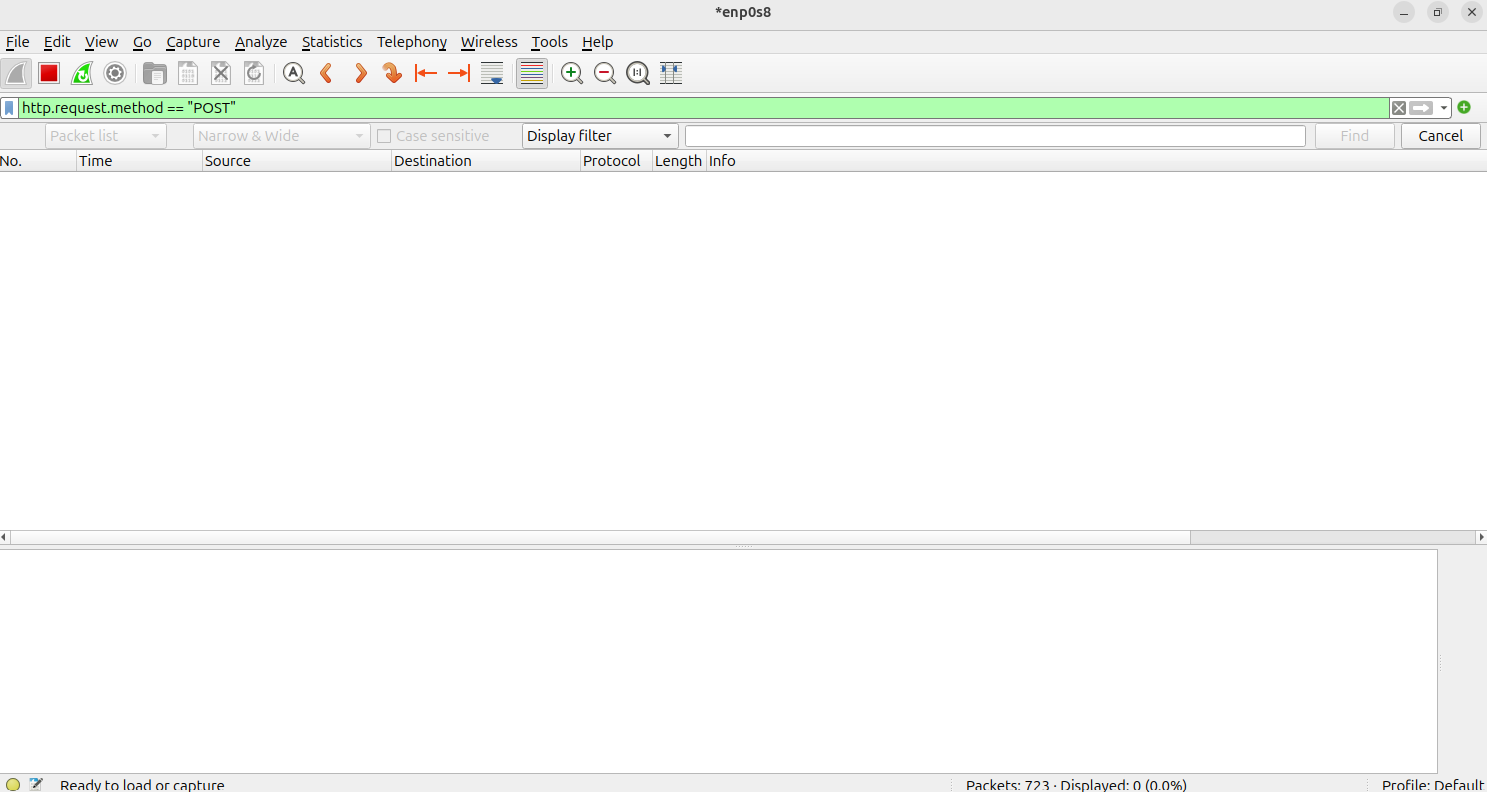
When searching for POST requests, nothing comes up. Since TLS is being used, Wireshark cannot tell what request types are being made.
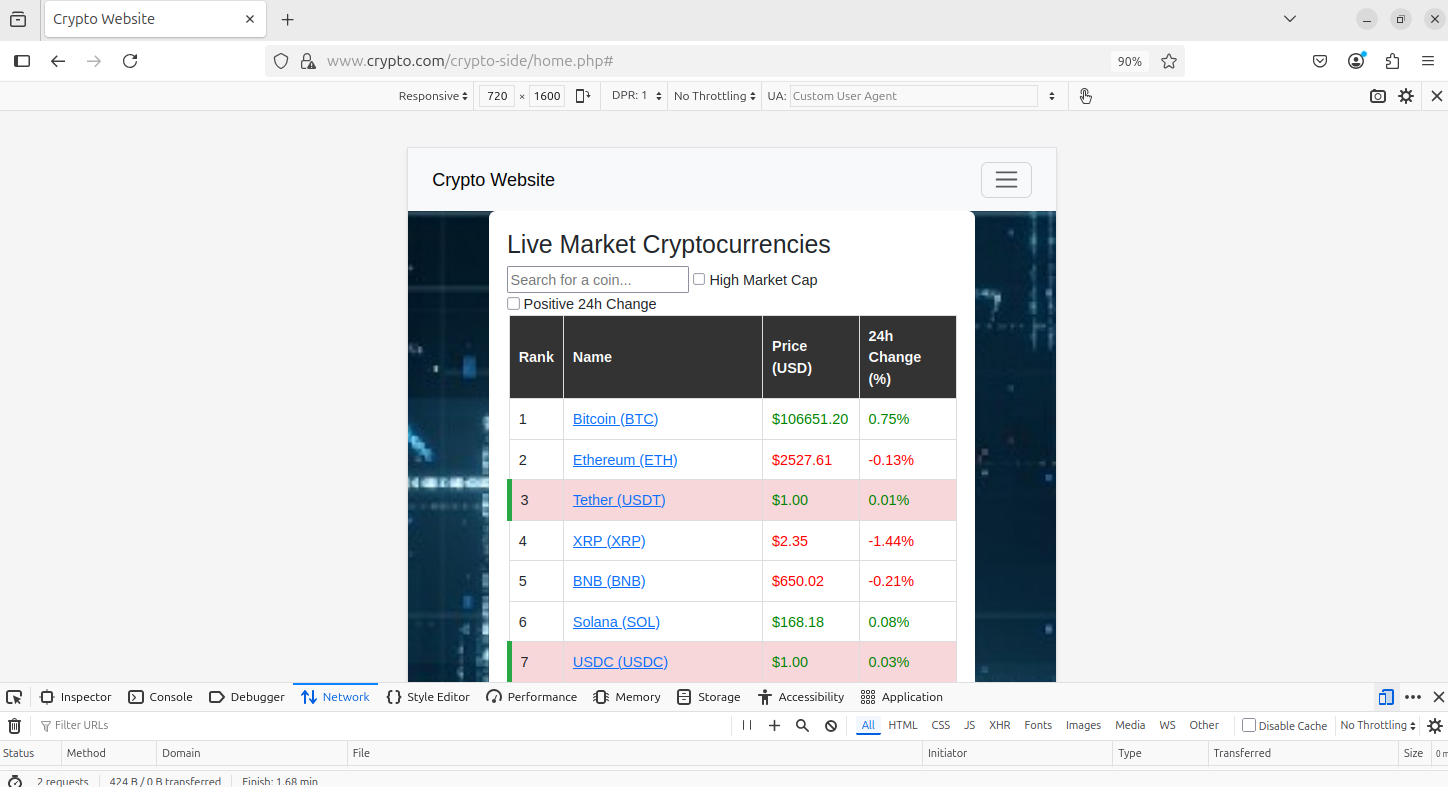
Responsive Website Design
This was accomplished by using Bootstrap CSS.
When clicking dev tools on the Firefox browser and the phone icon, we can see that the website is responsive. I changed the resolution to match that of a phone.
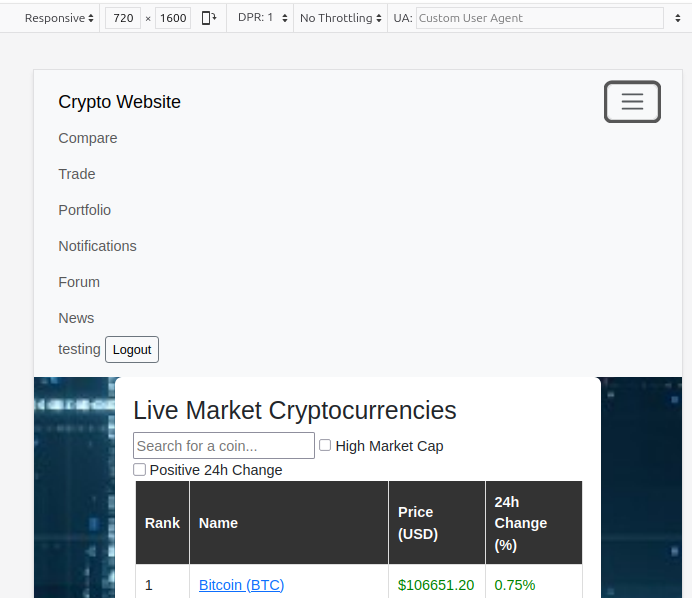
Clicking on the menu icon
Push Notifications (SMS)
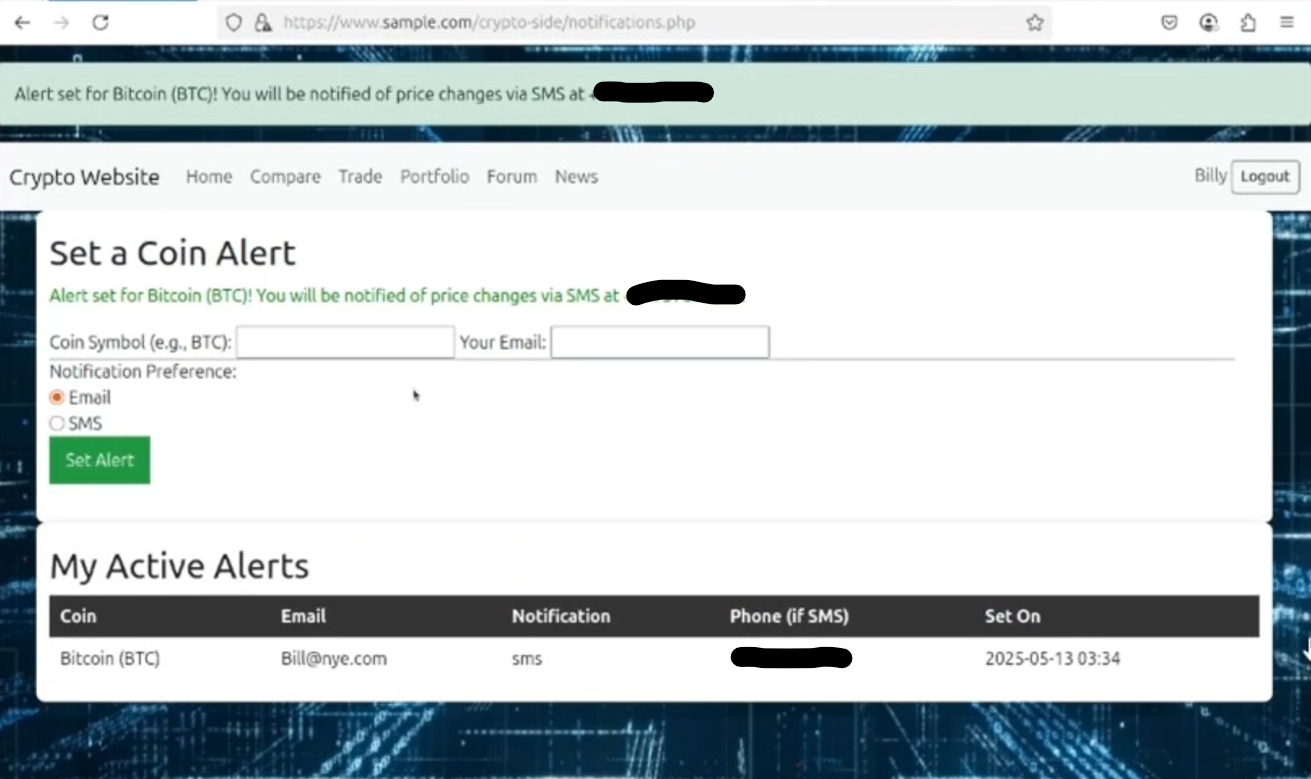
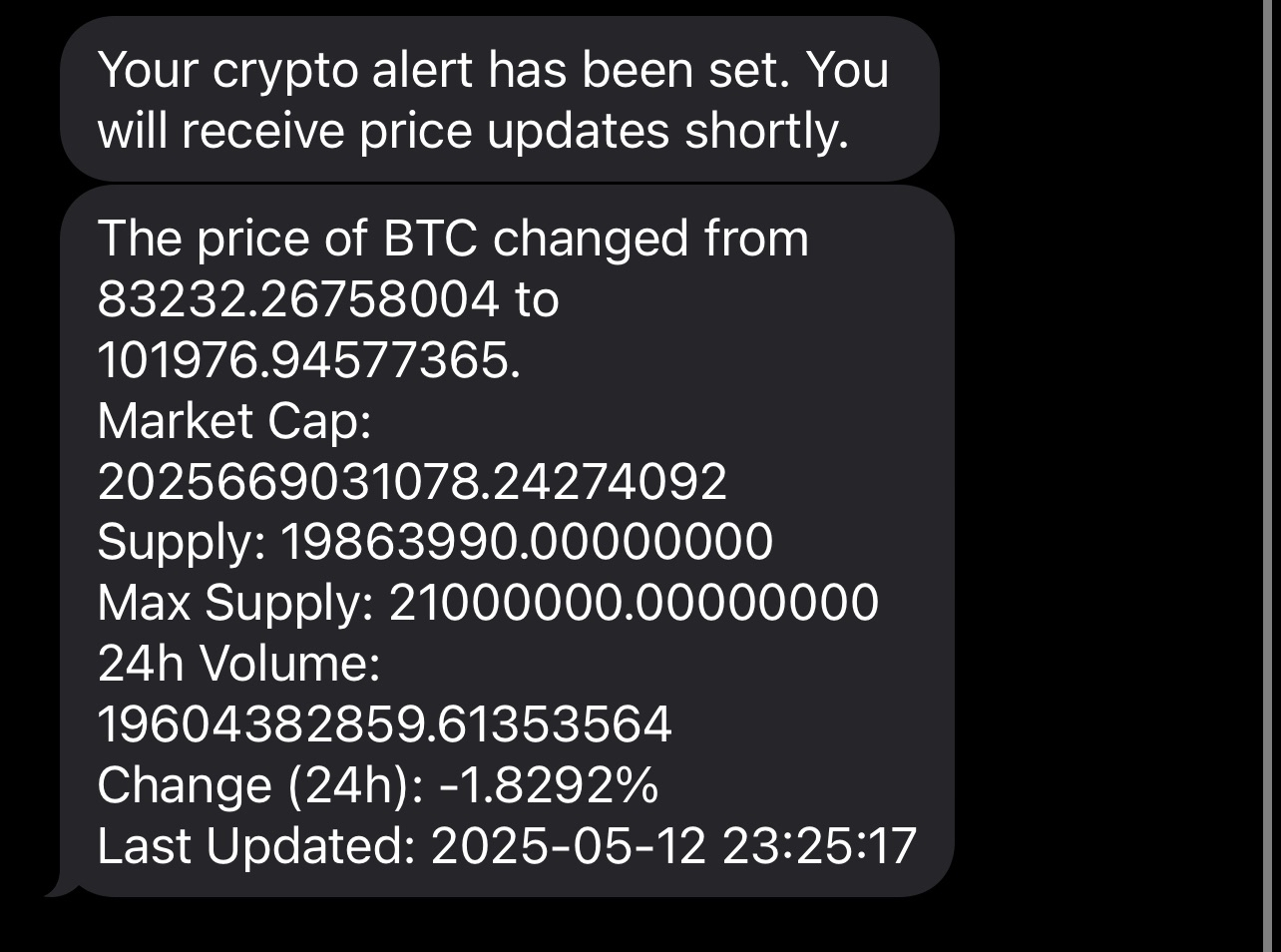
We had to use Twilio to send SMS messages, however this works pretty much the same as email notifications (see Midterm). The phone number is blurred out for privacy purposes.
The actual SMS text update message.
Message Board
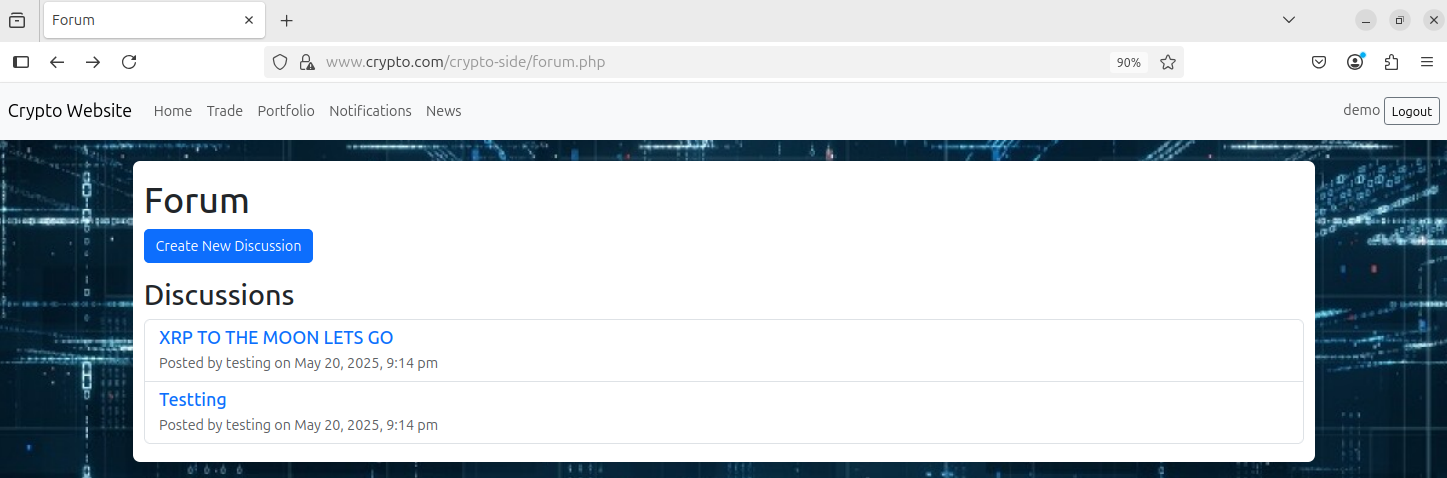
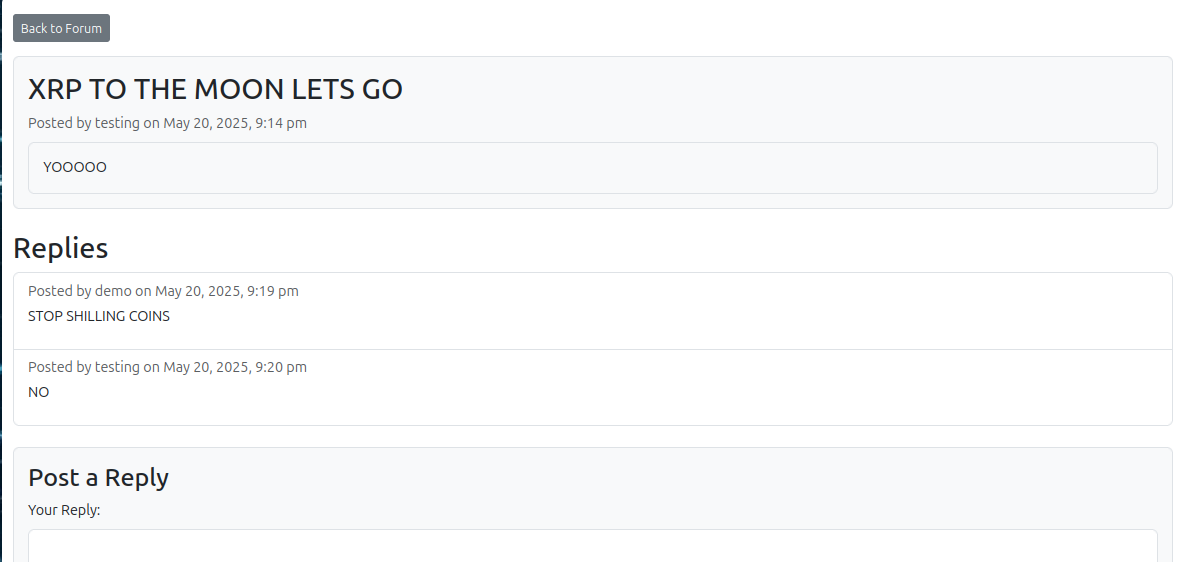
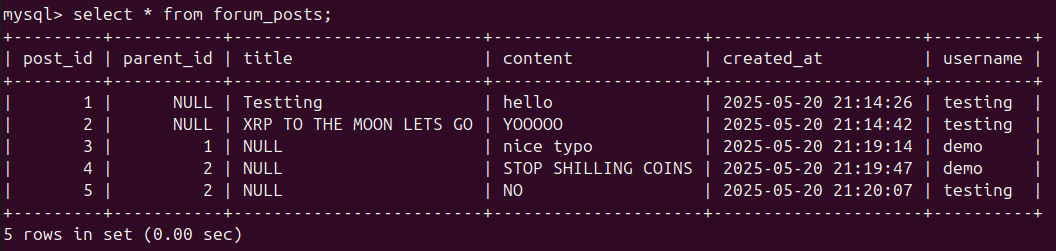
Very simple, nothing too complex. Users can create discussions and reply to messages. We created this from scratch since 3rd party message board plugins were giving us trouble and we were in a time crunch. There is no moderation feature where we can delete discussions, block users from participating, etc.
Here, I created some test discussions but logged in as a different account afterwards.
Here, I replied to a discussion.
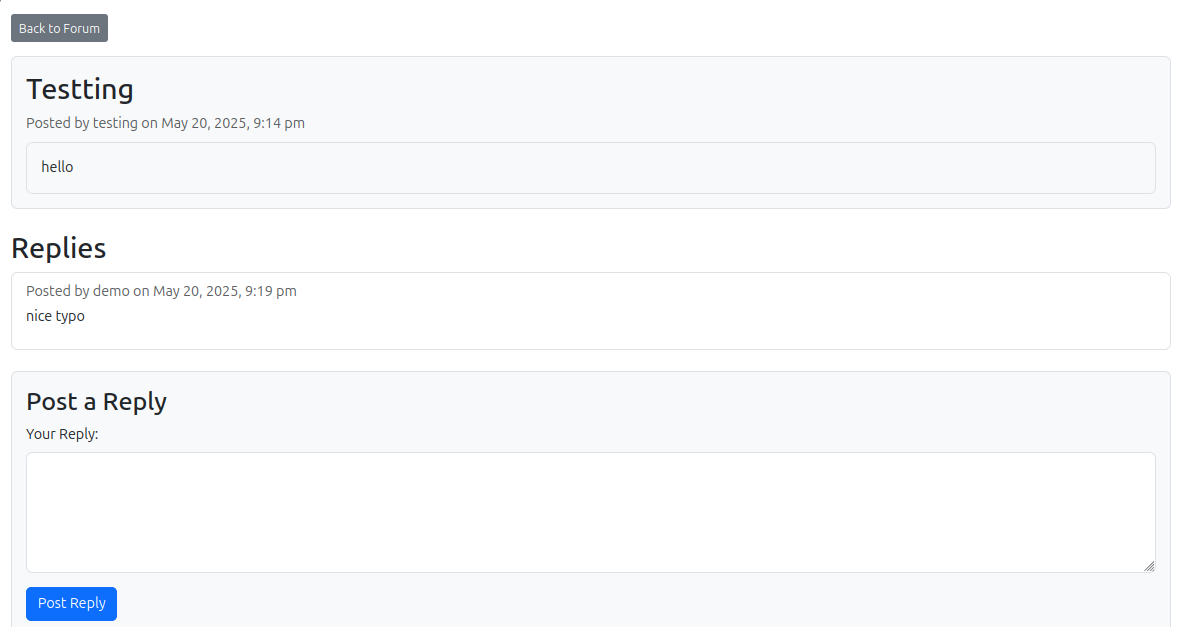
and another discussion (different users)
The DB for forum posts
Comparison Feature
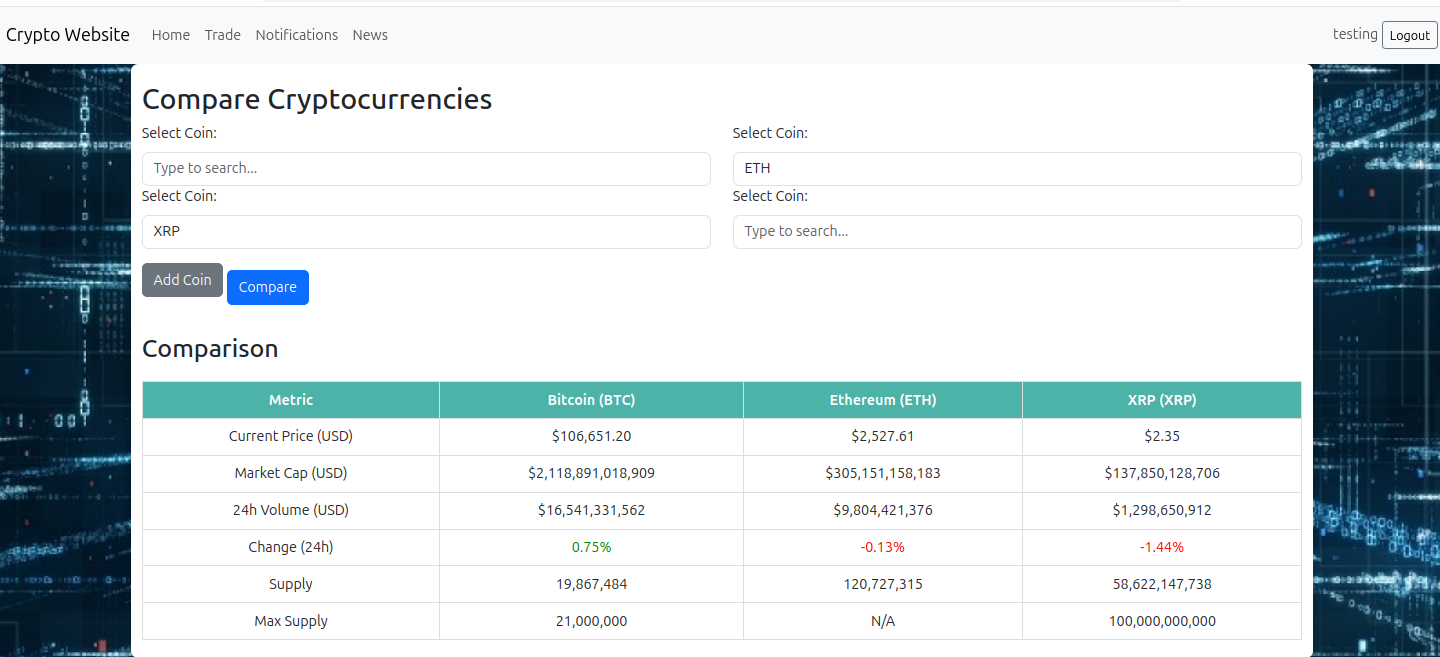
Self explanatory. Here, I am entering some coins to compare. After entering the coins, I click on Compare to generate the table
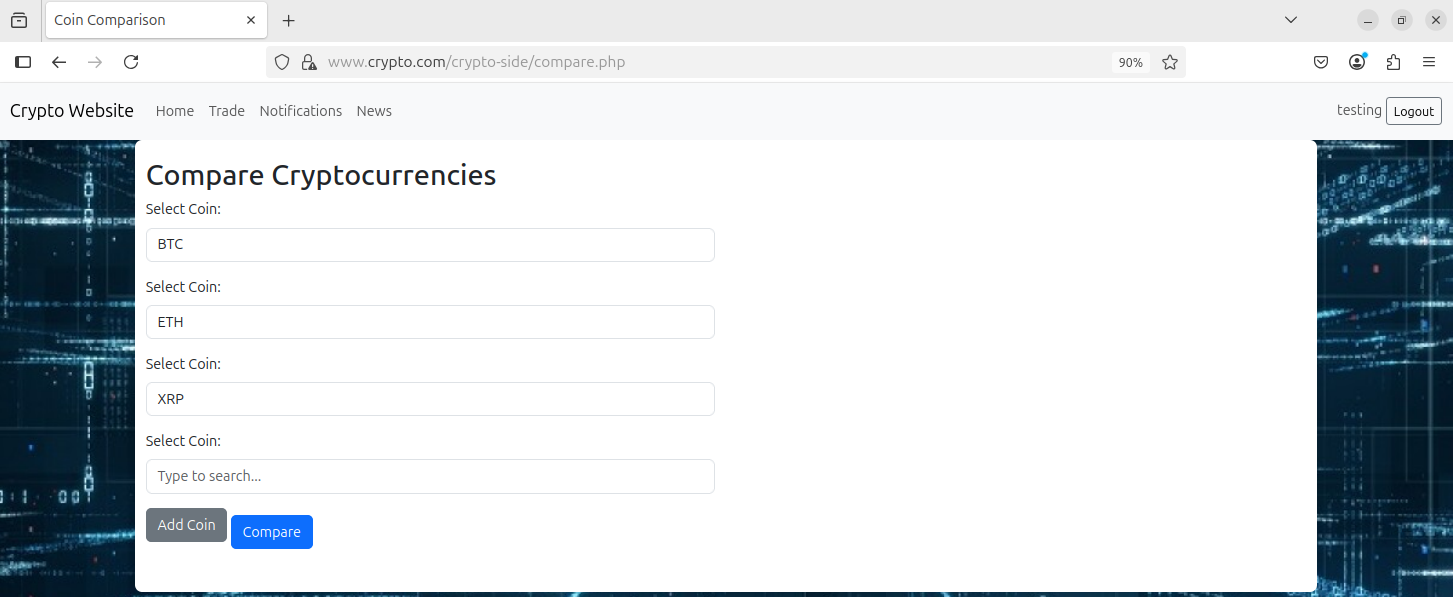
Table with crypto data