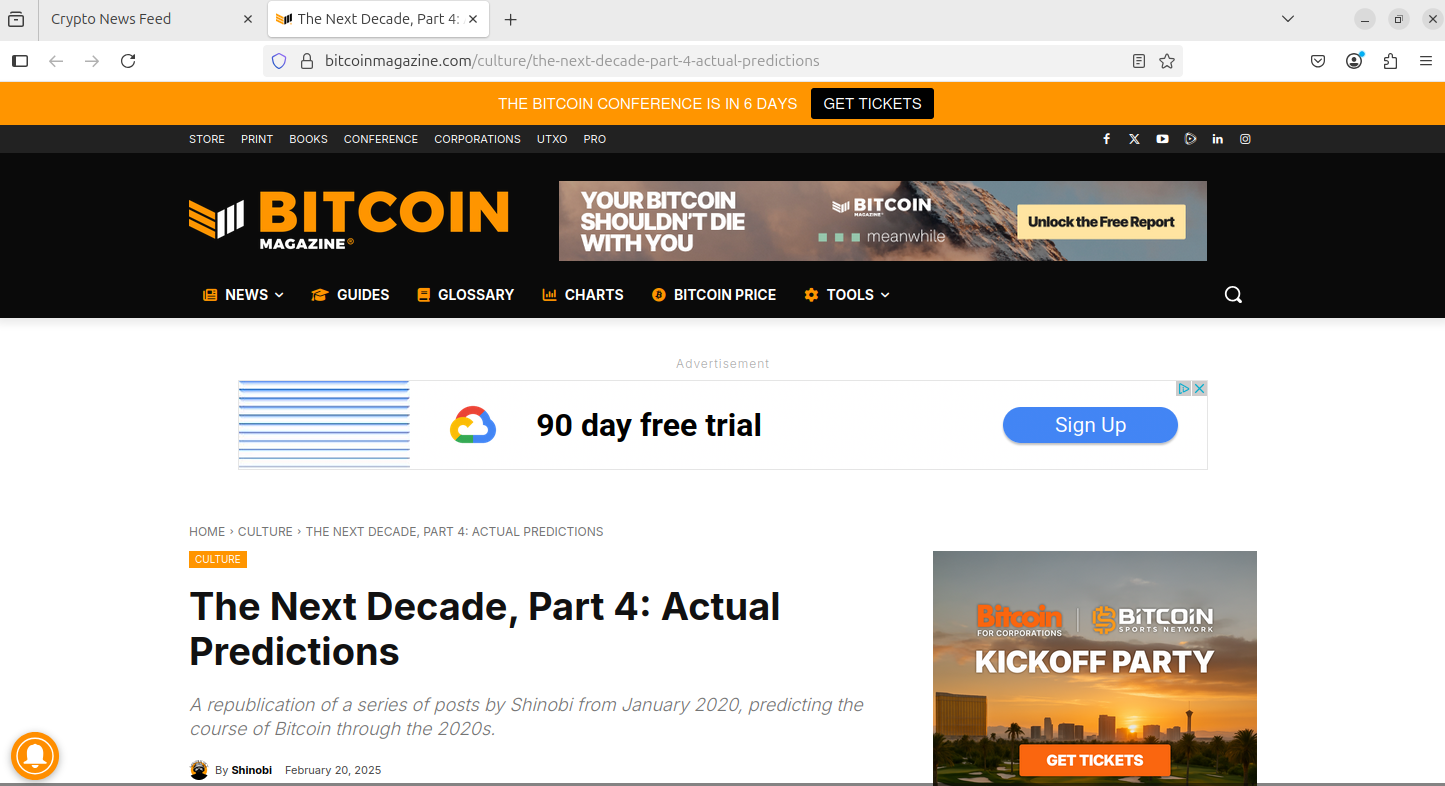
Midterm Deliverables
Midterm deliverables showcase.
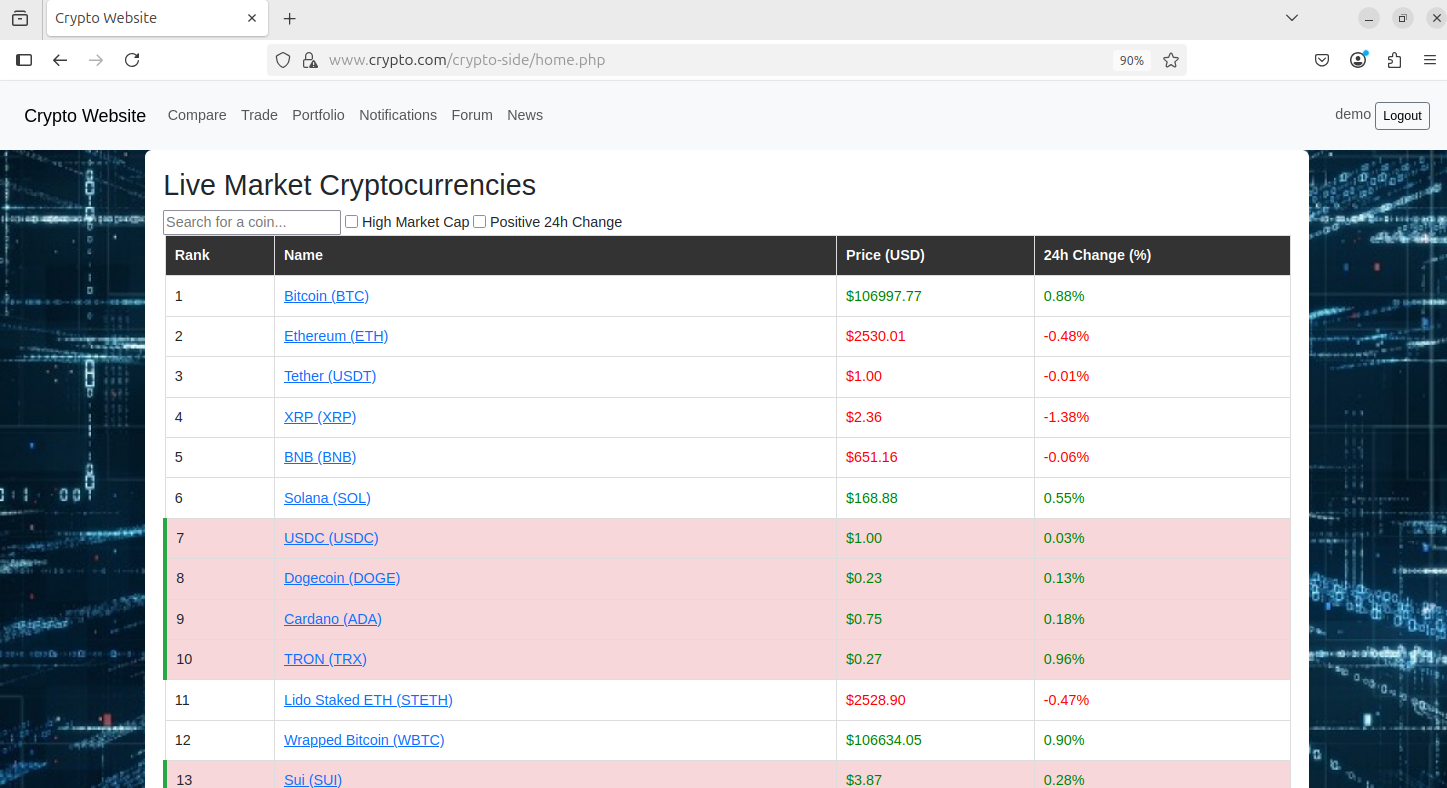
Functional Website
This deliverable is self explanatory. As long as we have a VM with Apache2 installed and is accessible by other VMs in the network, we got the point. The rest of the deliverables show our fully functional website.
This is the home page of our website when a user is logged in.
Secure Database
By default, MySQL only allows connections locally, so the binding address is left to 127.0.0.1. We also added a rule to deny all traffic on port 3306, except for localhost. (see Firewalls)

Inter-server Communication through a Message Queue
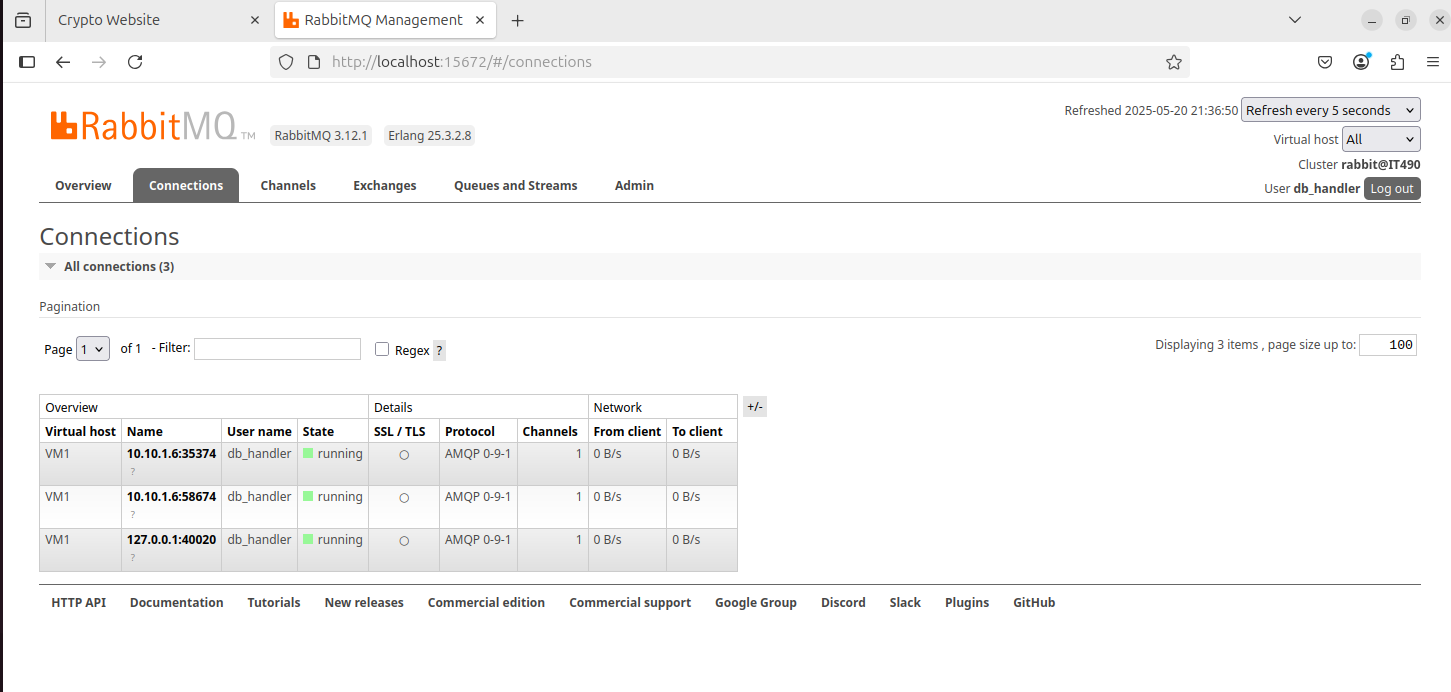
All communication in this server architecture must be done through RabbitMQ. This is a demonstration on how all servers are reliant on the message queue server to be up and running.
On the dashboard, there are three connections. The connections from 10.10.1.6 are from the DMZ VM, running the DMZ handler and log listener. The connection from 127.0.0.1 is the DB handler running.
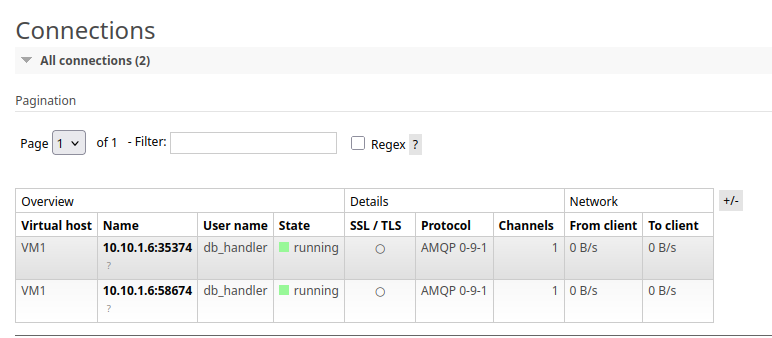
Here, I shut down DB handler from the terminal, so the connection no longer appears.
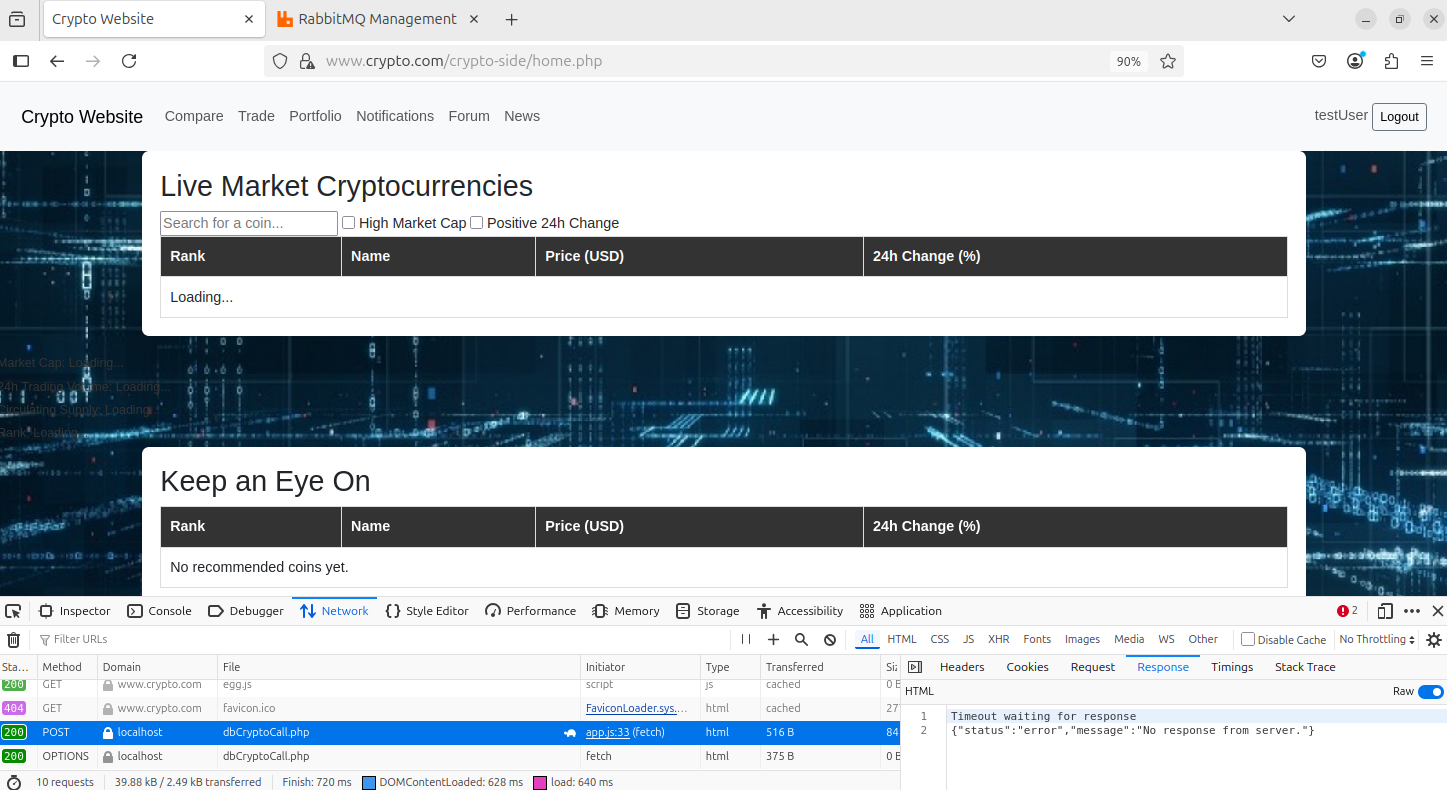
Now when I try to access the site, the crypto information is not displaying, since the frontend sends the dbCryptoCall request to the DB handler. If RBMQ is down, the API calls won’t go through, thus some of the site functionality may stop working.
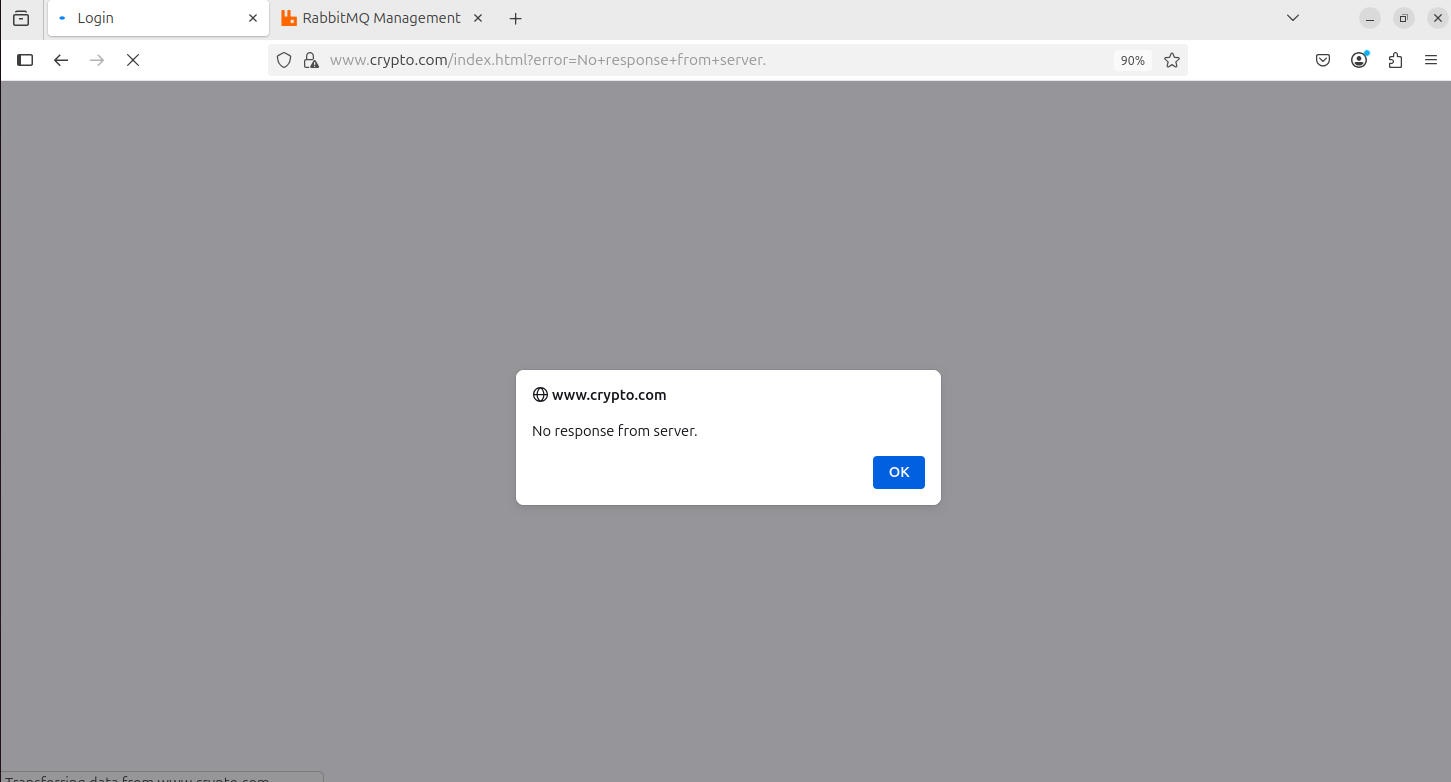
Additionally, I am unable to log in or register. Notice the “No response from server” message.
Data Collection through Code
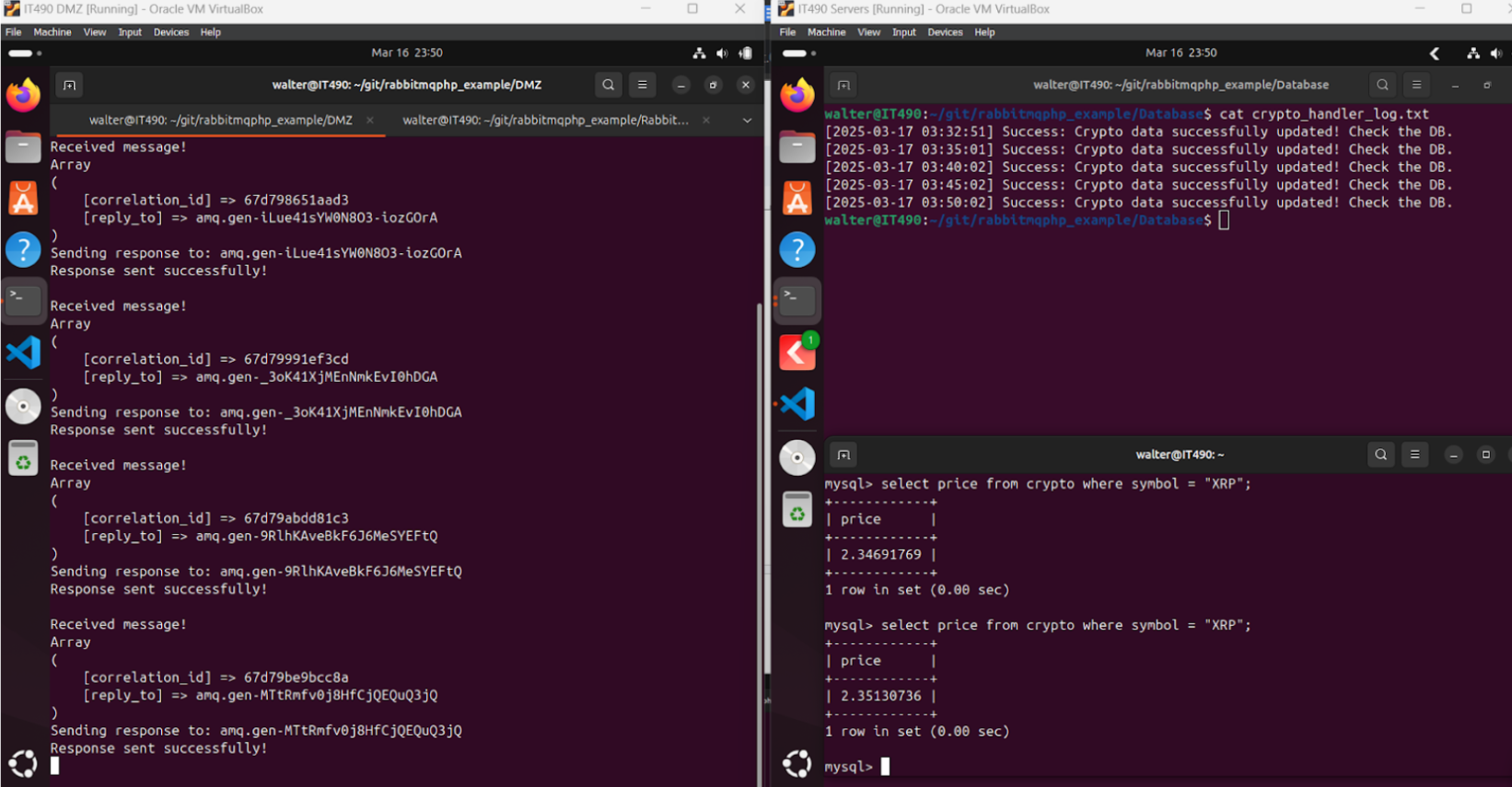
This is handled with the crypto_handler.php and dmz_handler.php scripts.
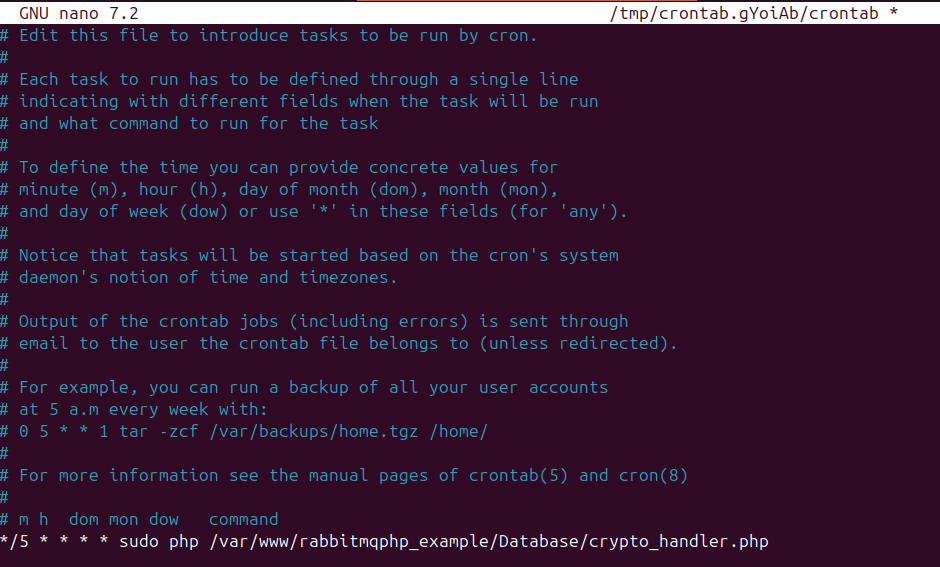
I set up a cronjob to execute crypto_handler.php every 5 minutes (just so that we are not spamming API calls, however in production this would be done every 30 seconds or so). Notice the timestamp of the logs showing that the script is executing every 5 minutes. The requests are going through, and the coin prices are updating.
The crontab file
Firewalls
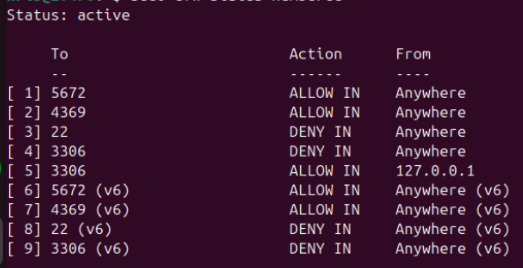
These are some firewall rules for the backend VM. I am allowing incoming connections on port 5672, which is the AMQP port, and 4369, which is a peer discovery service used by RabbitMQ. These ports allow the RabbitMQ VM to receive incoming requests or messages. For clients to actually receive responses from the RabbitMQ server, they would need a rule that allows incoming traffic on any port from the IP address of the RBMQ server.
Additionally, I blocked incoming connections on port 22 (SSH) and 3306 (MySQL), however I explicitly allowed MySQL connections from localhost.
Port 5672 uses non-SSL communication. Using SSL for the messaging system was not a hard requirement for the project.
Authentication
This deliverable is dependent on having a functional website and ISC through RabbitMQ working.
Registration
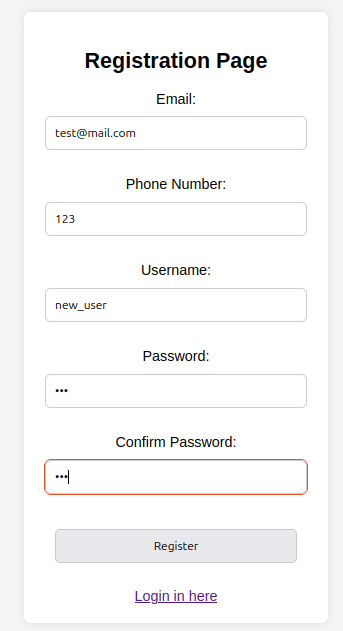
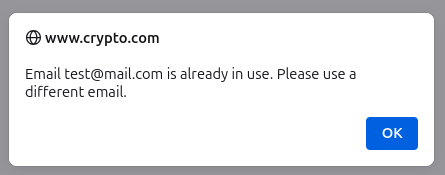
Frontend: Here, I am attempting to register a new account with an email that is already in use.
Frontend: The error message
Backend: DB handler messages

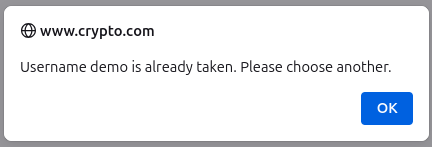
Frontend: Here, I am attempting to register a new user with a username that is already in use
Backend: DB handler messages

Backend: Message after successfully registering the new user and adding an entry to the DB.

Login
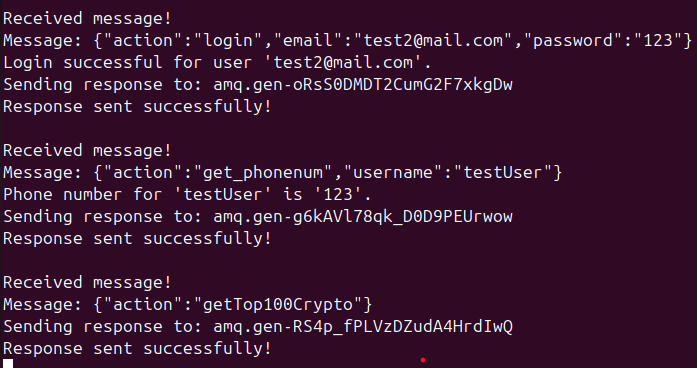
Backend: success messages from successful login.
Frontend: Notice my username on the top right, and the crypto information successfully displaying.
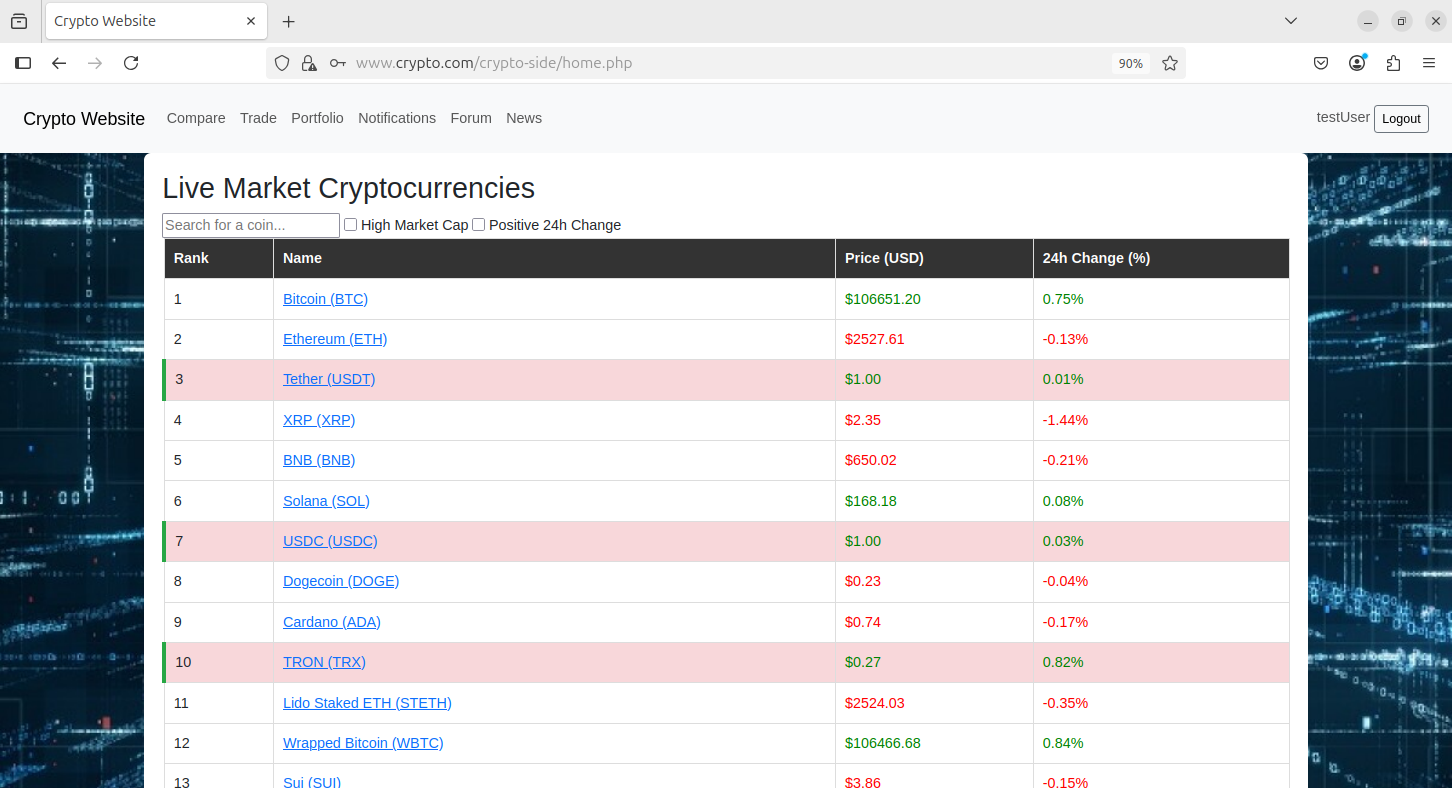
Backend: These are the users in the database

Ability to View Coin Information
When a user logs in, the first thing they see is a table of the top 100 crypto information (from CoinCap API, based on the coin’s market cap).
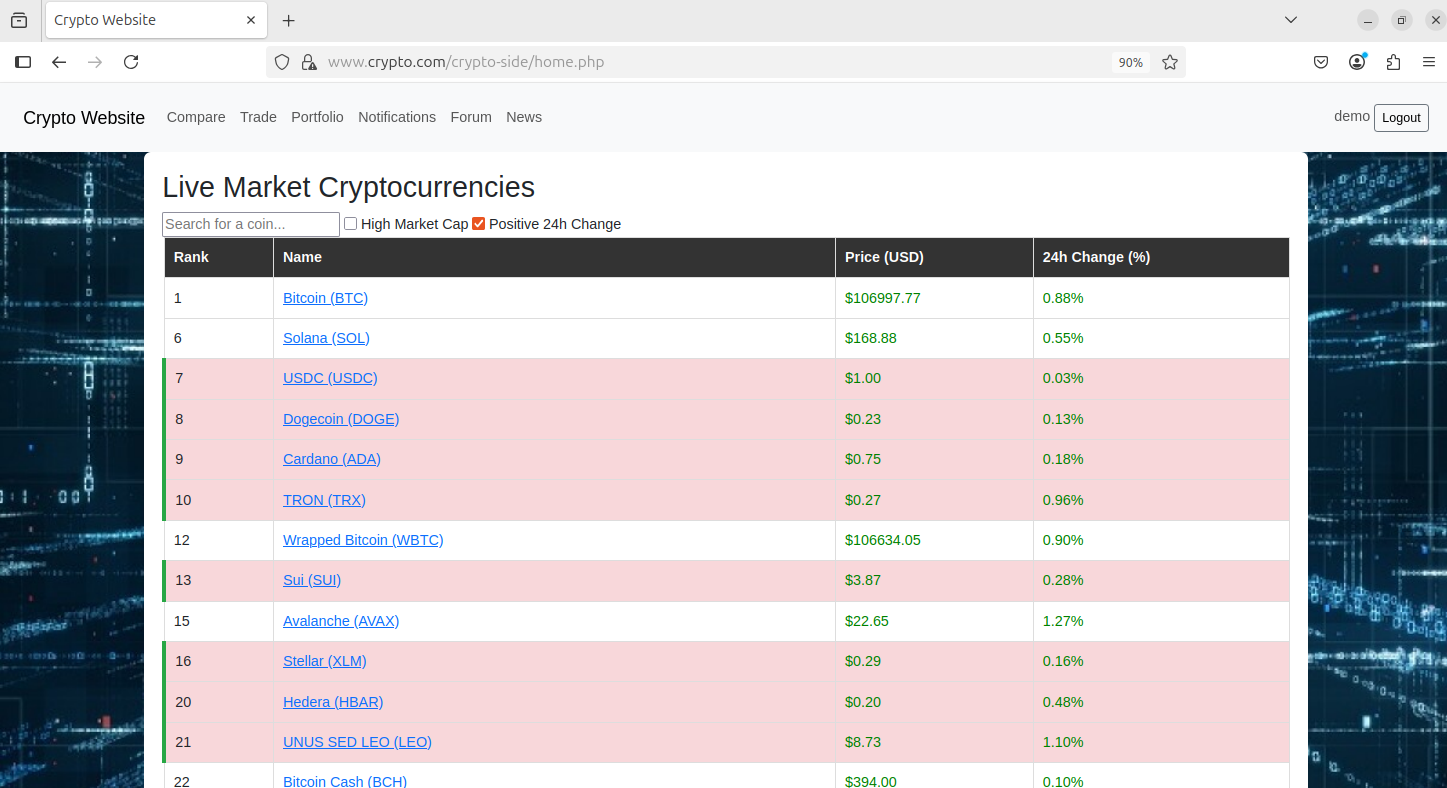
I can search for a specific coin with the search bar or filter for coins with a high market cap or a positive 24 hour change.
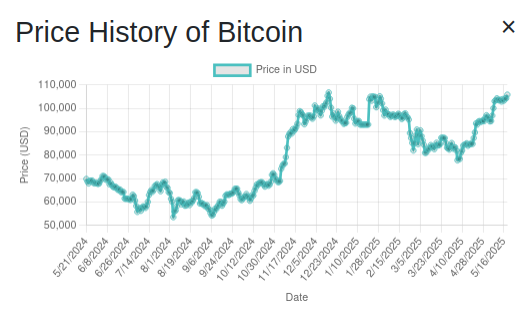
When you click on coin, a chart will show up displaying the coin’s historical price data from up to 1 year ago. This data is fetched via the API.
Trading Feature
Every user starts with $10,000 fake dollars. I clicked the Add Funds button to give myself an extra fake $1,000.
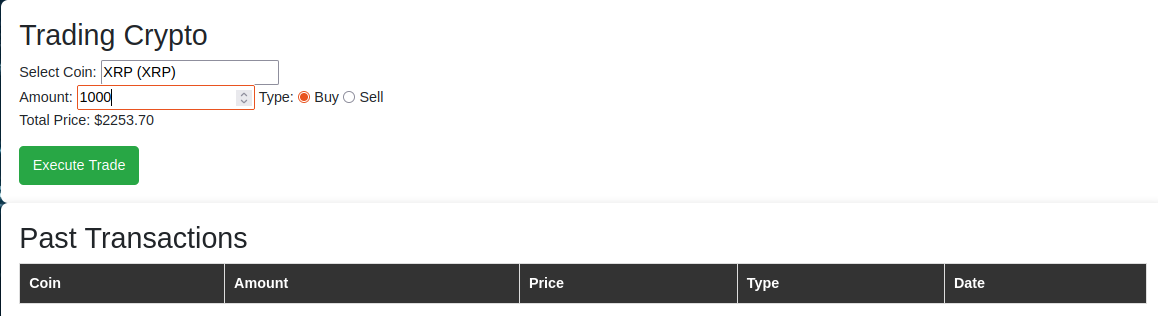
Here, I am buying 1000 XRP, which is around $2253 at the time.
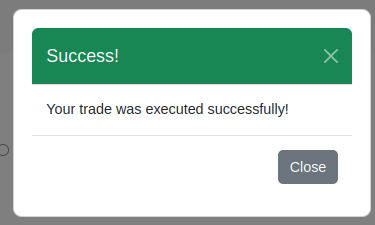
Trade successfully executed.
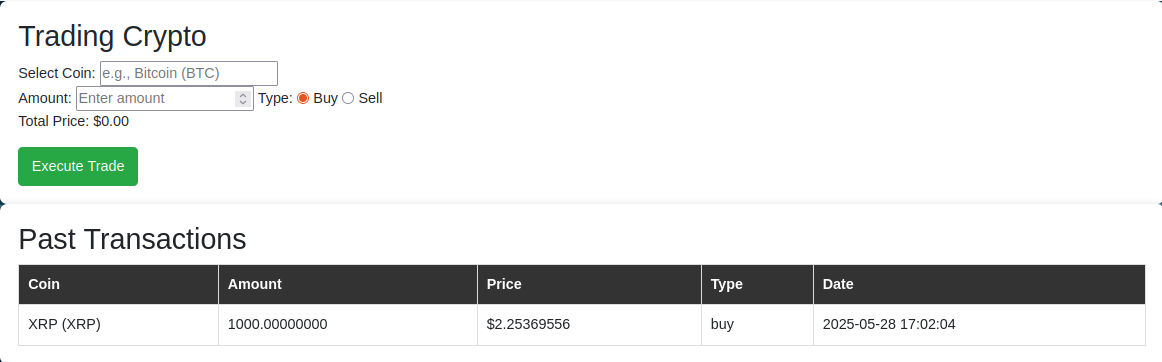
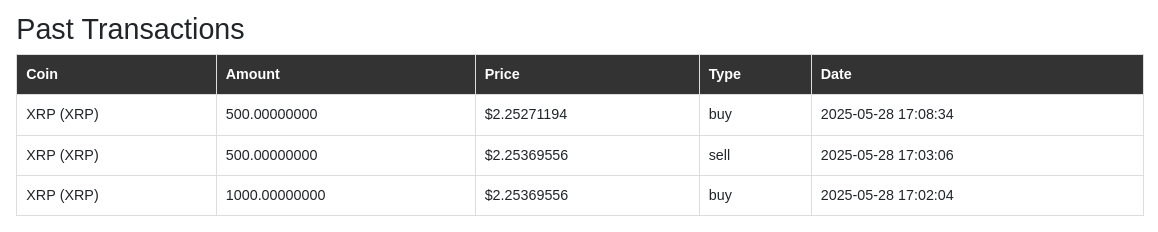
The transaction displays on the page.
I then sold 500 XRP.

Then, I waited a bit for the coins to change in price then bought back the 500 XRP that I previously sold.
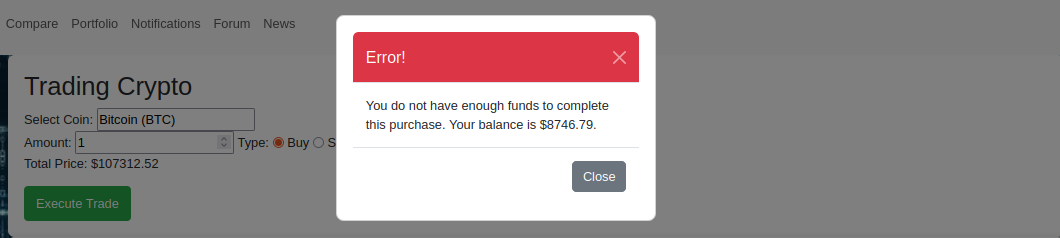
If I try to buy a coin that I cannot afford, the transaction will not go through.
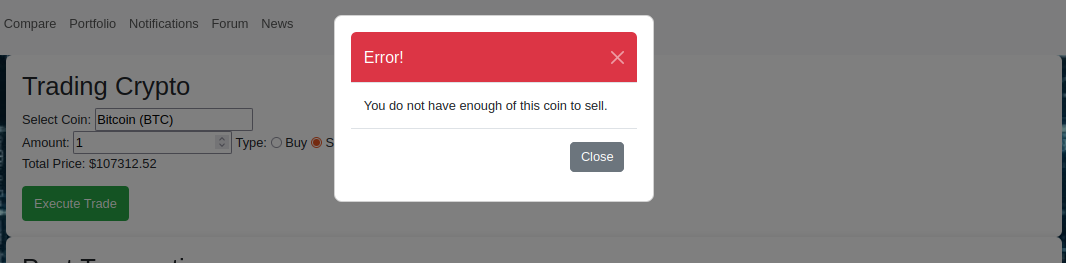
Additionally, if I try to sell a coin I do not own, the transaction will not go through.
Portfolio View
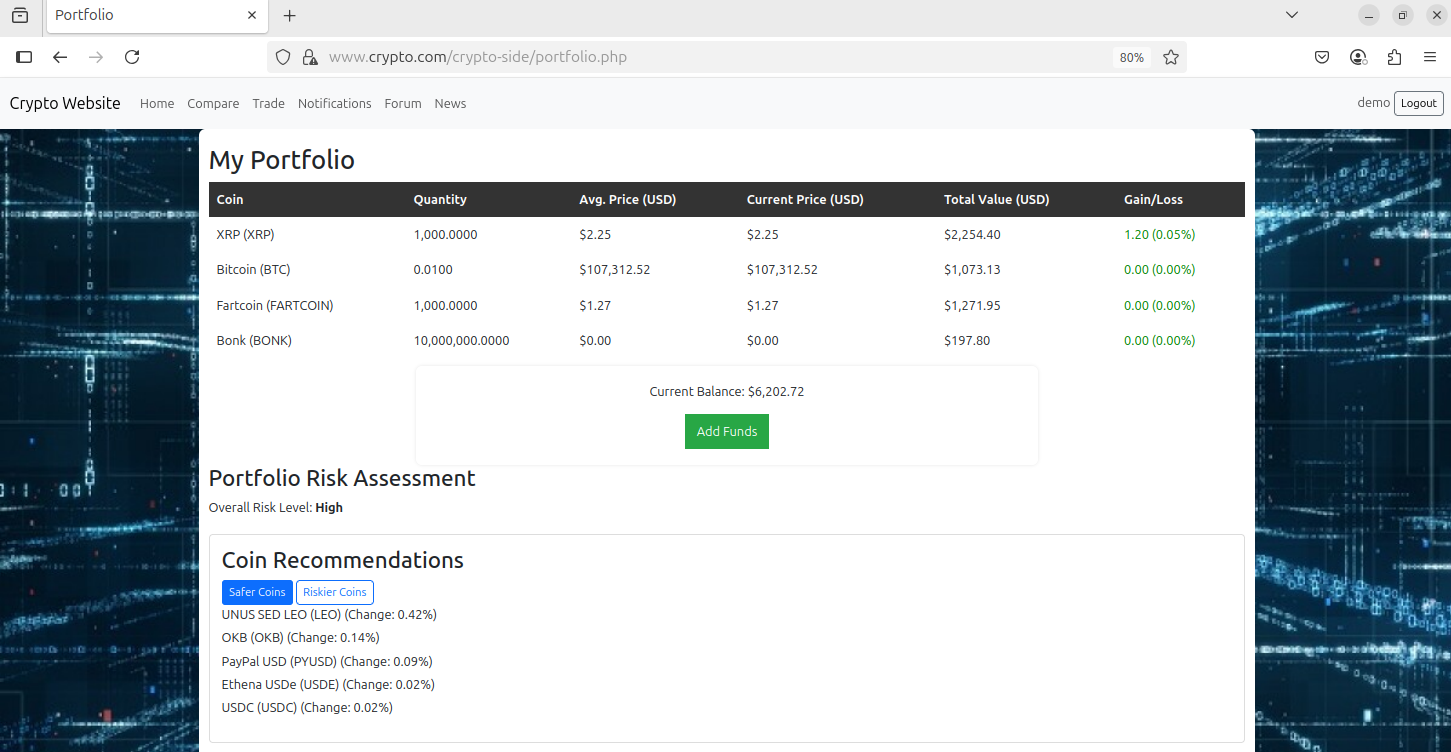
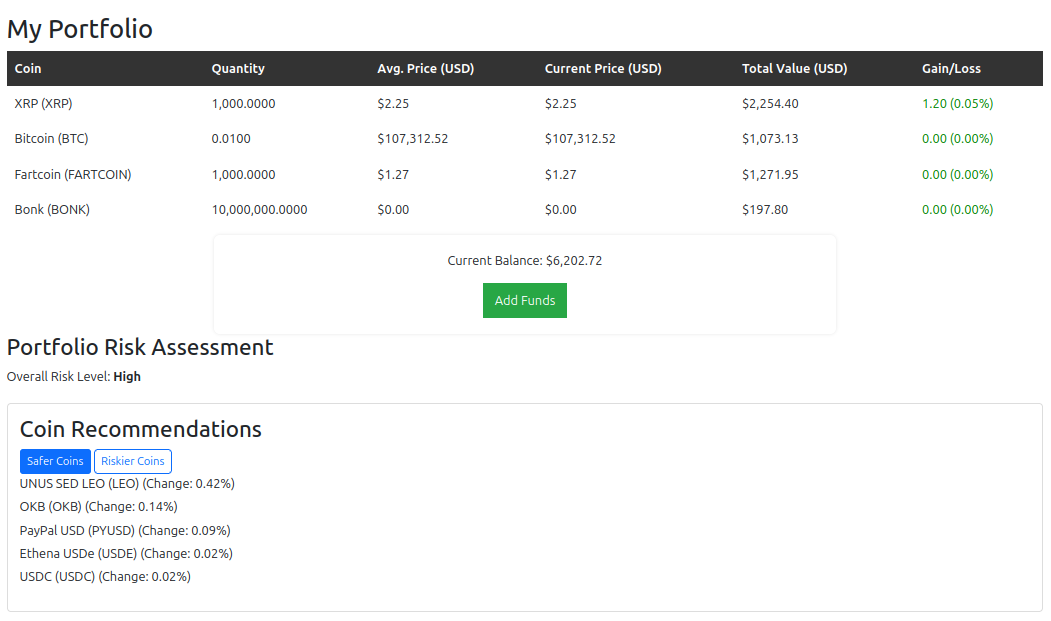
This is the portfolio of the same user from the previous demonstration. I bought some more coins to add some variety.
Push Notifications (Email)
These screenshots were taken from the demo video we had to submit, so the quality is not the best.
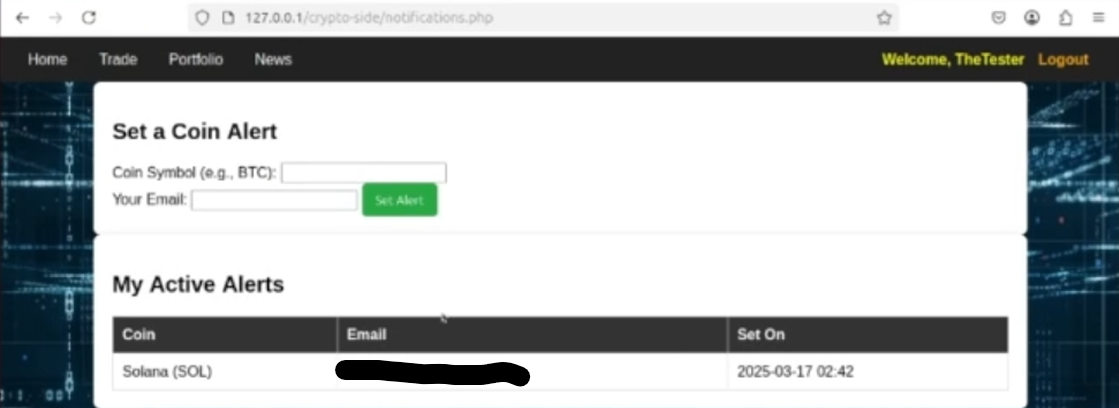
This was accomplished without the use of any third party apps. On the notifications tab of the site, the user enters the symbol of the coin they want to track, along with the email to send notifications to. This action executes check_price.php as a background process. check_price.php takes 2 arguments: the coin symbol and the email to send price updates to. The user signed up for price updates on Solana (SOL).
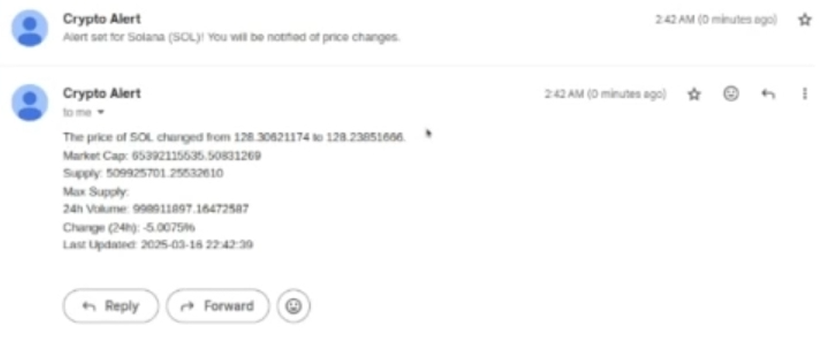
After signing up for notifications, the user will receive an email stating that they have signed up for notifications.

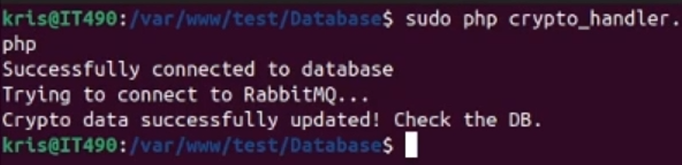
DB Side: We are running crypto_handler.php to update the prices of the coins stored in the local DB, which should trigger the email to be sent.
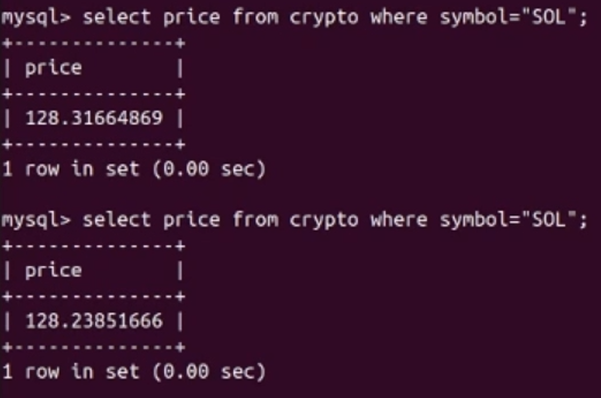
DB Side: The price of SOL changed by a few cents.
User side: The price update email is successfully sent. Notice that the new price is $128.2385166, the same price from the DB.
Recommendations System
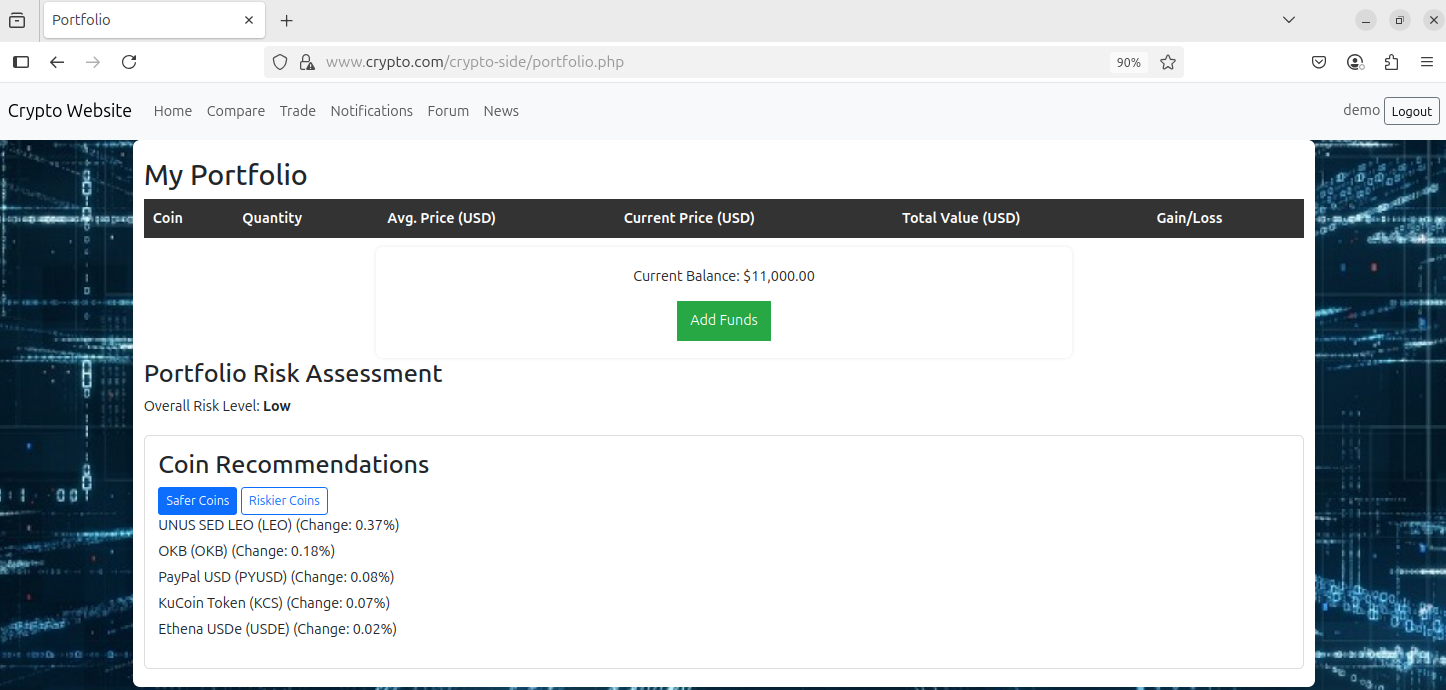
The coin recommendations are based on the 24 hour price change percentage of the coins. The risk level is determined by the change percentage. If it is <1%, it is low risk. 1-3% is medium risk, and anything higher than 3% is considered high risk.
Safe coins are coins with minimal volatility (0-0.5% price difference)
Riskier coins are coins with higher volatility (greater than 1% price difference, positive or negative)
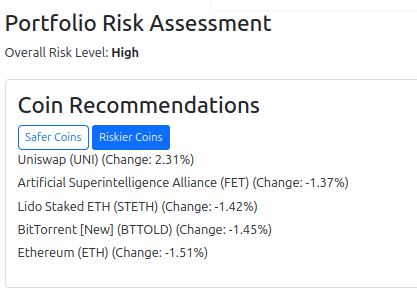
Since XRP had a significant price change percentage, the portfolio has a high risk level

Portfolio with safe coin recommendations.
RSS Feeds
The RSS feeds are just external crypto articles. Node.js server must be running on the webserver VM to serve this page.
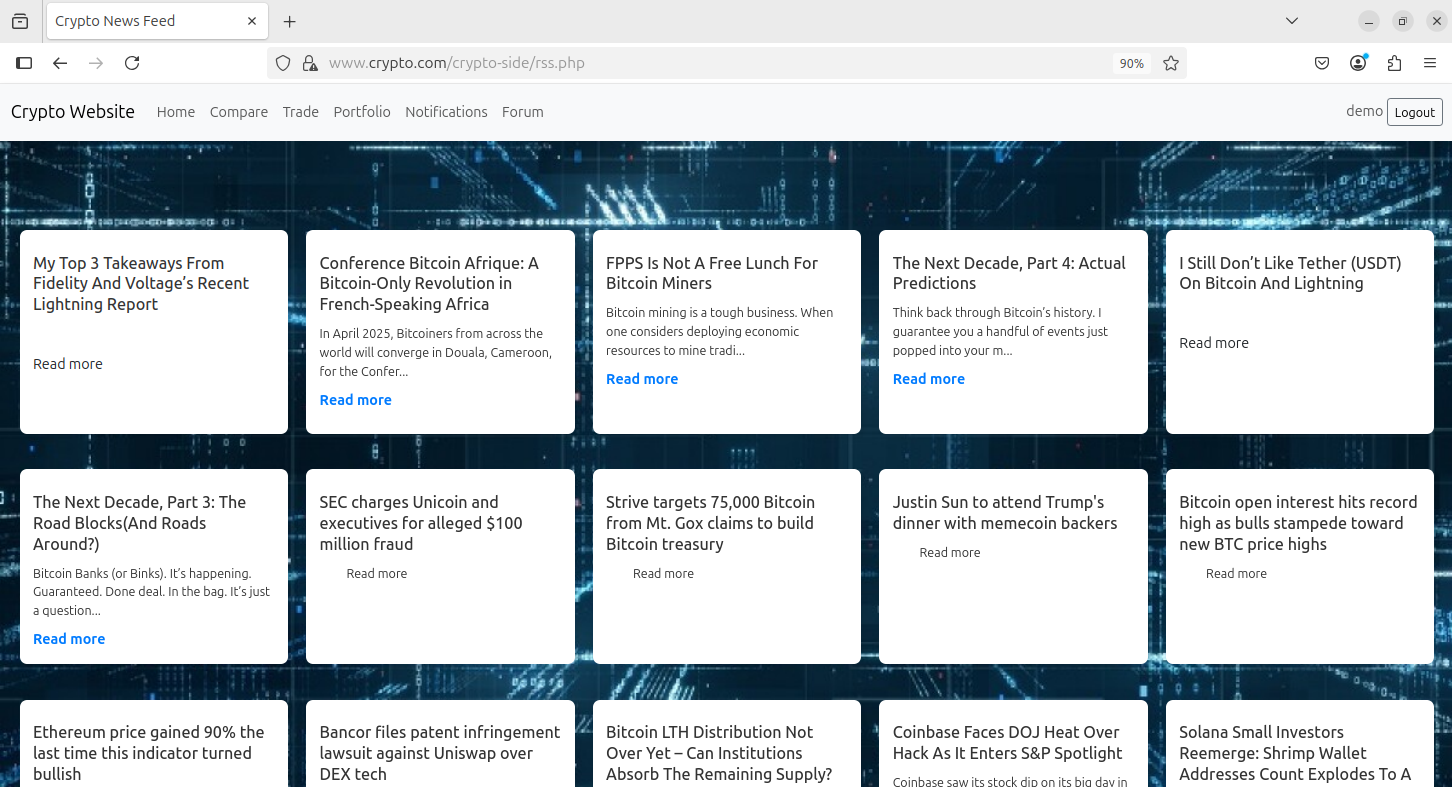
A new tab opens when a user clicks on the article.