Cybersecurity Lab - Active Directory Setup
Domain Controller and Windows 11 client setup + a simple file share
I have already created full step-by-step walkthroughs for setting up a Windows Server 2025 VM, an Active Directory domain, and joining a Windows machine to the domain. This page is more of a checkpoint to make sure we are on the right track.
Checkpoint 1 - Windows Server 2025 Up and Running
Windows Server 2025 VM sepcs:
- 4GB RAM
- 2 Processors
- 60GB storage
- Network Adapters
- Adapter 1: AD (10.10.2.0/24)
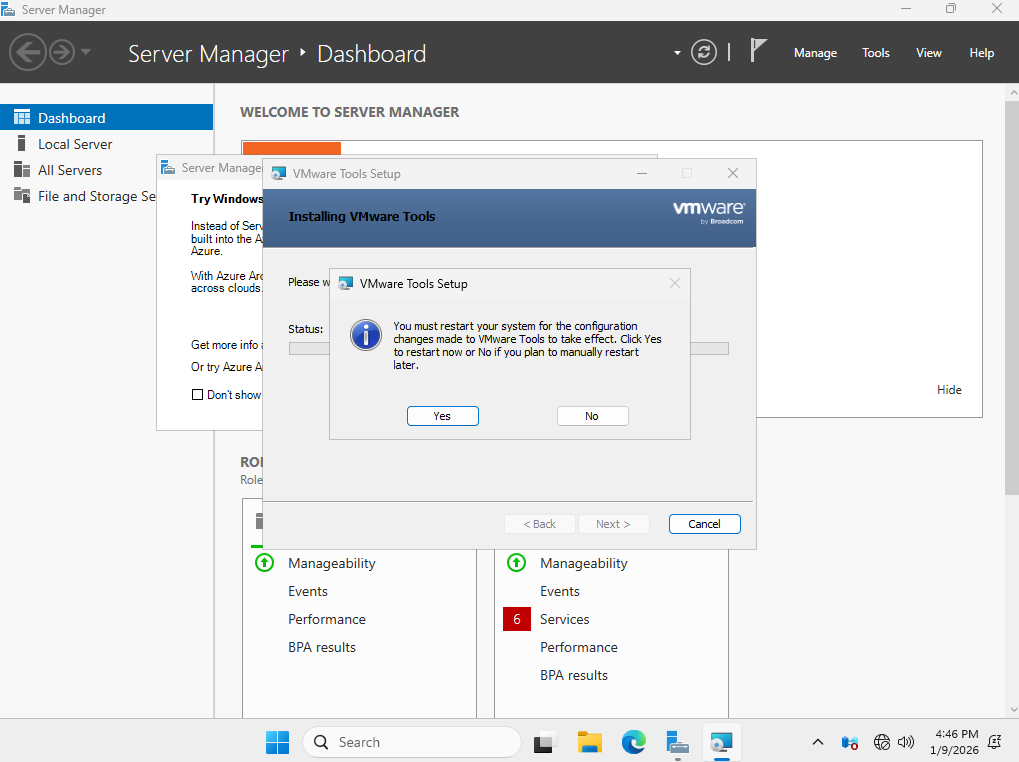
After your Windows Server VM is up, you must manually assign an IP to the VM
I gave this VM the IP address 10.10.2.10
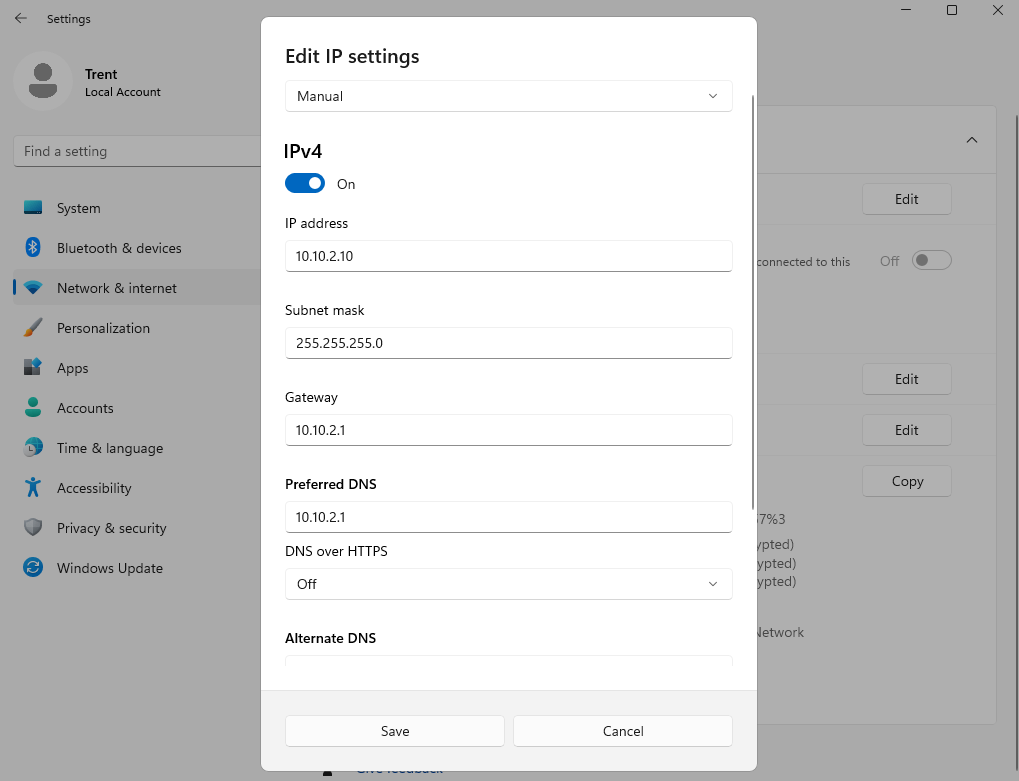
After applying the changes, make sure you are able to ping the default gateway, as well any host on the Internet (ex. google.com)
Checkpoint 2 - Domain Created with an Admin User and 2 Clients
My domain name is cyber.lab and my admin user is Trent
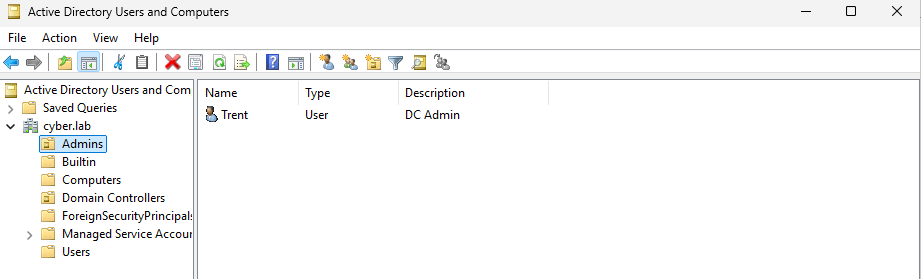
I created 2 non admin users, Bob and Alice. They are members of the domain by default.
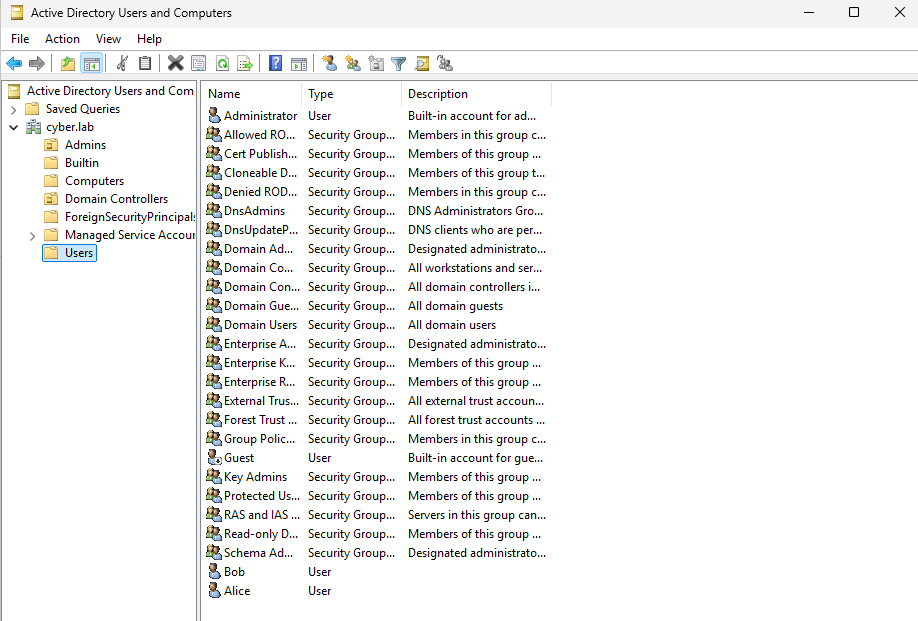
Checkpoint 3 - Windows 11 Enterprise VM Up and Running
Previously, I used Windows 10 Enterprise edition, however the setup is the exact same for Windows 11 Enterprise edition. Windows 10 Enterprise VM Setup
Windows 11 Enterprise VM sepcs:
- 4GB RAM
- 2 Processors
- 64GB storage
- Network Adapters
- Adapter 1: AD (10.10.2.0/24)
Once the OS is set up, give the VM an IP address in the AD network and make sure you can ping the DC.
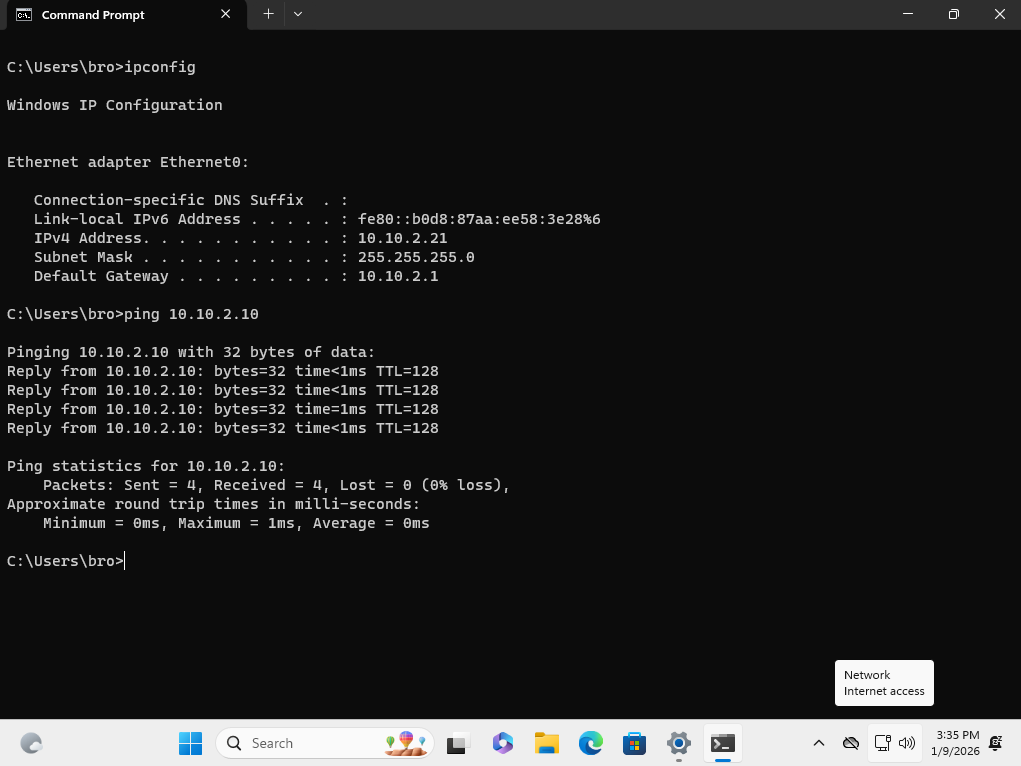
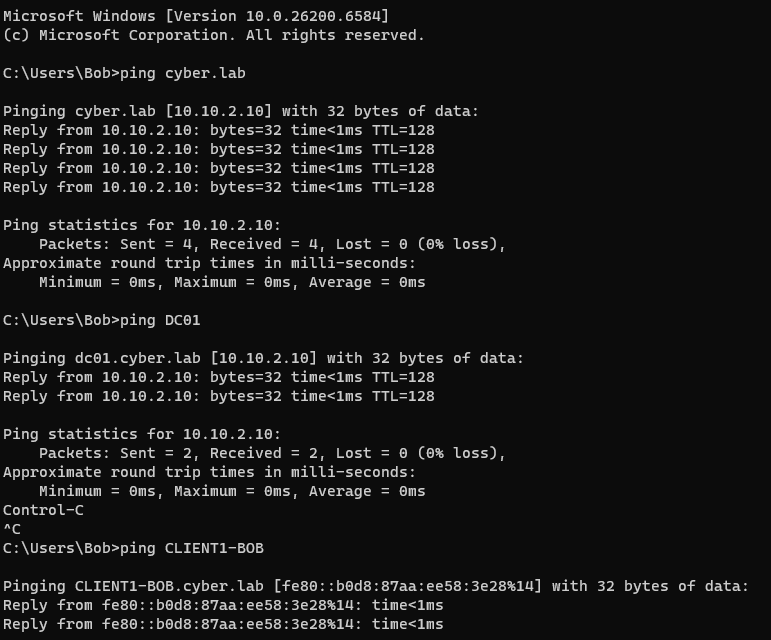
Then, join the host to the domain. Follow the steps at Joining machine to domain if you are not sure how to do so. You should be able to ping the DC using its domain name or computer name.
Notice that when i ping cyber.lab or DC01, it is resolving those names to 10.10.2.10.
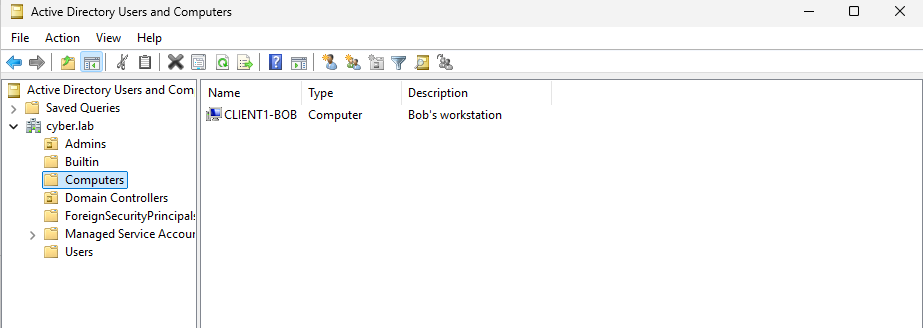
From the DC VM, head to AD Users and Computers > cyber.lab > Computers
Notice that the Windows 11 client machine shows up. I renamed the computer to CLIENT1-BOB
Checkpoint 4 - File Share Set Up
This step is optional, but it is nice to have when we are conducting red team exercises.
Full guide: Active Directory File Share Setup
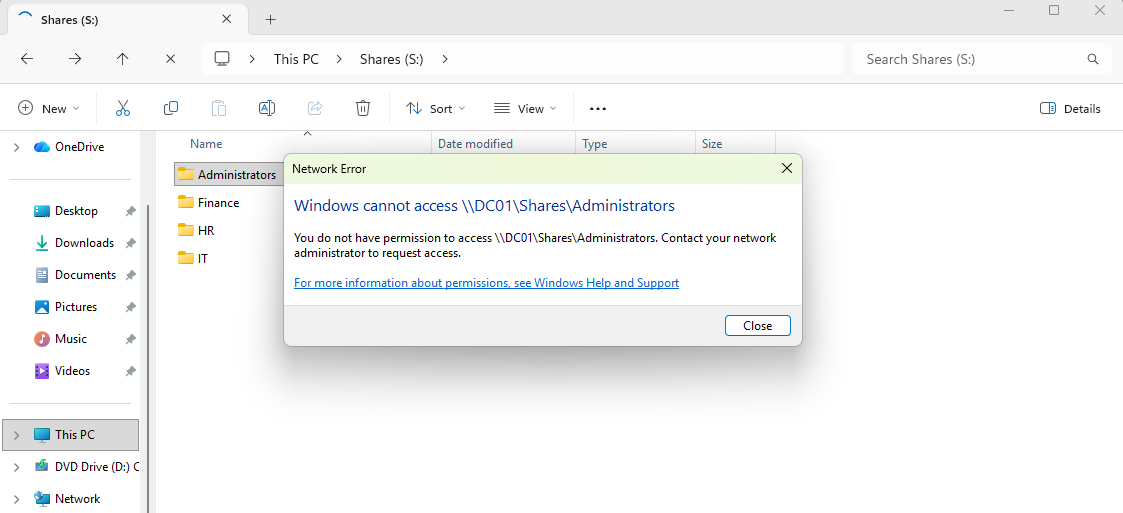
I cannot access the Administrator share as a non admin user
Here, I am creating a file in a directory that I have write permissions on