Azure Security Operations Project
Azure lab to practice SOC/security engineering tasks
Summary
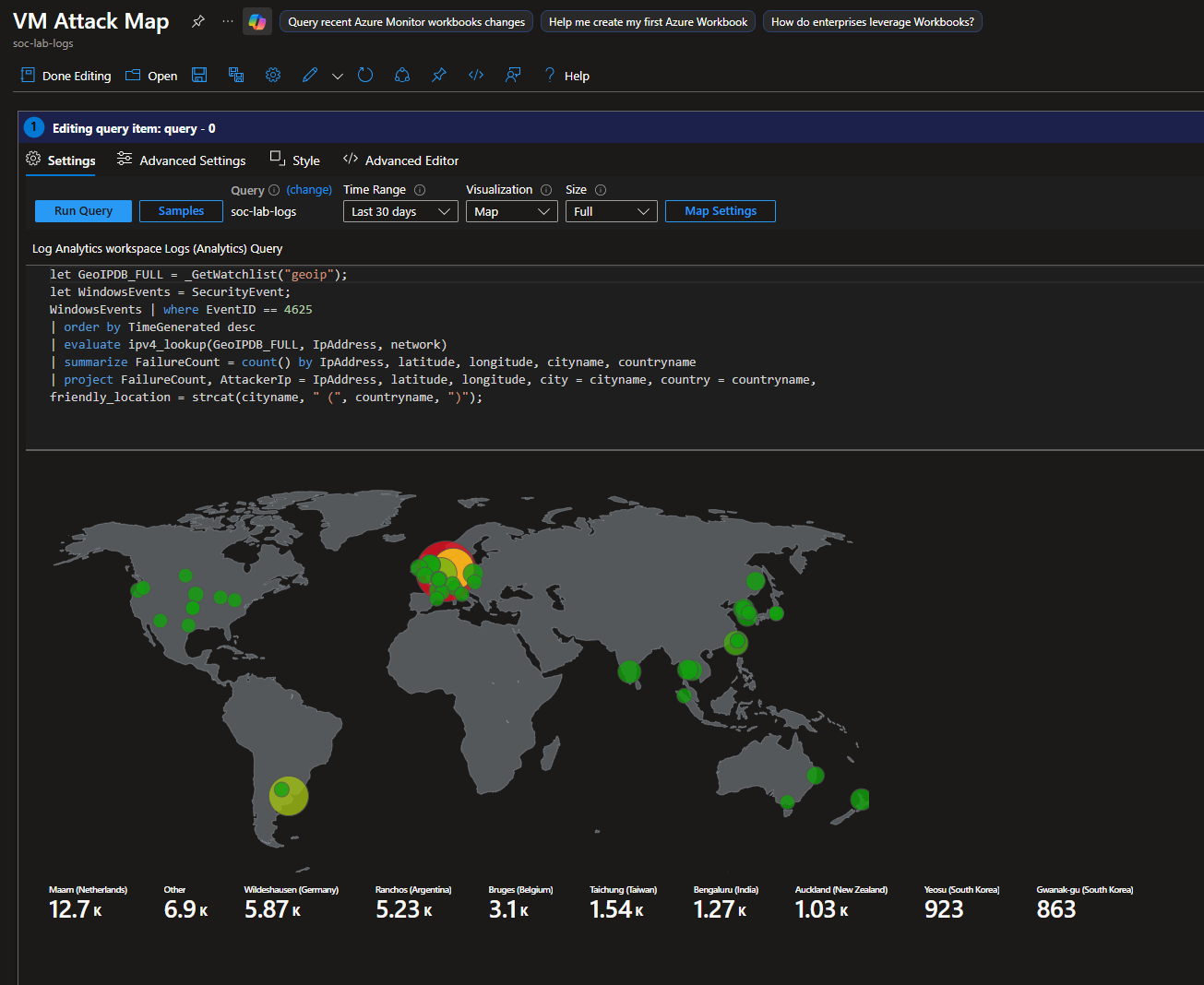
In this project, I set up a Windows VM that was purposefully open to the public to collect failed RDP login attempts. After collecting tens of thousands of logs, I created a Sentinel workbook to visualize where the attacks were coming from by mapping the attackers’ IP addresses to geographic coordinates. Afterwards, I created an automation rule and playbook that blocks the attacking IP address after certain thresholds are met, such as failing RDP over 20 times, or failing with 5 different users. I also created a detection rule for persistence via scheduled task creation, tuning it later on to reduce false positive noise.
This project was inspired by Josh Madakor’s Azure lab: https://www.youtube.com/watch?v=g5JL2RIbThM
GitHub Repository: https://github.com/walterg7/azure-soc
Project Diagram
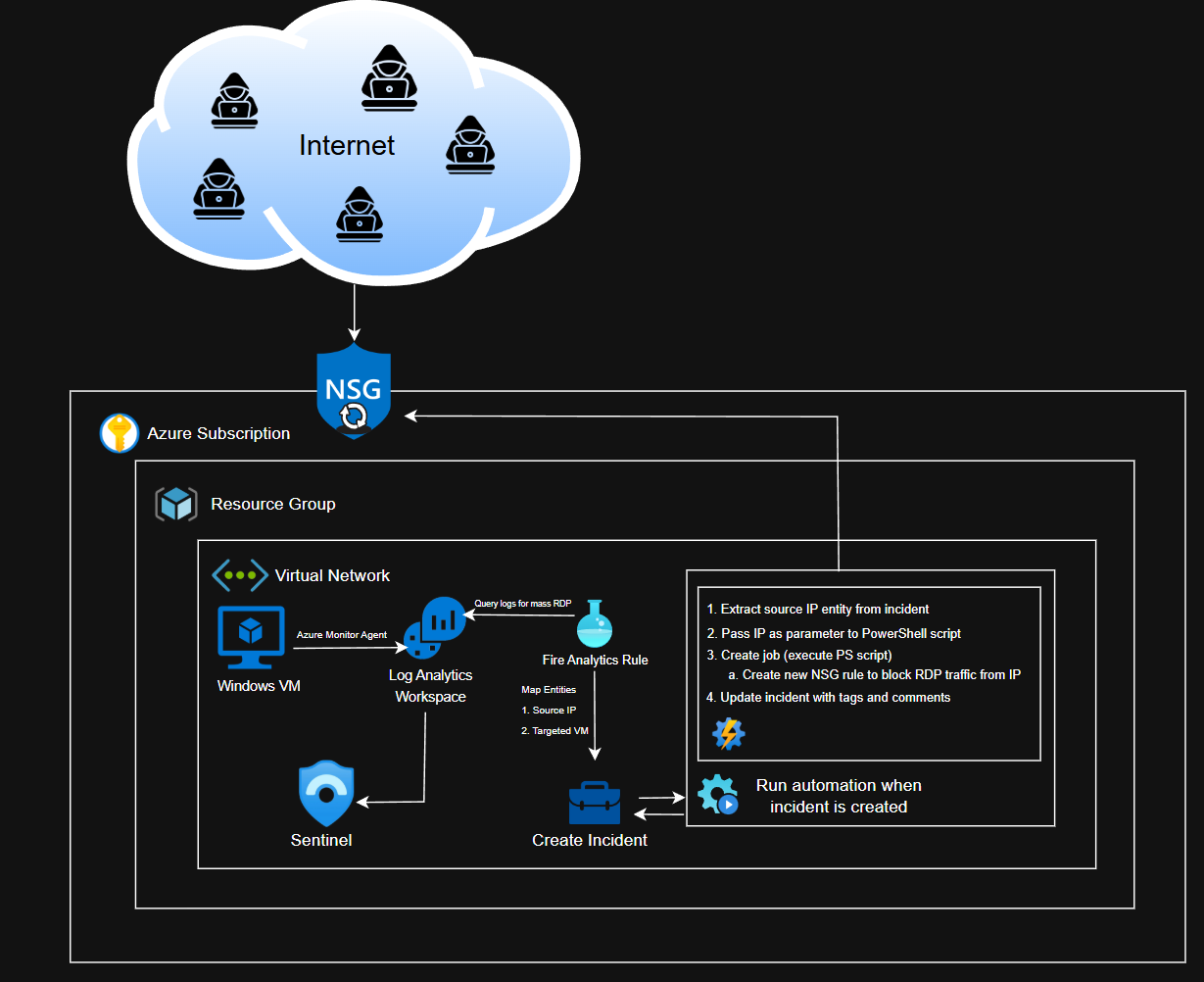
Nothing too complex, I only ran one Windows VM for this project, and everything was under one subscription and resource group. The diagram also contains a high level overview of how the automation works.
Please view the respective walkthroughs for more details and explanation.
Results
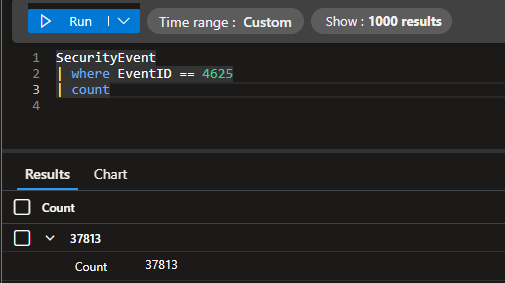
I received over failed 37,000 login attempts by the end of the project. The VM had a total uptime of nearly 40 hours, split into 3, 12-13 hour sessions.
Final Attack Map
Before and After: Automation Component
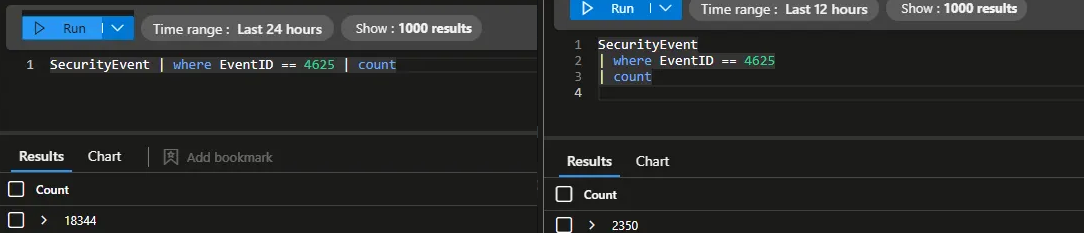
Before implementing the automation, I had 18,344 failed login attempts within a 13 hour window. After, I only had 2,350 failed login attempts within a 12 hour time frame. The automation effectively decreased noise by 87%.
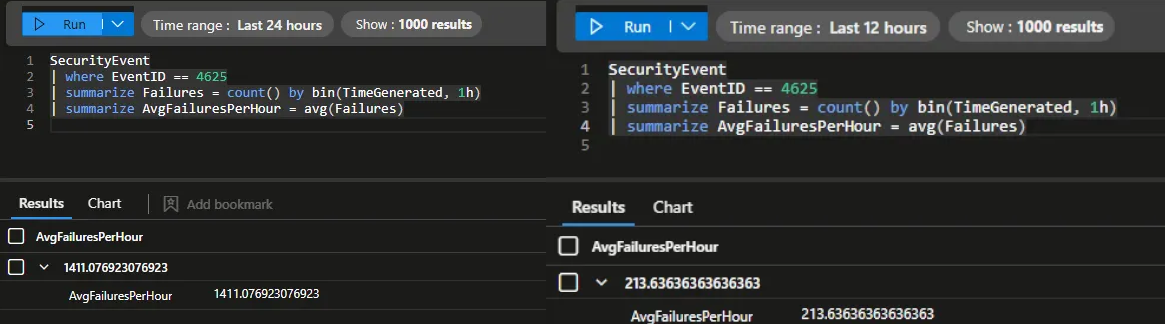
Before, I had an average of 1,411 failed logins per hour. After, I only had 213. At that rate, the VM practically went from 33,864 failed login attempts per day to 5,112.
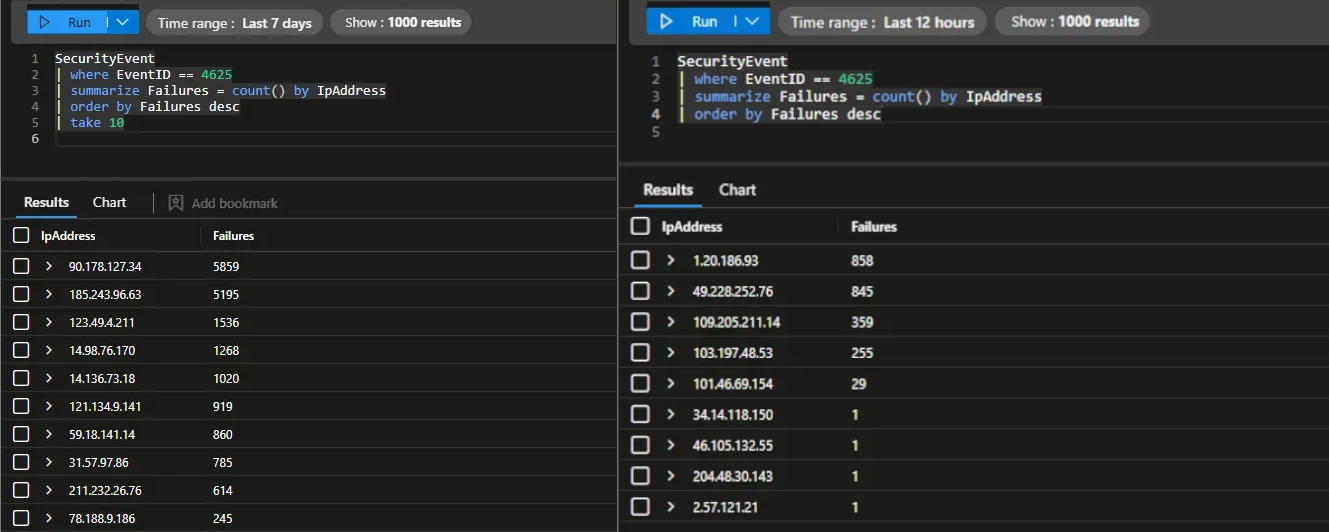
Moreover, before the automation, attackers were able to generate over 5,000 failed logins per IP. Afterwards, no single IP address reached over 1,000 attempts due to the NSG blocking.
Before and After: Scheduled Task Detection
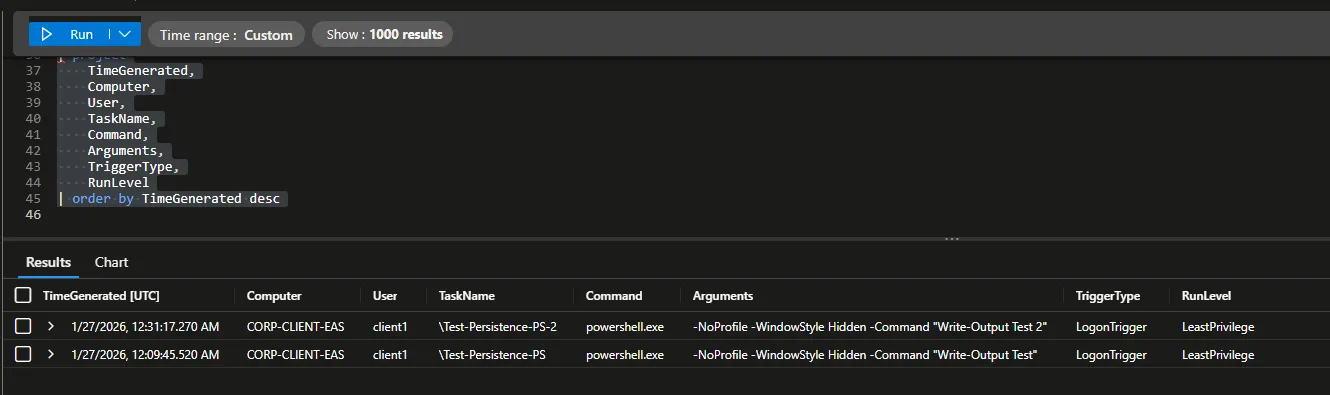
My initial detection captured whenever ANY scheduled tasks were created. This included expected system behavior, so there were a lot of false positives. There are a total of 18 events.
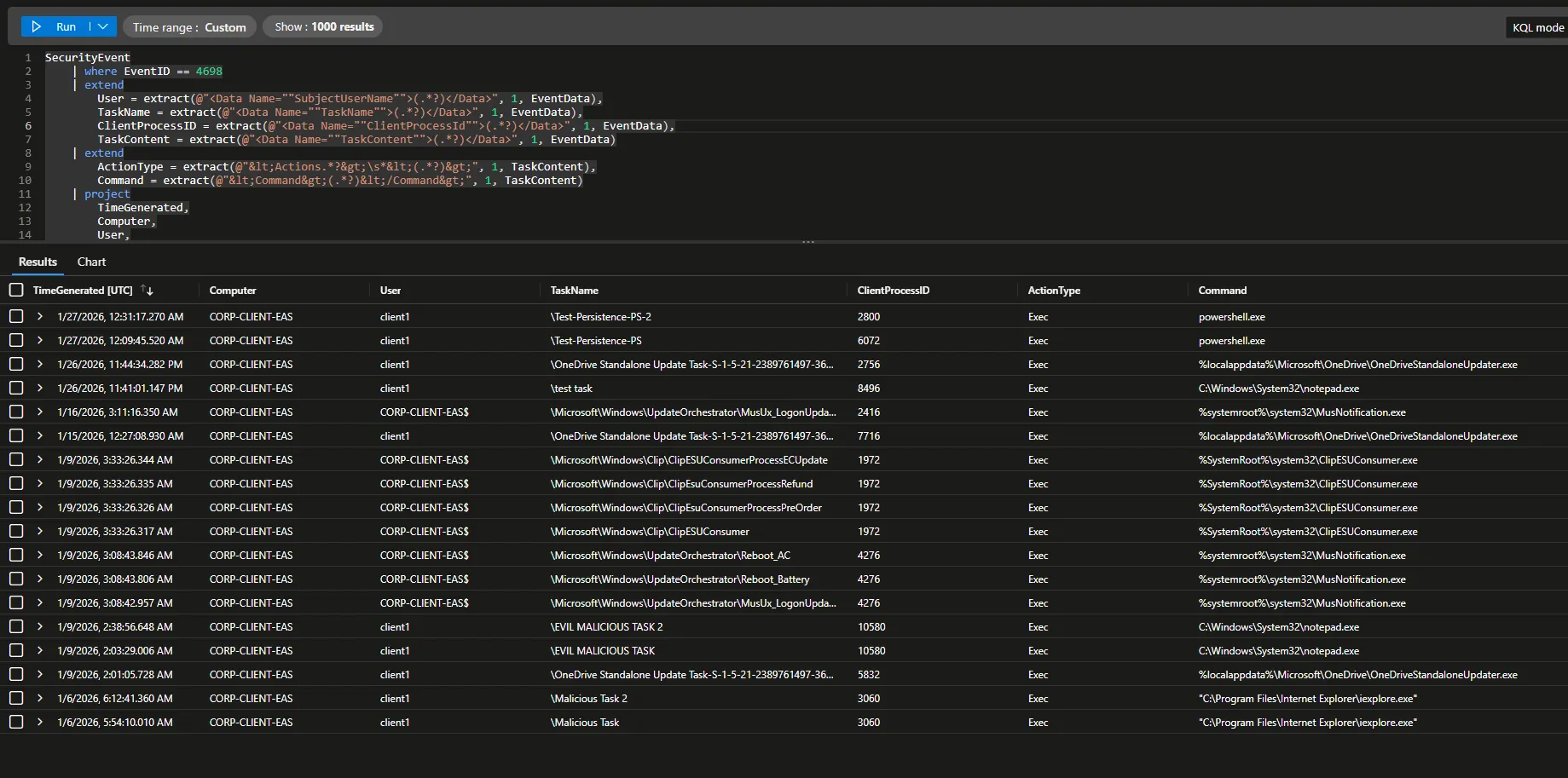
After tuning the rule to detect only potentially malicious scheduled tasks (PowerShell executions, suspicious directories, etc.), the only events detected were my mock tasks that I created to mimic attack persistence.
I effectively reduced noise by nearly 90%; from 18 events to 2 high confidence alerts.